June 16, 2026
Adding an AI-assisted label to Open Source tools
AI-generated code is showing up in more and more open source projects every week, this ranges from simple, well-tested methods, to entire projects being generated by Claude. It's not necessarily a bad thing, used well, it speeds up development and let's maintainers work on features they otherwise wouldn't have time to work on. Used poorly, it produces code nobody understands, and nobody is willing/able to maintain.
I don't necessarily want to hide open source projects that use AI-generated code, but I do think you should know about it.
Why I added it
While more and more people are using LLMs to generated code, there's also a growing number of people who are pushing back on it.
The label itself doesn't tell you wheter the AI-generated code is good, bad or well-reviewed. It just tells you one thing: the project's recent history shows signs of AI-generated code. Do with that information as you will.
How it works
It's not magic, or some LLM that auto-generates it. When I add a project, I simply look through the repo, and check for the following: AI contributors, AGENTS.md files, .claude or .opencode config files.
What this looks like in practice
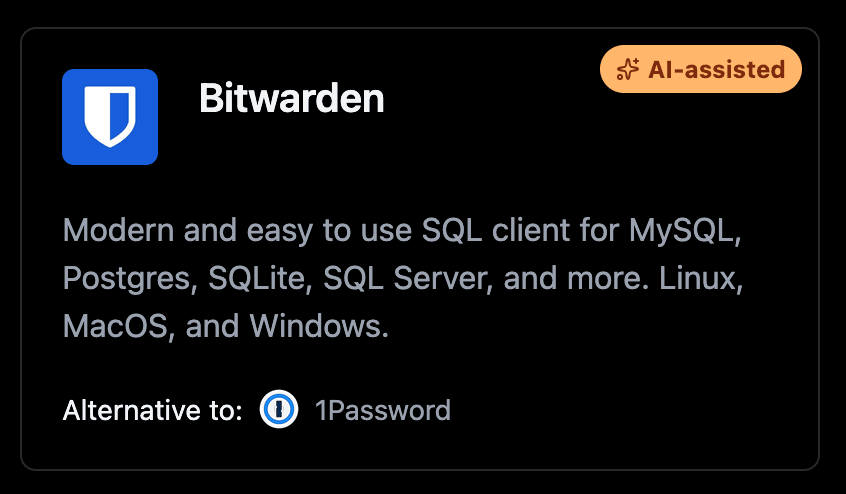
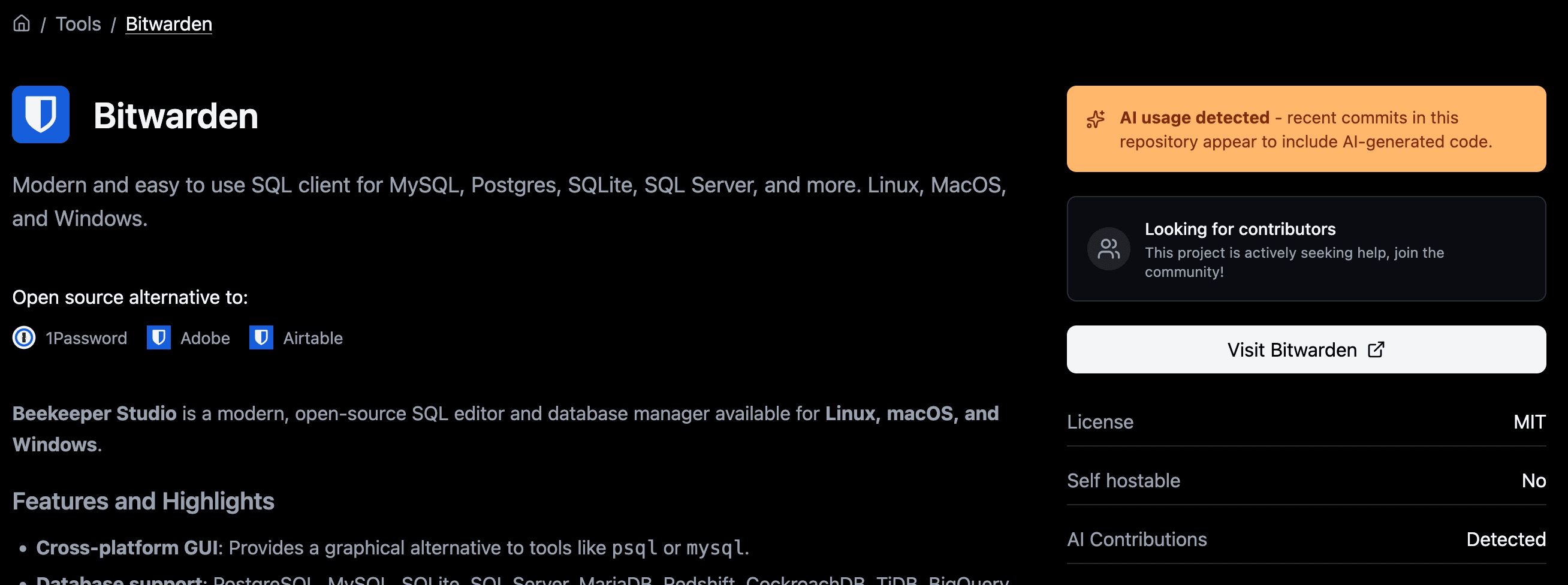
There's 3 sections where you'll see if a project uses AI-generated code.
Here's what you'll see on a tool card when a project is flagged:
On the tool's dedicated page, you'll also find:
Feedback welcome
If you spot a tool that should be flagged and isn't, or one that's flagged incorrectly, do reach out. If you disagree with flagging projects as AI-generated, do also let us know.