
AltTab
Free, open-source macOS window switcher with Windows-style Alt-Tab and live previews of every window.
Open source alternative to:

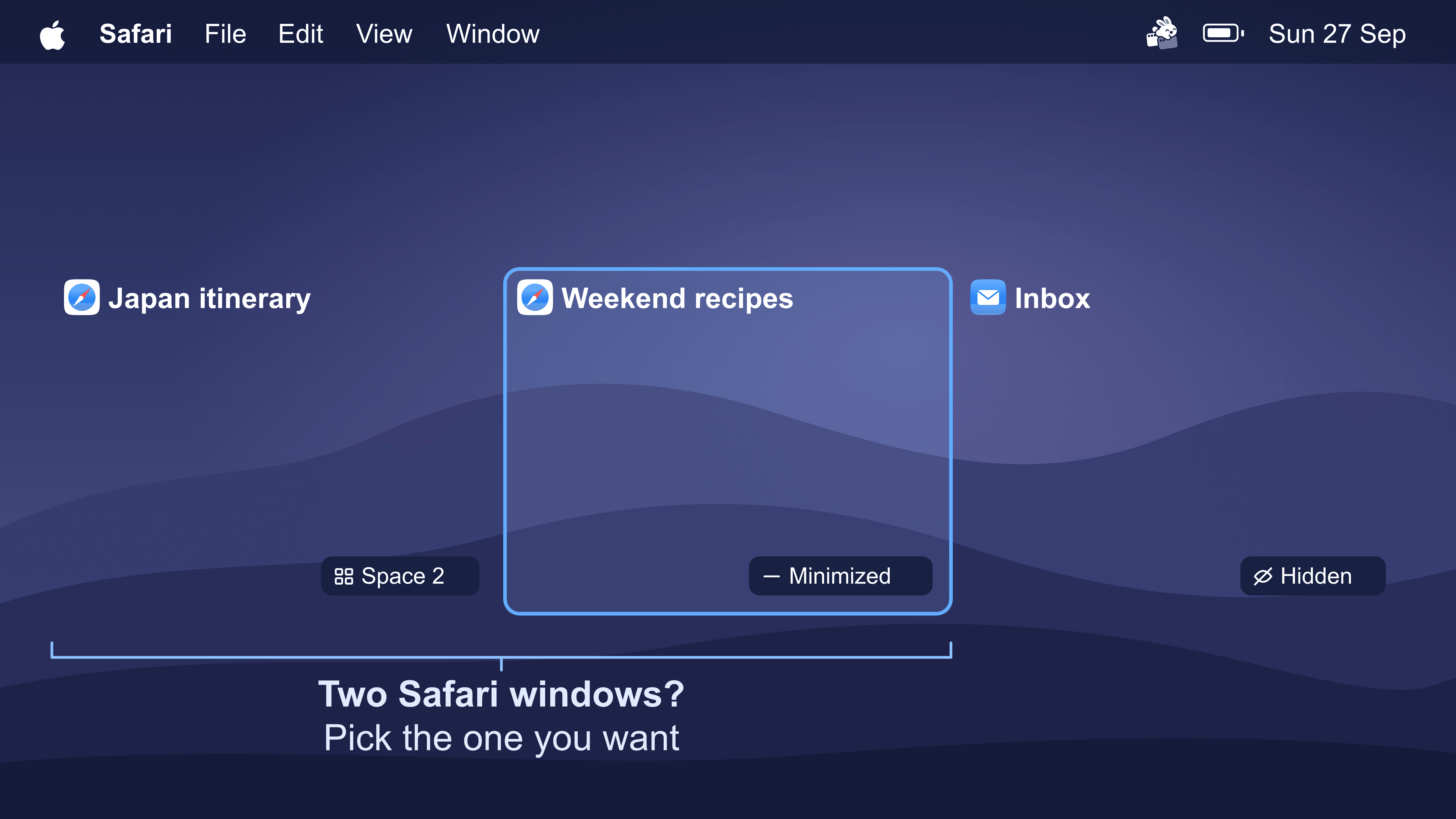
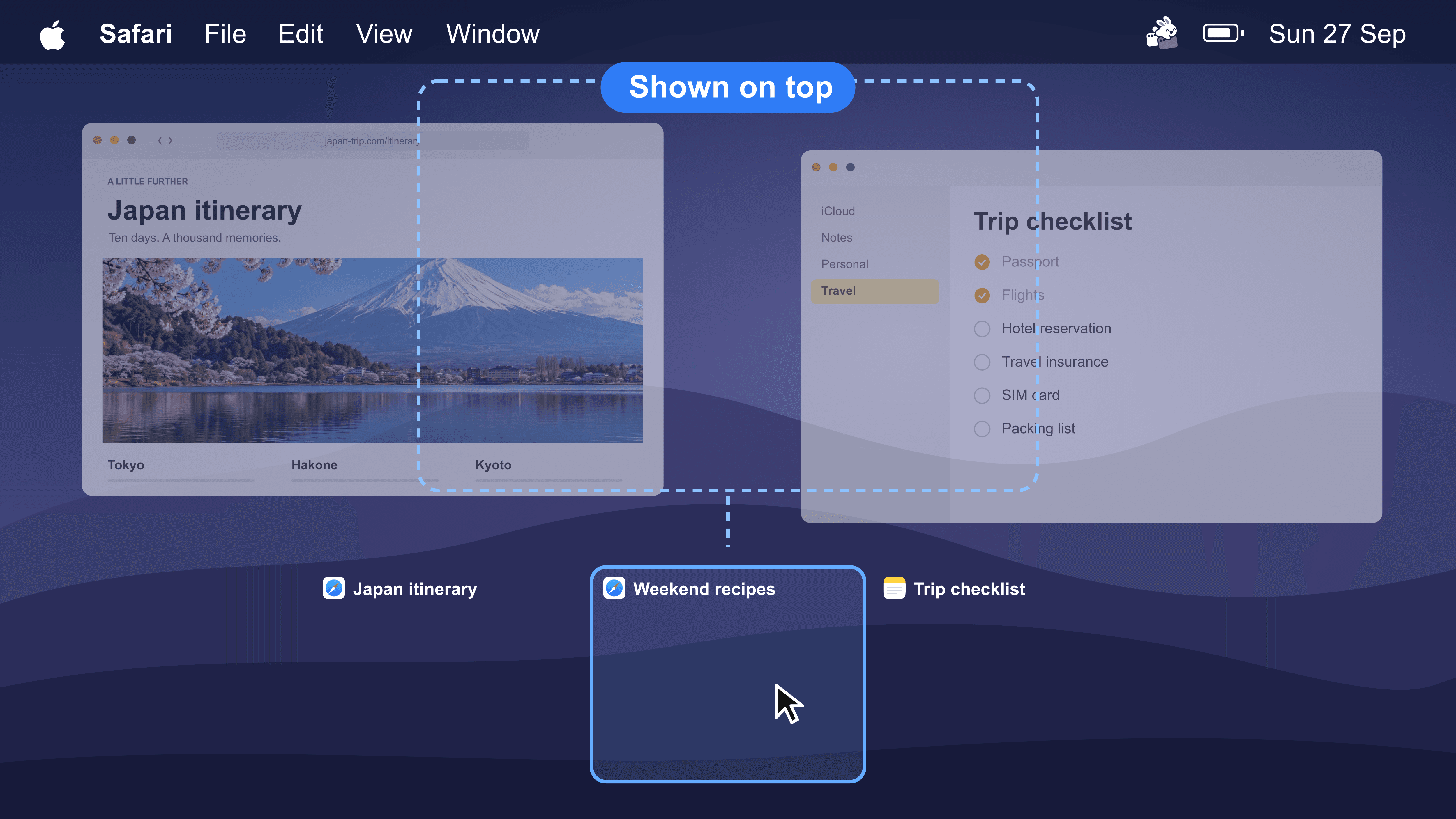
AltTab is a free, open-source window switcher for macOS that recreates the Windows Alt-Tab experience. Instead of cycling through applications, it lists every open window — including windows that are minimized, hidden, or sitting on another Space or monitor — each with a live thumbnail and a badge showing where it lives. The selected window is previewed full size before you commit, so you can confirm you are jumping to the right document.
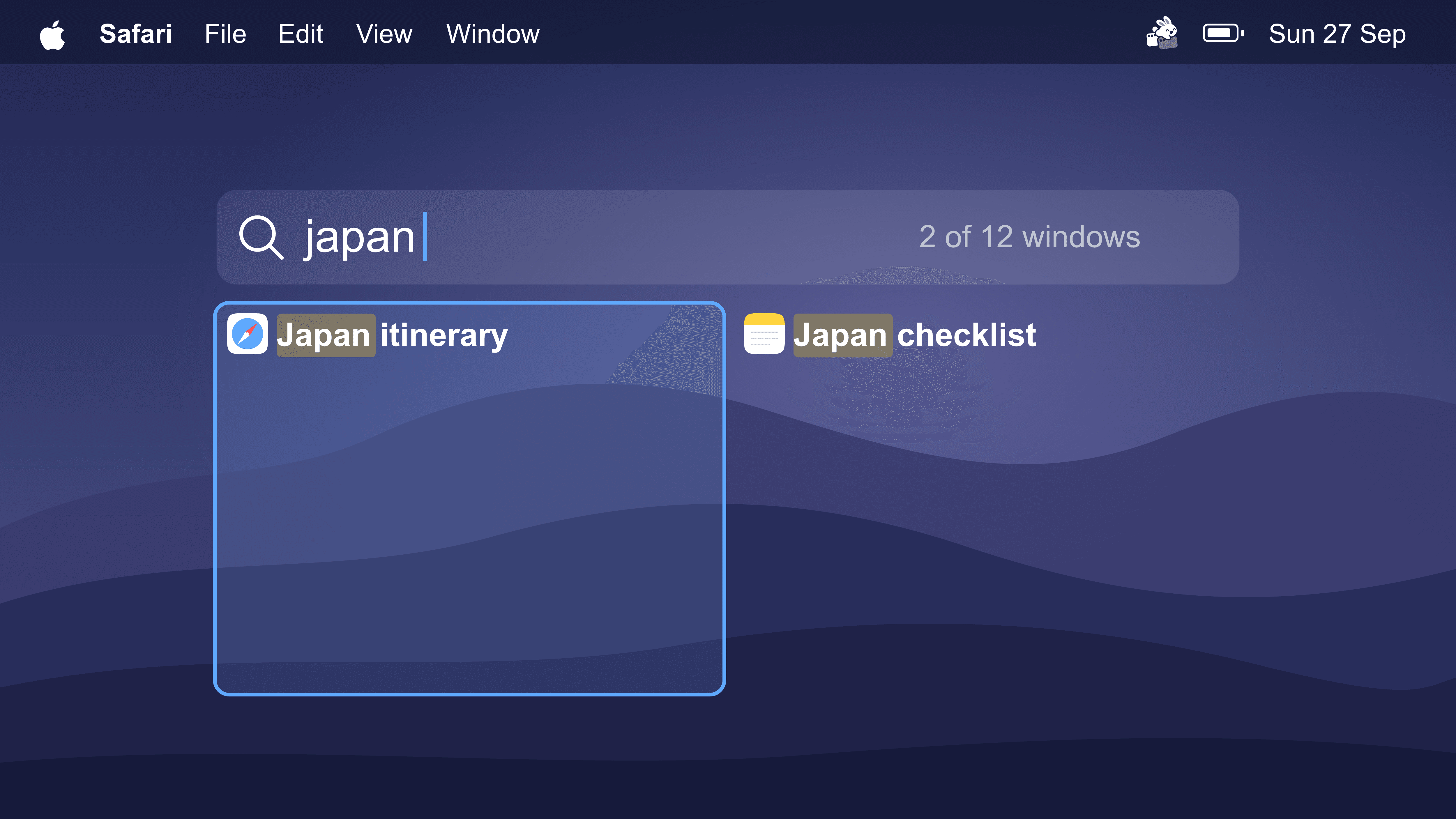
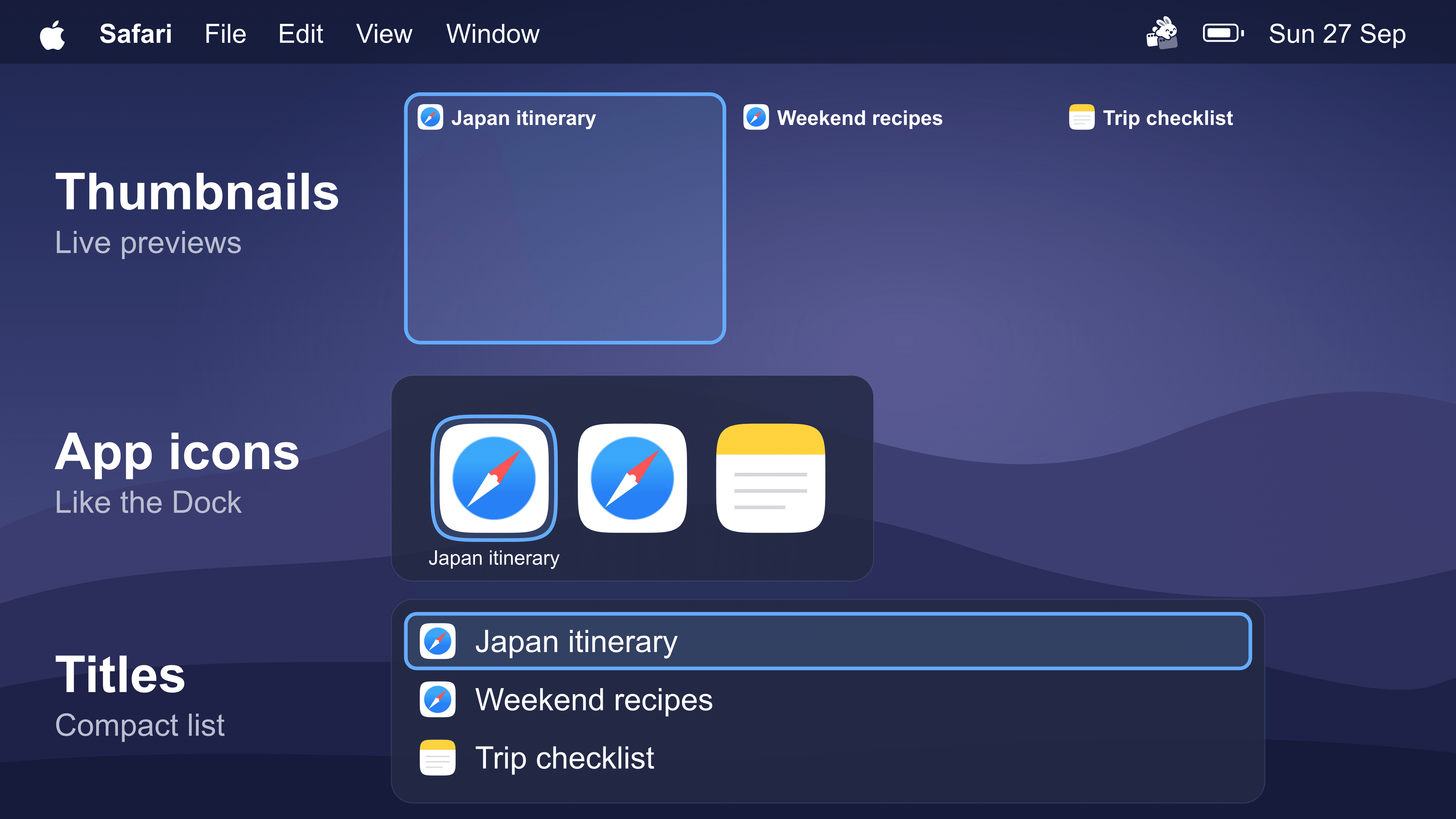
The core switcher is free forever: switching between individual windows, previews before switching, and custom shortcuts. The optional AltTab Pro license adds search by window title or app name, extra switcher styles (app icons, compact title list), auto-sizing previews, and up to nine separate shortcuts. Pro is a one-time purchase with a 14-day trial, and the source for the whole app is published under GPL-3.0, so you can build it yourself.
Compared with paid macOS switchers such as Contexts and Witch, AltTab is free at the core and adds Space and monitor awareness plus trackpad gestures. It also coexists with the built-in Command-Tab switcher — AltTab uses Option-Tab by default, and you can remap it to Command-Tab if you want to replace the system switcher entirely. It requires macOS 12 or later and runs natively on Apple silicon and Intel.


Frequently Asked Questions
Which macOS versions and Macs does AltTab support?
AltTab requires macOS 12 Monterey or later and runs natively on both Apple silicon and Intel Macs. You can download the signed and notarized build from alt-tab.app or from the GitHub releases page, and the app updates itself silently in the background.
Does AltTab work across multiple monitors, Spaces and Stage Manager?
Yes. AltTab lists windows from every Space and every connected display in a single switcher, and each entry carries a badge telling you where that window is. Stage Manager is supported too, though in the Thumbnails style macOS can render previews distorted or very small; the App Icons and Titles styles stay clear.
What macOS permissions does AltTab need?
Two. Accessibility access is required to read window titles and move focus between windows. Screen Recording access is required only to capture window previews; without it AltTab still switches windows but shows no thumbnails. Both are granted in System Settings, under Privacy and Security.
Can I control AltTab from the command line?
Yes. AltTab ships a command line interface that lets you list open windows and focus a specific one from a terminal or a script, which is useful for automation and window-manager style workflows.
OpenAltFinder Score
Project Details
Repository details
Updated 11/10/2026, 9:01:30 AM
View RepositorySponsor AltTab
Get the latest open source alternatives delivered weekly.
Discover tools that give you freedom from proprietary software.