
FileBrowser Quantum
A fast, self-hosted web file manager with multi-source browsing, granular permissions, and WebDAV access to your own storage.
Open source alternative to:


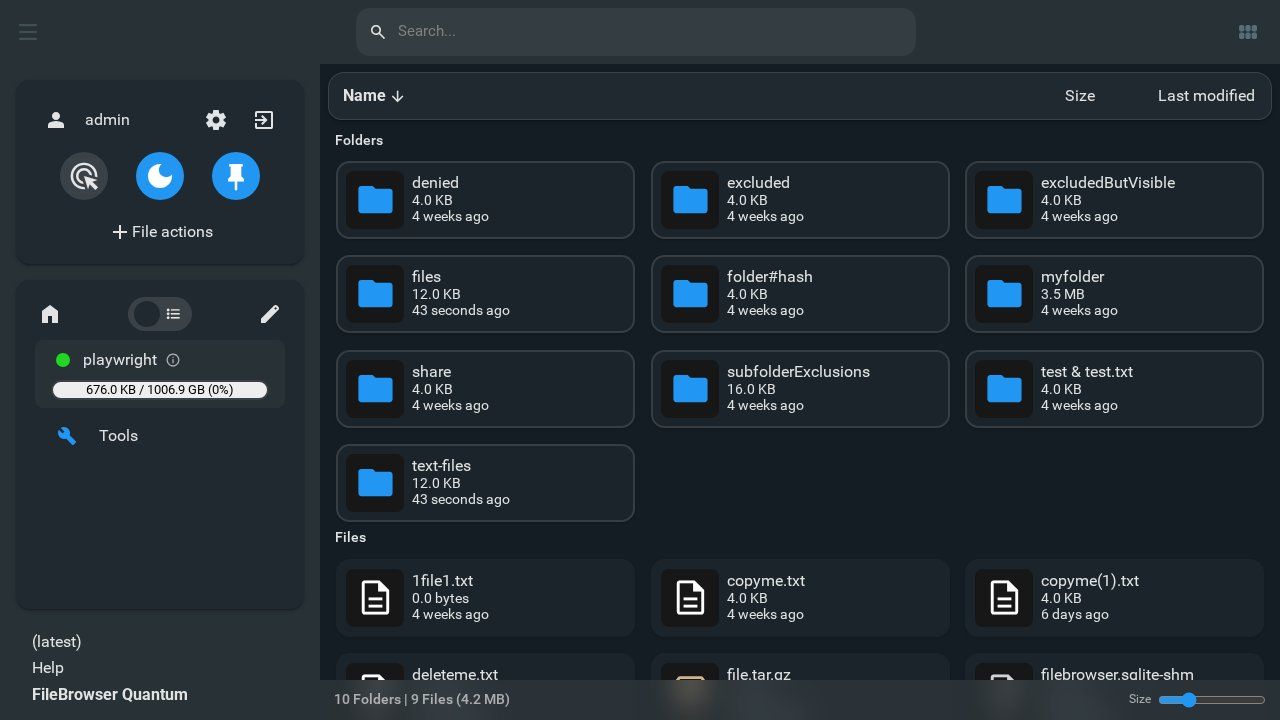
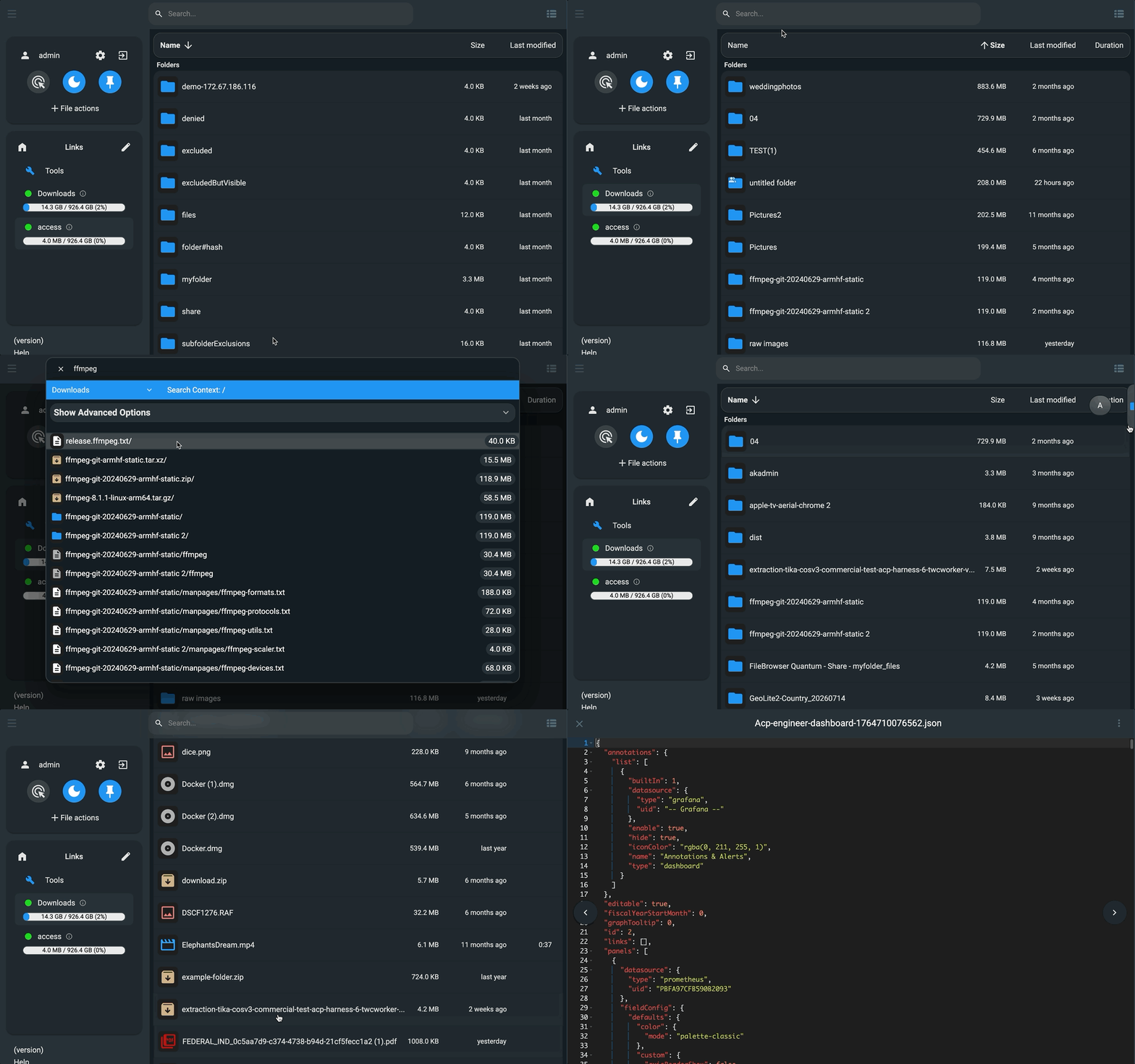
FileBrowser Quantum is a self-hosted, web-based file manager that gives you a clean interface over your own filesystem. It is an actively maintained fork of the original Filebrowser project that adds multiple storage sources, OIDC/LDAP authentication, real-time search, and a more customizable UI while remaining a single lightweight binary.
You point it at one or more directories on your server (or Docker volume) and get browsing, upload, download, editing, and preview for office documents, video, album artwork, and 3D models, complete with folder sizes, thumbnails, and WebDAV access. Access is controlled per user or group with granular, path-scoped permissions, and configurable share links support expiration and anonymous access.
Compared to Dropbox, Google Drive, or OneDrive, FileBrowser Quantum does not offer cloud sync or off-site copies — instead, your files never leave hardware you control, there are no storage quotas or subscription fees, and you can manage who sees what with fine-grained rules. Pair it with Syncthing or a backup tool if you need sync and redundancy; use Quantum for direct, permission-controlled web access to the files themselves.
It ships a REST API with long-lived API tokens and a Swagger page at /swagger, runs as a single binary configured via config.yaml, and publishes official Docker images for easy self-hosting.
Categories:


Frequently Asked Questions
Which platforms does FileBrowser Quantum run on?
FileBrowser Quantum is a web application that runs on any Linux, macOS, Windows, or BSD server where Go can compile, and official Docker images are published for easy self-hosting. Clients only need a browser, and the storage itself can be mounted or accessed via WebDAV.
What authentication options does FileBrowser Quantum support?
It supports local password accounts with two-factor authentication, OIDC for single sign-on with providers like Google or Auth0, LDAP directory authentication, reverse-proxy authentication headers, and JWT-based authentication, including long-lived API tokens for developers.
Can I import existing data into FileBrowser Quantum?
There is no import tool because FileBrowser Quantum does not copy your files — it works directly on directories you point it at, so your existing folder structure and files are simply available once configured. A migration guide exists for users coming from the original Filebrowser in the project discussion #3105 on GitHub.
Does FileBrowser Quantum have an API?
Yes, it provides a REST API with long-lived API tokens, and a Swagger documentation page is served at the /swagger endpoint for API-enabled users. Share links can also be created programmatically, so it integrates well with scripts and automation.
How does FileBrowser Quantum handle sharing?
Shares can be configured with expiration times, restricted to specific users or anonymous access, and customized with styling and theme choices. You can also limit what someone with a share link can do — viewing, editing, or uploading — per share.
OpenAltFinder Score
Project Details
Repository details
Updated 10/13/2026, 6:00:17 AM
View RepositoryCompare FileBrowser Quantum with
Similar open source alternatives

Cloudreve
Self-hosted file management and sharing platform that unifies local disk and multiple cloud storage providers behind one web interface.
 Dropbox
Paperless-ngx
Self-hosted document management system with OCR, full-text search, and automatic tagging for your paper documents.
 Google Drive
SafeBucket
Self-hosted file sharing platform with direct S3 uploads, SSO, and role-based access control.
Dropbox
Twake Drive
The open-source alternative to Google Drive.
Google Drive
Syncthing
Continuous file synchronization program that syncs files directly between your devices — no cloud required.
Dropbox
OpenCloud
OpenCloud is an open-source platform for file management, sharing, and team collaboration. It's easy to deploy, fully self-hostable, and built for modern, privacy-first workflows.
Google Drive