LaTeX Autofill
An Obsidian plugin that provides IDE-style LaTeX autocomplete with English and Chinese keyword search for math formulas.
Open source alternative to:

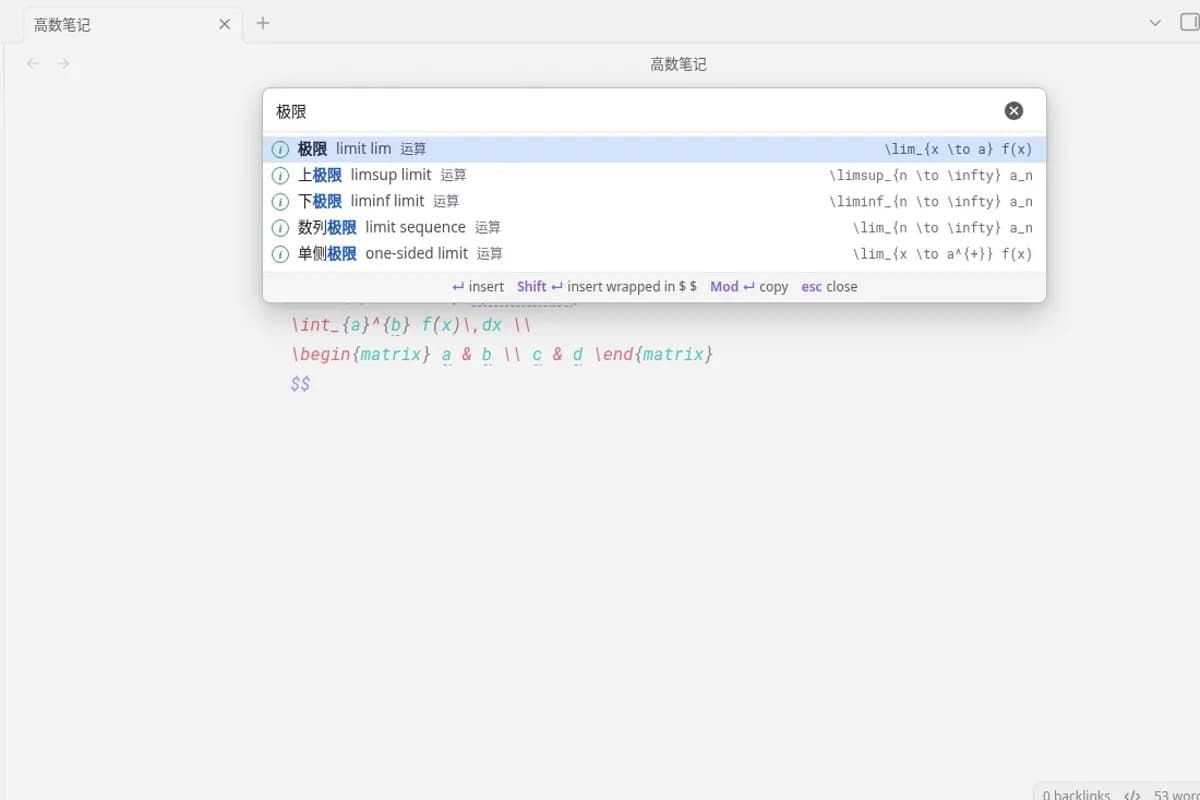
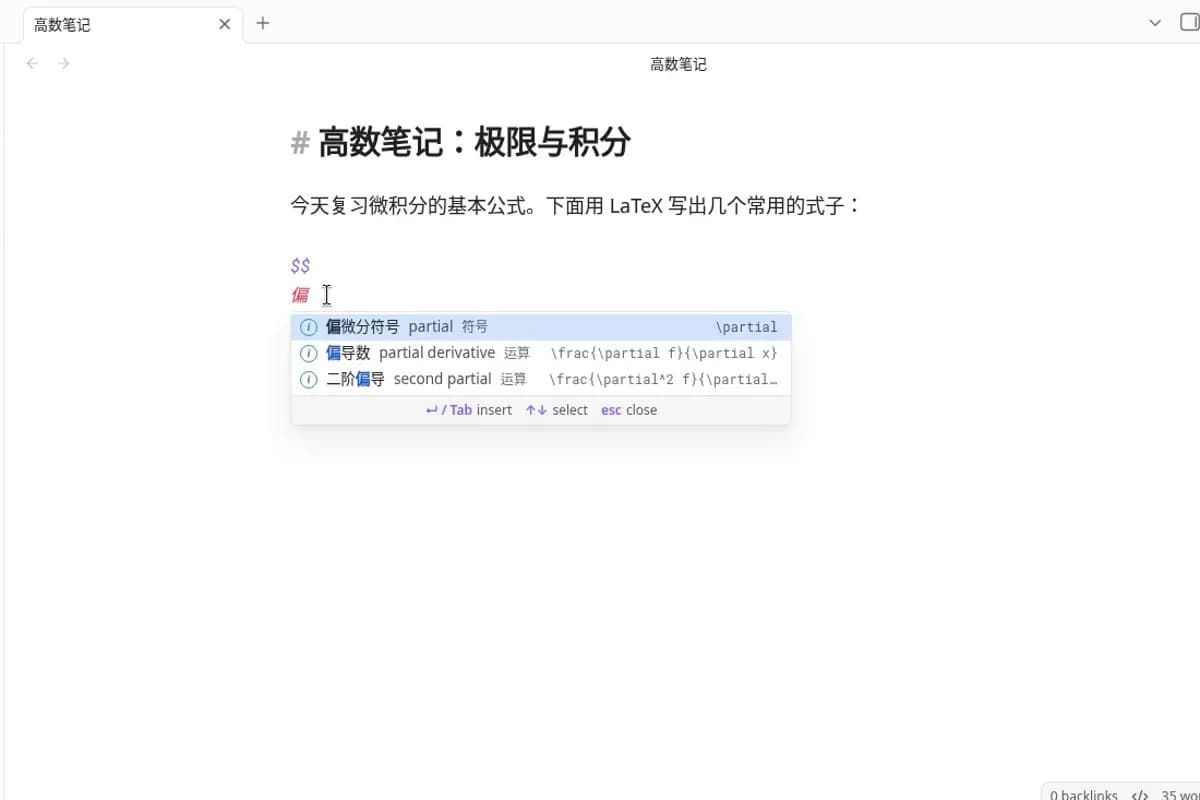
LaTeX Autofill is an open source Obsidian plugin that brings IDE-style autocomplete to LaTeX math blocks. When you type inside a math environment, a completion list pops up at the cursor much like code completion in an IDE, and every command can be found by its English name, its Chinese name, or the raw LaTeX command itself.
Unlike most LaTeX completers that only match command names, LaTeX Autofill matches what you mean: typing a phrase like "partial derivative" or its Chinese equivalent inserts a complete formula template with placeholders you can Tab through, walking through every argument and every matrix cell. It ships 236 curated entries covering operators, relations, sets, logic, arrows, brackets, fonts, accents, functions, matrices, environments, spacing, probability, and the Greek alphabet, ranked above the plain command list, plus the full Completr command list for when you already know the command name.
It works as soon as it is enabled, runs fully offline with no AI involved, and needs no configuration. Insertion is placeholder-aware with Tab and Shift+Tab navigation, nested completions keep outer placeholders intact, and multi-line environments are flattened to one line inside inline math. There is also a searchable "Search LaTeX" window for browsing all entries, with options to insert, insert wrapped in inline math, or copy. Interface language follows the Obsidian language setting, showing Chinese or English names natively while search always accepts both.
As a free comparison to commercial equation editors like MathType, it is not a WYSIWYG toolbar but a keyboard-driven alternative for people who write math in Markdown: rather than clicking through a symbol palette in a paid Office add-in, you type what you want and pick from a list, staying entirely inside your Obsidian notes.
Categories:
Build with:

Frequently Asked Questions
How do I install LaTeX Autofill?
It is available in the official Obsidian Community Plugins directory: open Settings, then Community plugins, then Browse, search for LaTeX Autofill, and choose Install and Enable. It requires Obsidian 1.7.2 or later. Beta builds are also available through BRAT, and manual installation is possible by placing main.js, manifest.json, and styles.css in the vault plugins folder.
Does LaTeX Autofill need an internet connection or AI services?
No. The plugin runs fully offline and uses no AI. Completion is powered by a bundled list of 236 curated entries plus the plain Completr command list, so everything works with no account, API key, or network access.
Can I search LaTeX commands in Chinese?
Yes. Every entry can be found by its Chinese name, its English name, or the LaTeX command itself, even without typing a backslash inside a math block. The interface language follows the Obsidian language setting, showing Chinese names with English beside them when Obsidian is set to Chinese, and search always accepts both languages.
Does LaTeX Autofill conflict with other autocomplete plugins?
Do not enable Completr's LaTeX provider at the same time or two completion lists will pop up. If you also use LaTeX Suite, note that both plugins listen for Tab in math; while the LaTeX Autofill list is open or placeholders are active, it takes over the Tab key.
Can I add my own LaTeX entries?
Yes. Curated entries live in a DATA block at the top of the plugin's main.js file, one per line, in the format category, Chinese name, keywords, LaTeX, and optional English name. Each braced argument and matrix cell becomes a placeholder automatically, and the project welcomes pull requests with new entries.
OpenAltFinder Score
Project Details
Repository details
Updated 10/2/2026, 5:00:25 AM
View Repository