
Transmission
Lightweight open source BitTorrent client with native desktop apps, a headless daemon and a built-in web UI.
Open source alternative to:


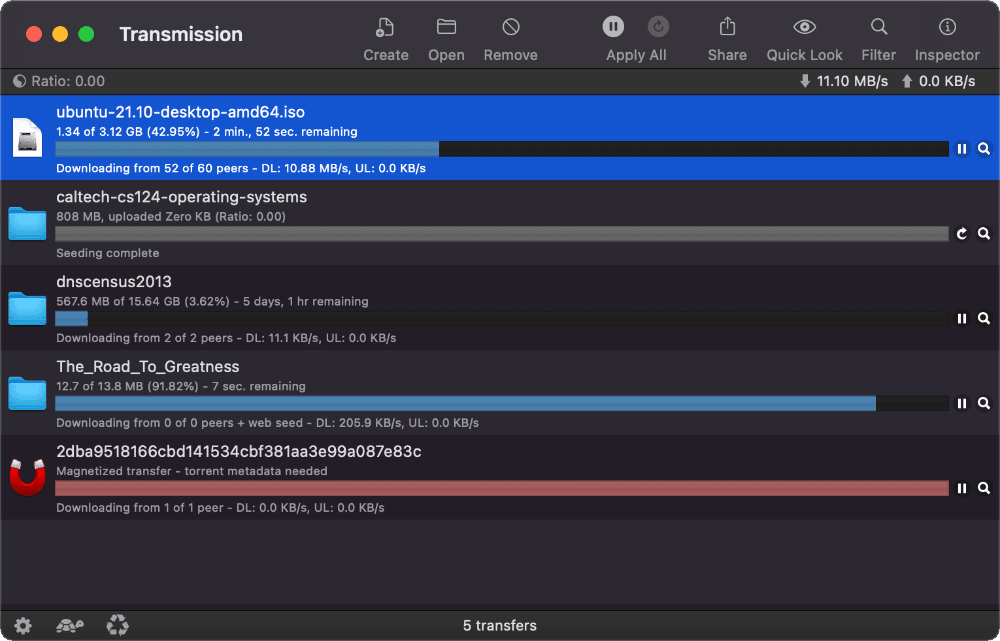
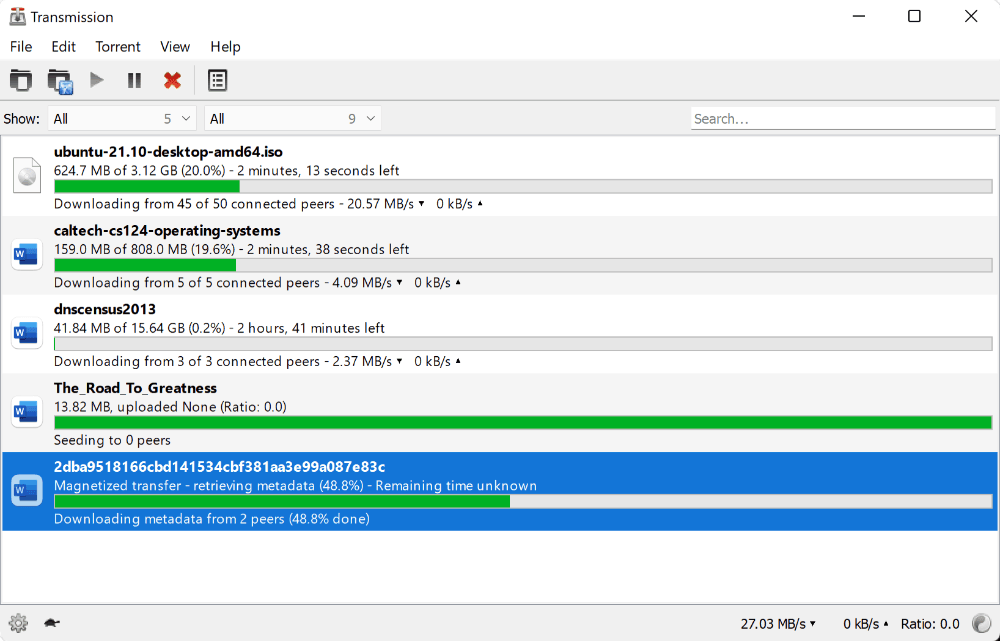
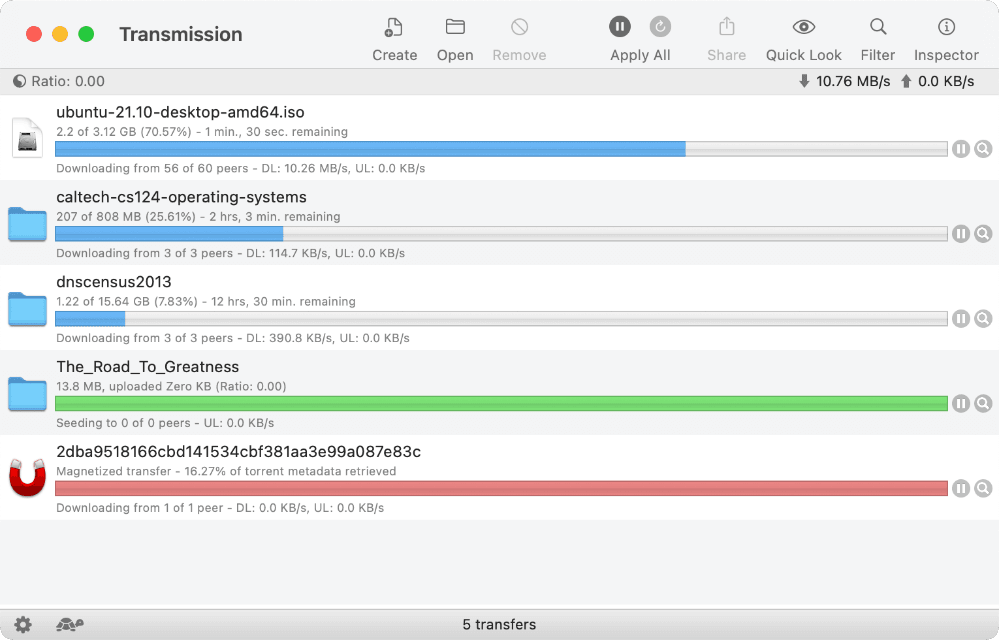
Transmission is a free BitTorrent client built around a shared C++ core, libtransmission, with several front ends on top of it: a native macOS app, GTK and Qt apps for Linux and BSD, a Qt app for Windows, a headless transmission-daemon for servers and NAS boxes, and a web interface that is bundled with every flavor. It handles magnet links, trackers, DHT, PEX, LPD and µTP, and ships the usual client features — download queues, per-torrent speed limits, ratio and idle seeding limits, sequential download, file prioritization, blocklists, encryption, proxy support and UPnP/NAT-PMP port forwarding.
The project is deliberately minimal: no bundled search, no ads, no upsell, and a settings model that stays out of the way. Everything is configurable from the GUI or from settings.json, and the daemon can be driven over its JSON RPC interface on port 9091 by transmission-remote, by the web UI, or by any third-party remote client. Command line utilities for creating, editing and inspecting .torrent files (transmission-create, transmission-edit, transmission-show) are included as well.
That makes Transmission a direct replacement for ad-supported clients such as µTorrent, BitTorrent and Vuze: same protocol support, none of the bundled offers, and a headless mode that lets an old machine, router or NAS do the downloading while you control it from a browser or phone. It is dual-licensed under the GPLv2 and GPLv3, with some files under more permissive BSD and MIT terms.
Categories:
Tags:
Build with:




Frequently Asked Questions
Which platforms does Transmission run on?
Transmission ships a native macOS app, GTK and Qt apps for Linux and BSD, a Qt-based app for Windows, and a headless transmission-daemon for servers, routers and NAS devices. A web interface is built into every flavor, and command line tools such as transmission-remote, transmission-create and transmission-show are packaged on the command line side.
Does Transmission have an API or CLI?
Yes. Every Transmission flavor exposes a JSON RPC API over HTTP or HTTPS on port 9091, and the RPC specification is published in the repository under docs/rpc-spec.md. The transmission-remote CLI speaks that same RPC, so scripts written against it work with the Mac, Linux, Windows and headless clients alike. Separate tools handle .torrent files: transmission-create, transmission-edit and transmission-show.
Can I run Transmission headless on a server or NAS?
Yes. transmission-daemon runs in the background, creates a settings.json in the user's config directory and listens on port 9091 for RPC and web requests. A systemd unit is included with the source, and the daemon reloads its settings on SIGHUP, which makes it straightforward to manage on a home server or NAS instead of leaving a desktop machine running.
How do I control Transmission remotely?
Enable Allow remote access in the Remote tab of the preferences, or set rpc-enabled, rpc-username and rpc-password in settings.json for the daemon. The built-in web UI is then served at /transmission/web/, and you can restrict access to specific addresses with the RPC whitelist. Any client that speaks the RPC protocol can connect as well, including phone and desktop remote apps.
Can I run a script when a download finishes?
Yes. Transmission can invoke a script on torrent completion, passing details such as TR_TORRENT_NAME, TR_TORRENT_DIR, TR_TORRENT_HASH, TR_TORRENT_LABELS and TR_TORRENT_TRACKERS as environment variables. The repository includes an example script that sends an email when a torrent finishes, and the same hook is commonly used to move or unpack completed downloads.
Looking for contributors
This project is actively seeking help, join the community!
OpenAltFinder Score
Project Details
Repository details
Updated 10/28/2026, 6:00:55 AM
View RepositoryGet the latest open source alternatives delivered weekly.
Discover tools that give you freedom from proprietary software.