
Doory
Open-source browser design editor for posters, social posts and slides, with templates, real-time co-editing and PNG, SVG, PDF and video exports.
Open source alternative to:
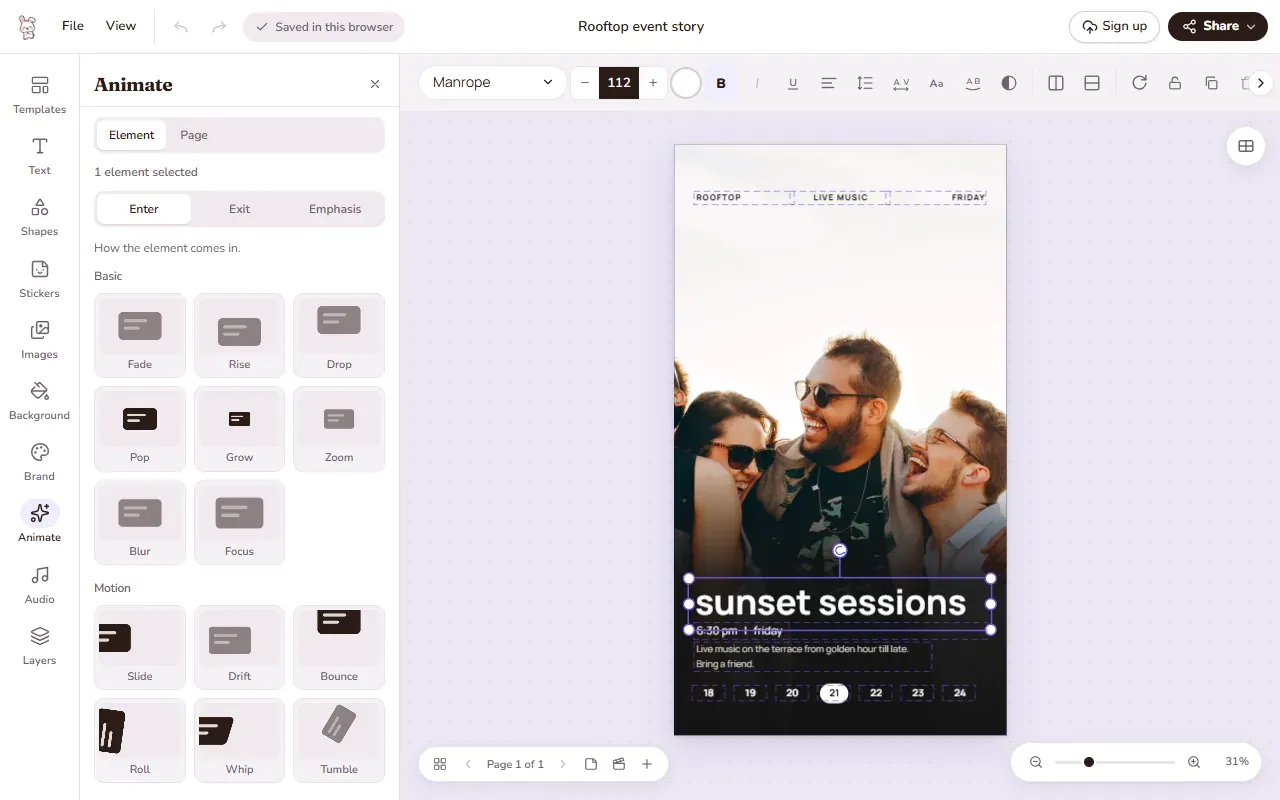
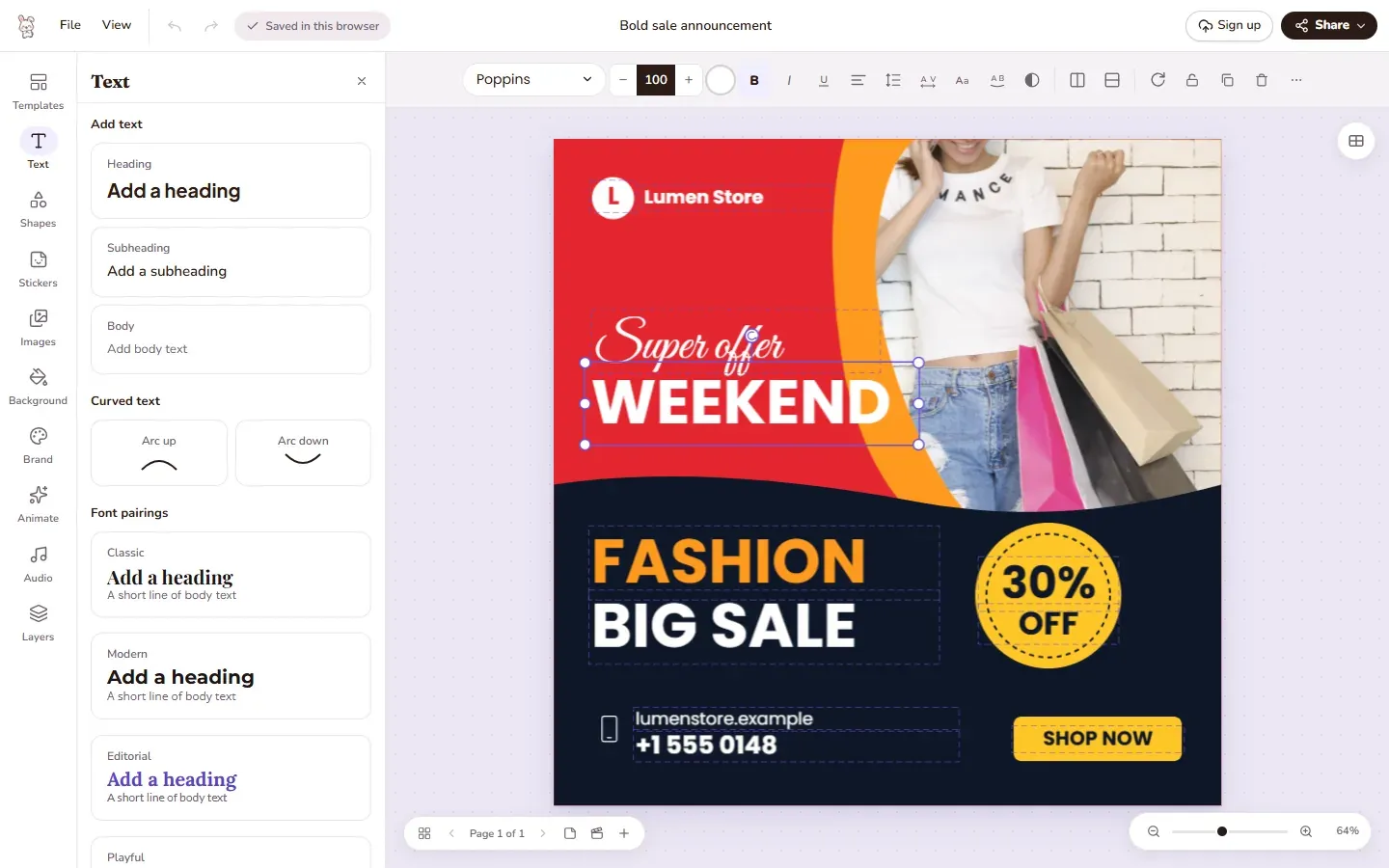
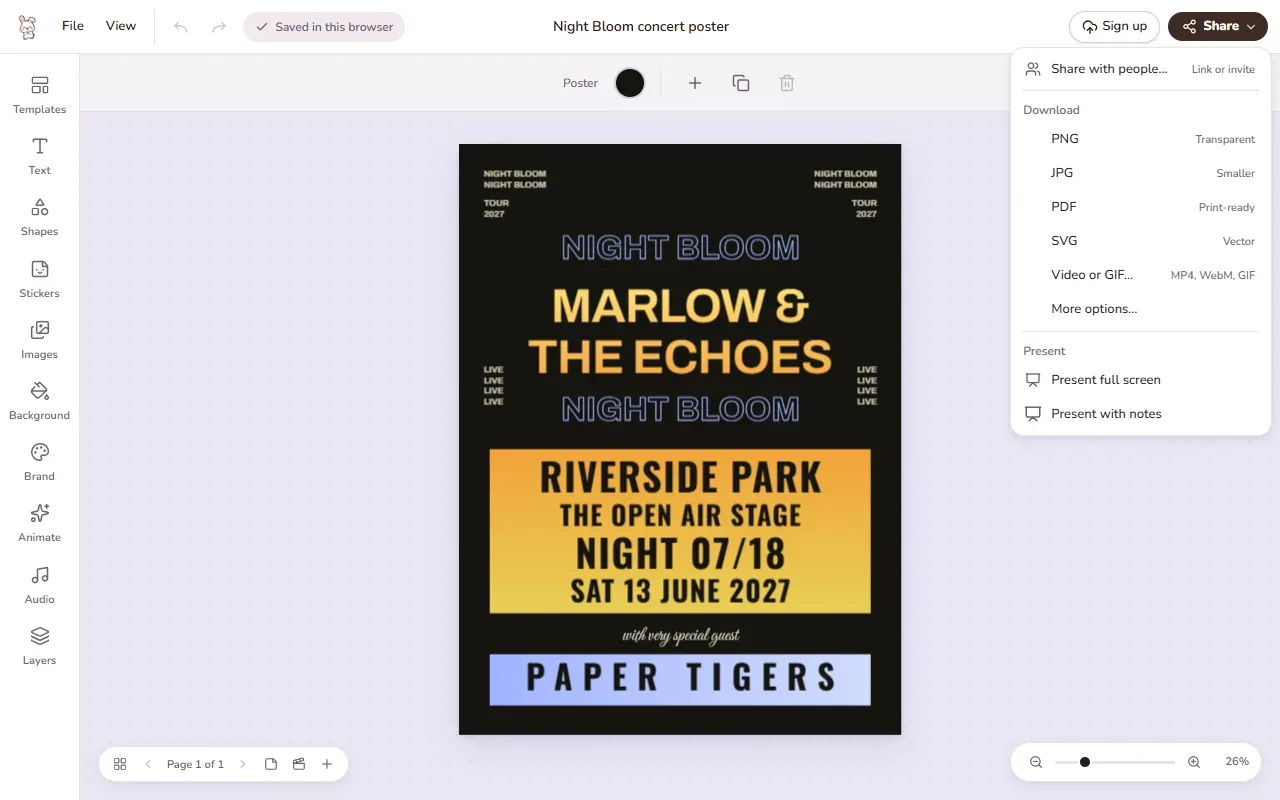
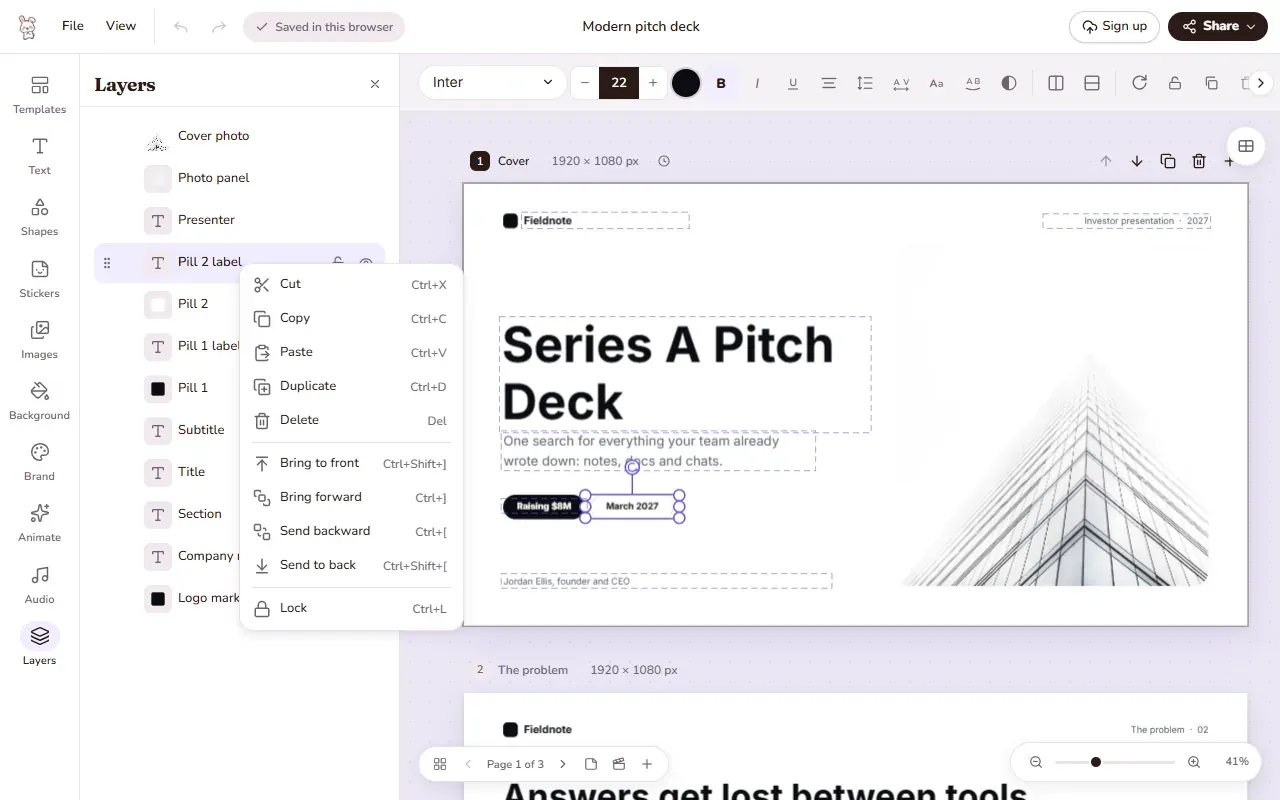
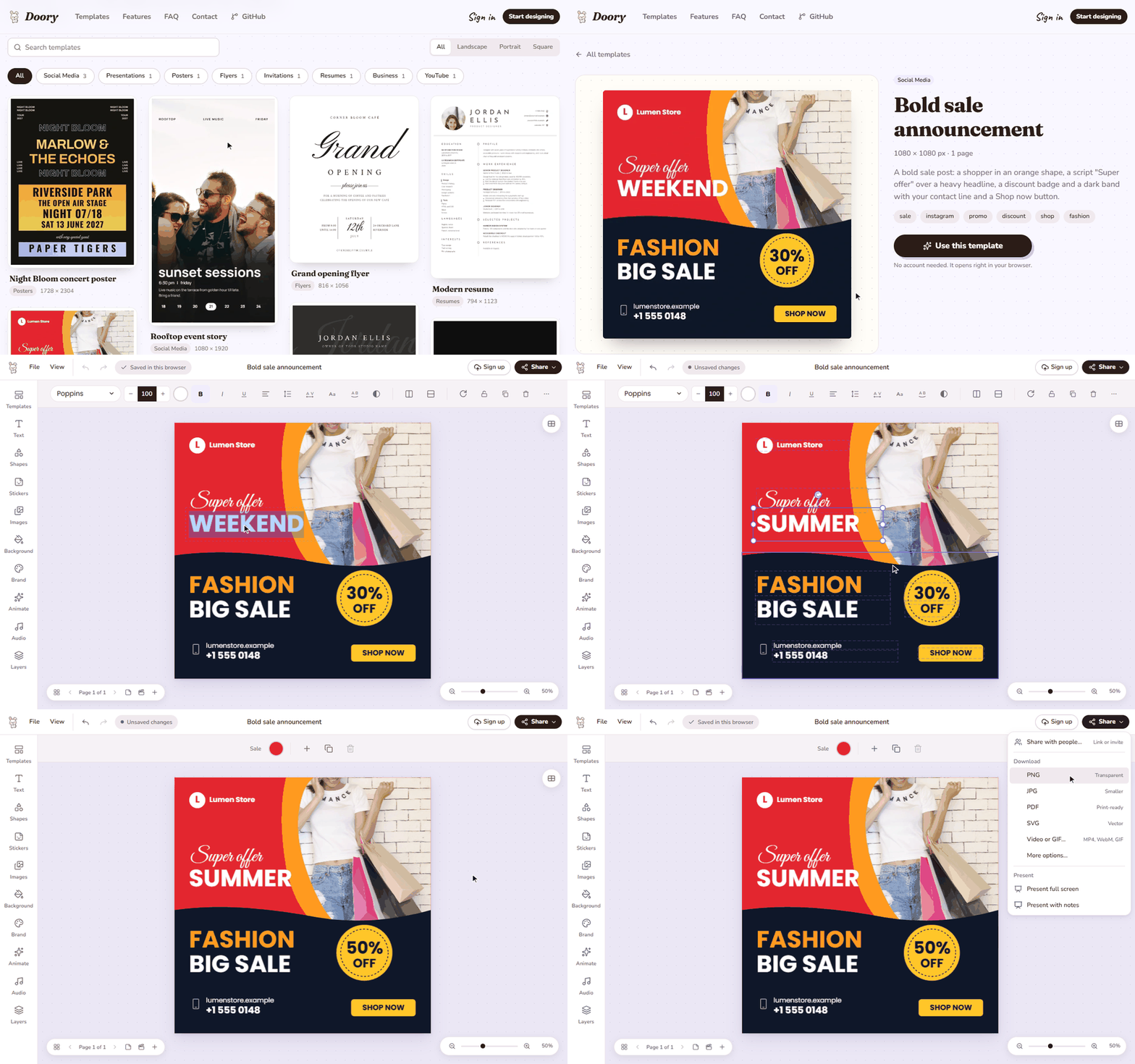
Doory is a design editor that runs entirely in the browser. It covers the same everyday design jobs as Canva - posters, social posts, stories, slides, invitations, resumes, YouTube thumbnails and business cards - and lets you start from a template or a blank page and edit everything on it. There is no paid plan, no locked features, no ads, and no account is required to start designing: guest work is saved in the browser, and signing up moves it to your server in one step.
The editor ships text tools (headings, curved text, effects, font pairings, an open-licensed font catalogue and your own fonts), shapes, lines and arrows, about 25,000 icons, emoji, illustrations and stickers, and QR codes. Photos can be uploaded, cropped, masked and filtered, with background removal running in the browser via an ONNX model, and stock photo search wired to your own Unsplash or Pexels key. Designs are multi-page, each page with its own size, with layers, groups, alignment guides, snapping and rulers. Motion covers 27 enter and exit animations, 12 emphasis animations, 16 page transitions, 24 music loops and 88 CC0 sound effects, plus voiceover recording; finished designs export as PNG, JPG, SVG, PDF, MP4, WebM or GIF, with print PDFs supporting bleed and crop marks.
Sharing mirrors the paid tier of commercial tools like Canva for free: share links that view, comment or edit with an optional password, pinned comments, version history and real-time co-editing, plus a present mode with speaker notes, timing, auto-advance and a second presenter window. Brand kits keep your colours, fonts and logos at hand. Under the hood it is React 19, TypeScript, Vite, Fabric.js, Yjs and Zustand in the browser with Django 5, Django REST Framework, Channels and PostgreSQL on the server. Self-hosting is a docker compose up --build away (the web container forwards /api and /ws to the backend), or you can run it without Docker using the nginx and systemd files in the deploy folder. Ten starter templates ship with the project, admins can add more through the admin site, and uploads can live on a local volume or S3-compatible storage. It is a young project - the editor is complete but the template library is small, so expect fewer templates than Canva offers.





Frequently Asked Questions
Do I need an account to use Doory?
No. Guests can start designing immediately and their designs are saved in the browser on that device. Creating an account moves guest designs over in one step and adds cloud storage on the server, share links, comments, version history and brand kits. Sign in with Google can be enabled optionally via the GOOGLE_CLIENT_ID setting.
What can I export from Doory?
PNG, JPG, SVG, PDF, MP4, WebM and GIF. Image and video exports render in the browser. Print PDFs can include bleed and crop marks, and server-side PDF export uses headless Chromium, which the INSTALL_CHROMIUM setting can skip.
Does Doory support real-time collaboration?
Yes. Share links can allow viewing, commenting or editing, with an optional password. Designs support pinned comments, version history and real-time co-editing, which is handled by a separate real-time server running the same code on uvicorn alongside the Django API.
How do I add the starter content to a fresh self-hosted install?
A new site starts empty. Management commands fill it: seed_gallery and seed_templates for the ten starter templates, sync_fonts --popular 100 for the font catalogue, seed_elements and sync_element_packs for shapes, icons, emoji and illustrations, sync_models for the background-removal model, and sync_audio for the music loops and sound effects. The DOORY_SYNC_* and DOORY_SEED_TEMPLATES settings can also run this automatically on container start.
What are the system requirements to self-host Doory?
The default Docker Compose setup publishes the site on port 8080 with PostgreSQL included and optional Redis and S3-compatible storage. Without Docker you need Python 3.12, PostgreSQL, and Node.js 22 just to build the web app; nginx and systemd unit files ship in the deploy directory. Headless Chromium is optional and only needed for server-side PDF export.
OpenAltFinder Score
Project Details
Repository details
Updated 10/15/2026, 10:00:21 AM
View RepositoryCompare Doory with
Similar open source alternatives
Slidev
Markdown-based presentation slides for developers, with code highlighting, Vue components, theming, and PDF/PPTX export.
 Microsoft PowerPoint
SnapOtter
Self-hosted image manipulation platform with 45+ tools, local AI, and pipelines. A privacy-first open source alternative to Canva, TinyPNG, and remove.bg.
 Canva
Canva
Kova
Open source desktop Markdown presentation editor with live preview, themes, and PPTX export — a self-contained alternative to PowerPoint.
Microsoft PowerPoint
OpenCut
OpenCut is a free, open-source video editor for the web. It's a privacy-friendly CapCut alternative with a full timeline, effects, transitions, and easy exports you can run anywhere.
Canva
Bento
An open-source office suite in a single HTML file — slides, docs, and sheets that run entirely in the browser.
Microsoft PowerPoint
OpenPost
Open-source social media manager for writing, designing, scheduling, and tracking posts — an alternative to Buffer, Canva, and CapCut.
 Buffer