
Jotty
Self-hosted notes and checklists with markdown files, Kanban task projects, SSO, PGP encryption, and a REST API.
Open source alternative to:


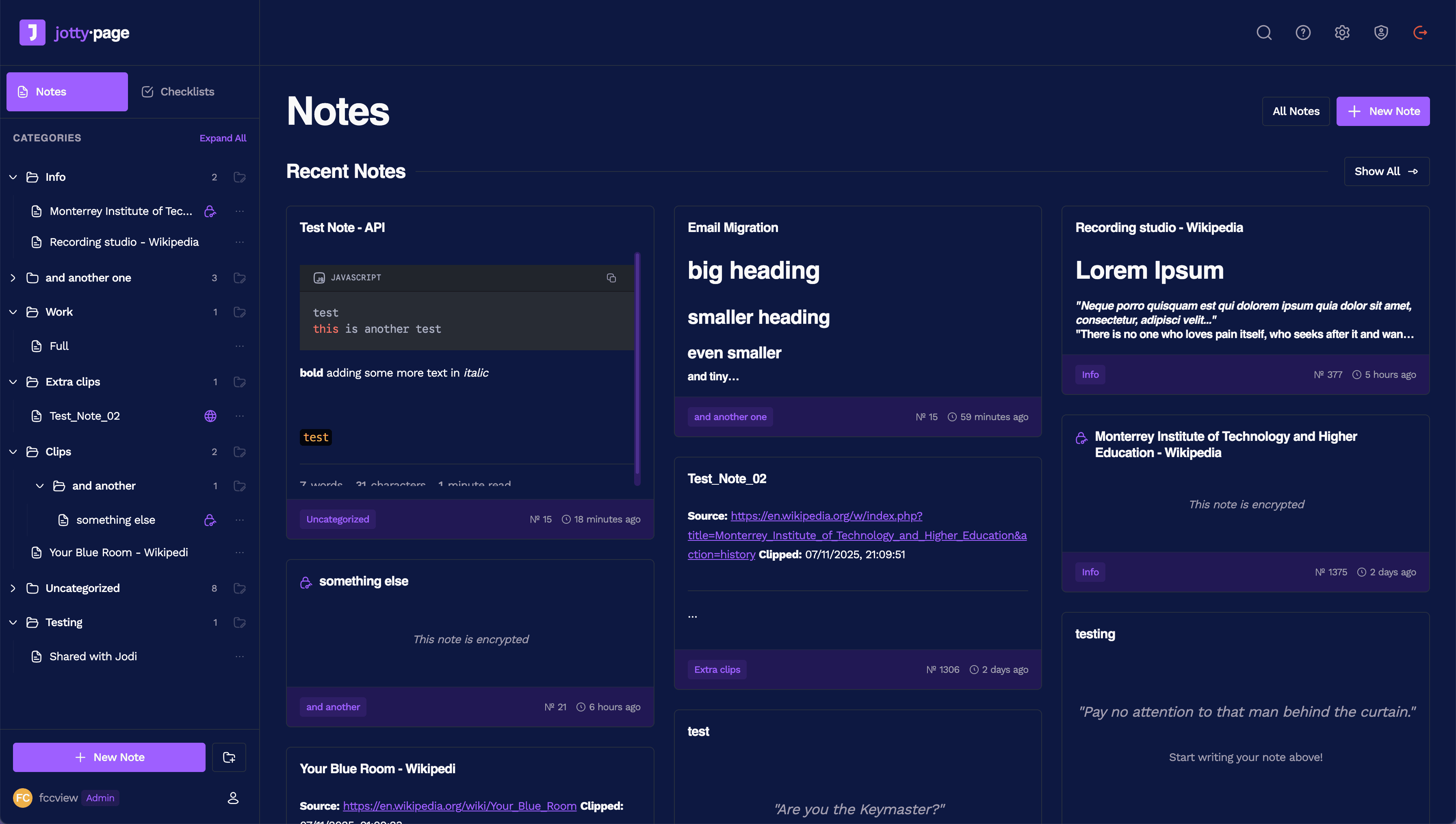
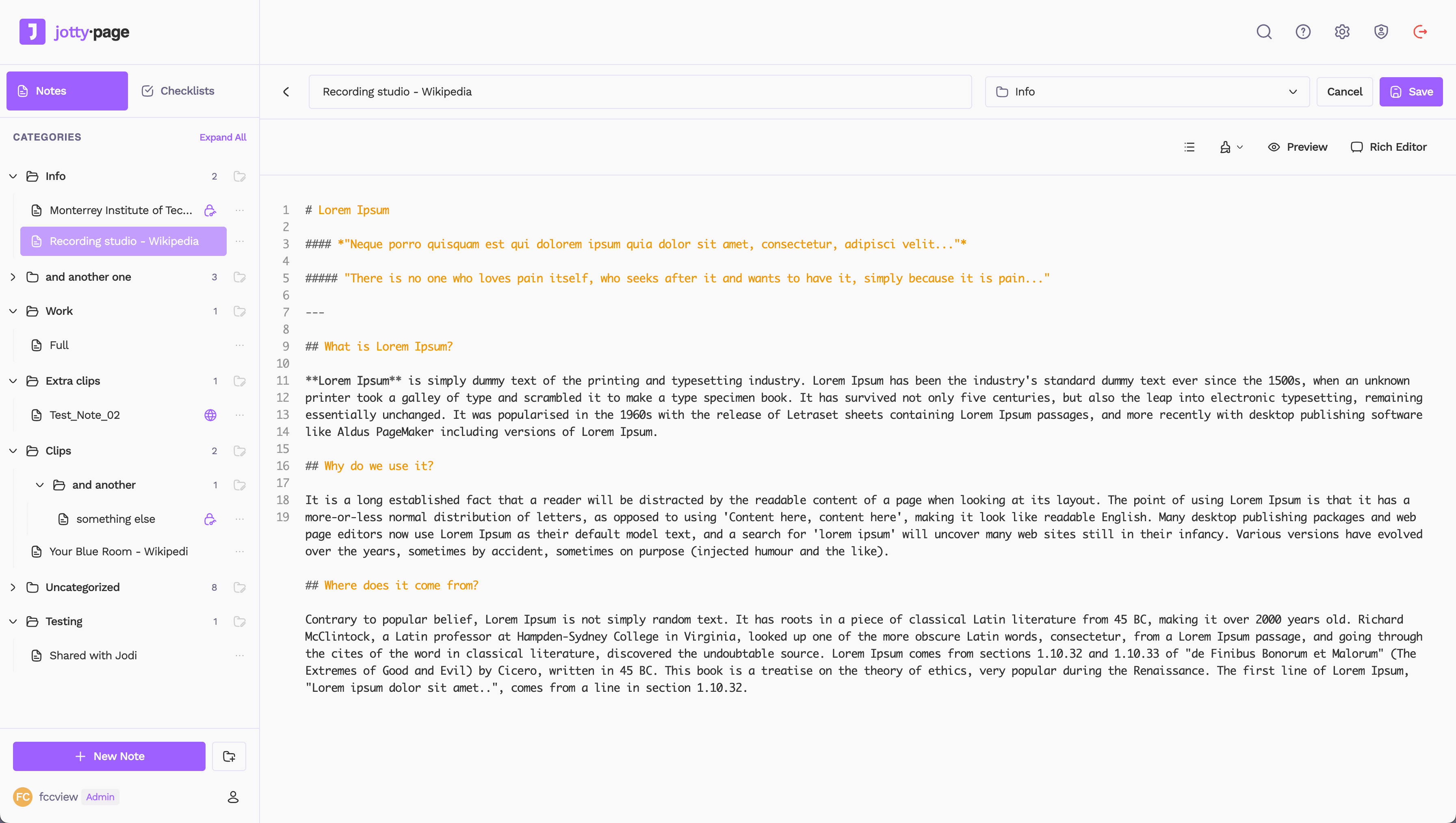
Jotty (jotty·page) is a self-hosted app for personal notes and checklists that keeps everything in plain files. The recommended install is a single Docker container with data, config and optional cache volumes, and there are also a Proxmox community script and an Unraid template. Notes and checklists are stored as Markdown, with JSON for users, sessions, sharing and encryption keys, so the whole instance is a directory you can back up with tar or rsync rather than a database you have to dump. The first account created becomes the admin.
Notes use a TipTap WYSIWYG editor with GitHub Flavored Markdown and syntax highlighting, plus wikilinks and a graph-style brain view. Checklists support drag-and-drop ordering, progress bars and categories, and can grow into task projects with Kanban boards and time tracking. Users can share items with other accounts on the same instance or publish them as public links, and the admin panel manages users and sessions. Around that sit 14 built-in themes with custom themes and emojis, community translations, per-item PGP encryption, OIDC single sign-on for providers such as Authentik, Keycloak, Okta, Google and Entra ID, MFA, and a REST API with per-user keys for scripting and integrations.
Against Notion, Obsidian, Evernote or Google Keep it is deliberately narrow: there are no databases, block layouts or plugin marketplace, and no native desktop or mobile apps. What you get instead is a small AGPL-3.0 service that deploys in minutes, leaves your content readable on disk, and needs no proprietary sync. The PWA is mobile-first and caches pages you have already visited, but creating or editing while offline is not supported yet, and the file-based model means one shared data directory rather than a horizontally scaled backend.
Categories:




Frequently Asked Questions
How does Jotty store my data?
Everything lives under a single data directory you mount into the container: notes and checklists as Markdown files, plus JSON files for users, sessions, sharing and encryption keys. There is no database, so a backup is a copy of that folder, and you can read or edit content with normal file tools. Notes carry YAML frontmatter with a uuid, optional title and createdAt, and tags mirror the hashtags in the body. Back up the whole data directory before feature updates, since migrations run automatically on first launch.
Does Jotty have an API?
Yes, a REST API that reads and writes notes, checklists, tasks and Kanban boards. Generate a key under Profile, Settings, API Key; it starts with ck_ and is sent in the x-api-key header, and every request acts as that key's owner. Items are addressed by UUID, and an interactive explorer built from the running code sits at the top of How to, API inside Jotty. The API also covers tag listing, tag filtering and adding or removing tags without resending a note, and scripts writing files directly to disk should follow the documented frontmatter shape.
Does Jotty support single sign-on and MFA?
It supports any OIDC provider, including Authentik, Auth0, Keycloak, Okta, Google and Entra ID. When SSO is enabled the first visit goes to the provider instead of the local admin setup page. Multi-factor authentication is available too and is switched on per user under Settings, Profile. Local accounts are still managed by an admin, who can create users and track their sessions from the admin panel.
Can I use Jotty on my phone or offline?
There is no native app, but Jotty is built mobile-first as a PWA, so you can install it to a home screen and use it like an app. Pages you have visited while online are cached and can be reopened offline. Creating, editing or deleting while offline is not supported, and the project documents that limitation rather than working around it.
How does encryption work in Jotty?
Jotty provides PGP encryption for notes, documented in howto/ENCRYPTION.md, with public and private keys for each user kept in the data/encryption folder. Encrypting and decrypting happens per item rather than encrypting the whole data directory, so encrypted notes stay protected while other files remain readable on disk. Because the keys live in the same data directory, a backup protects your access to the encrypted notes and should be stored accordingly.
Looking for contributors
This project is actively seeking help, join the community!
OpenAltFinder Score
Project Details
Repository details
Updated 11/18/2026, 5:01:27 PM
View RepositoryRepository activity
Get the latest open source alternatives delivered weekly.
Discover tools that give you freedom from proprietary software.
Compare Jotty with
Similar open source alternatives

AppFlowy
Open source Notion alternative that brings projects, wikis, and teams together with AI while keeping you in control of your data.
 Notion

HelixNotes
A fast, privacy-first local markdown note-taking app built with Tauri and SvelteKit. Your notes stay as plain .md files on your device.
 Obsidian

Outline
The fastest growing-team knowledge base — beautiful, realtime collaborative, feature packed, and markdown compatible Notion and Confluence alternative.
Notion
memos
Privacy-first, self-hosted note-taking platform with markdown support, tagging, and built-in AI — a lightweight alternative to Notion and Obsidian.
Obsidian
AFFiNE
Open-source knowledge base combining note-taking, whiteboard, and project planning in one workspace.
Notion
SilverBullet
Self-hosted, programmable knowledge base: plain Markdown notes with live queries, backlinks, and an embedded Lua scripting runtime.
Notion