
MangoDisk
Open-source safety-first disk cleaner and space analyzer for macOS and Windows, with duplicate, large file, and app uninstaller tools.
Open source alternative to:

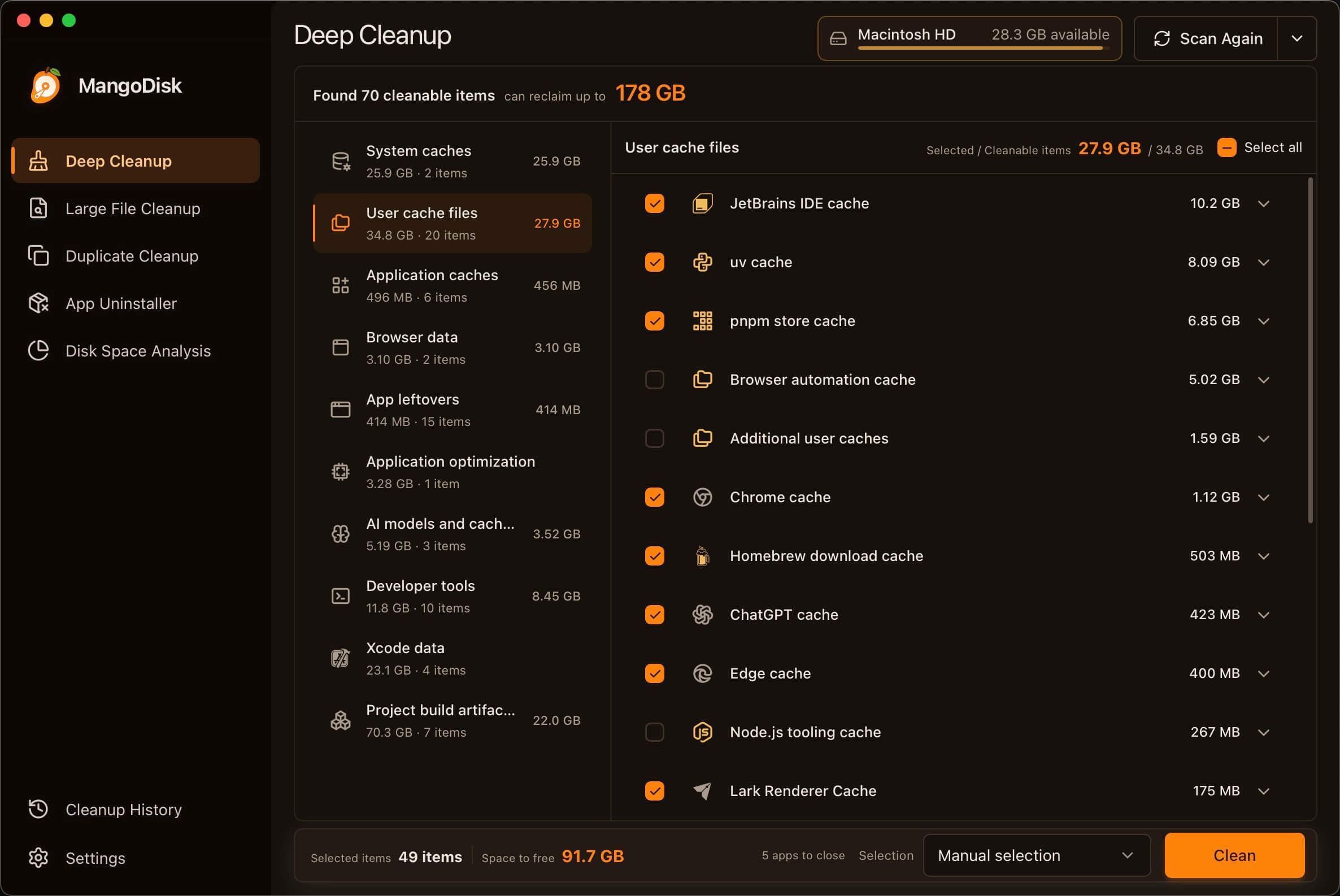
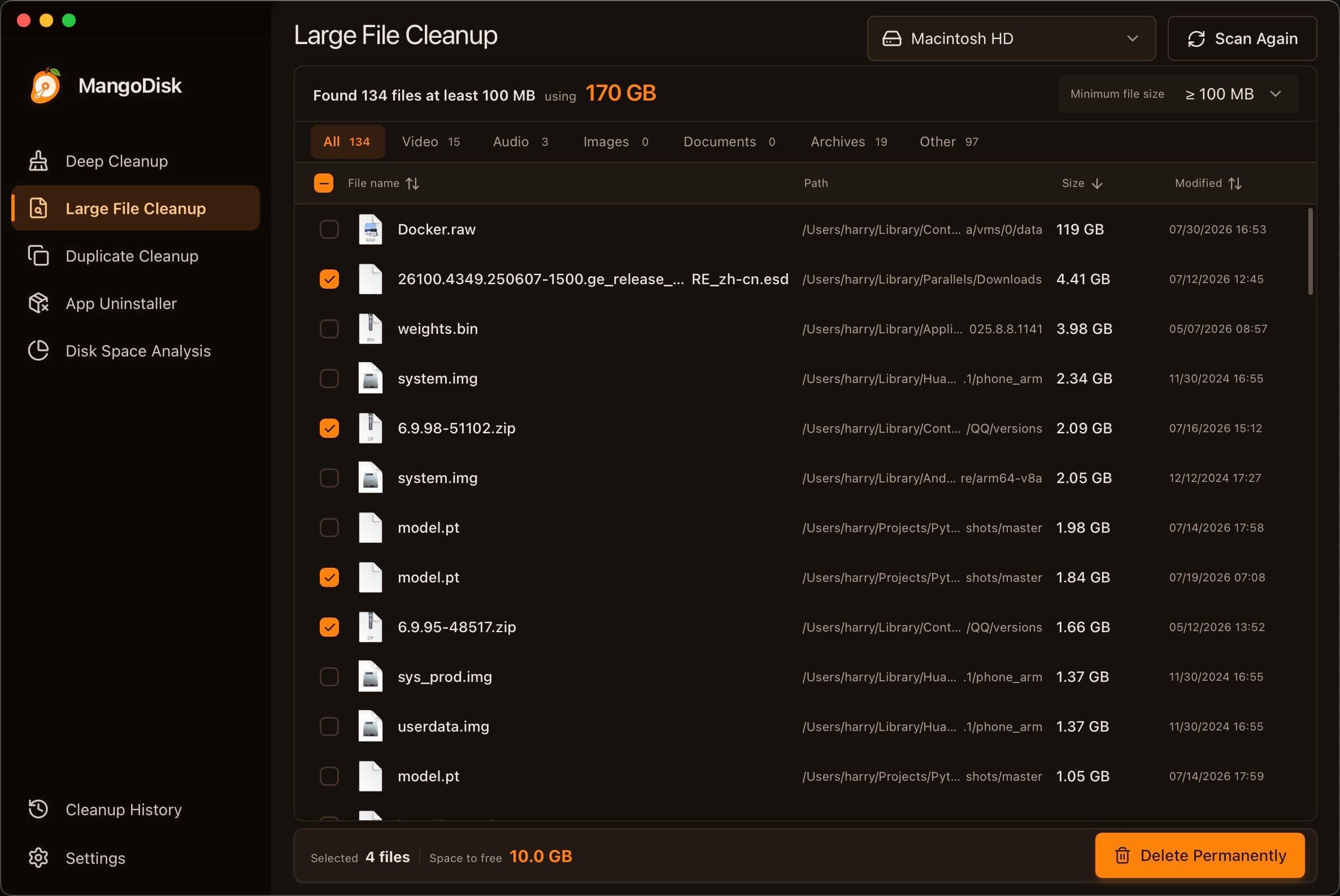
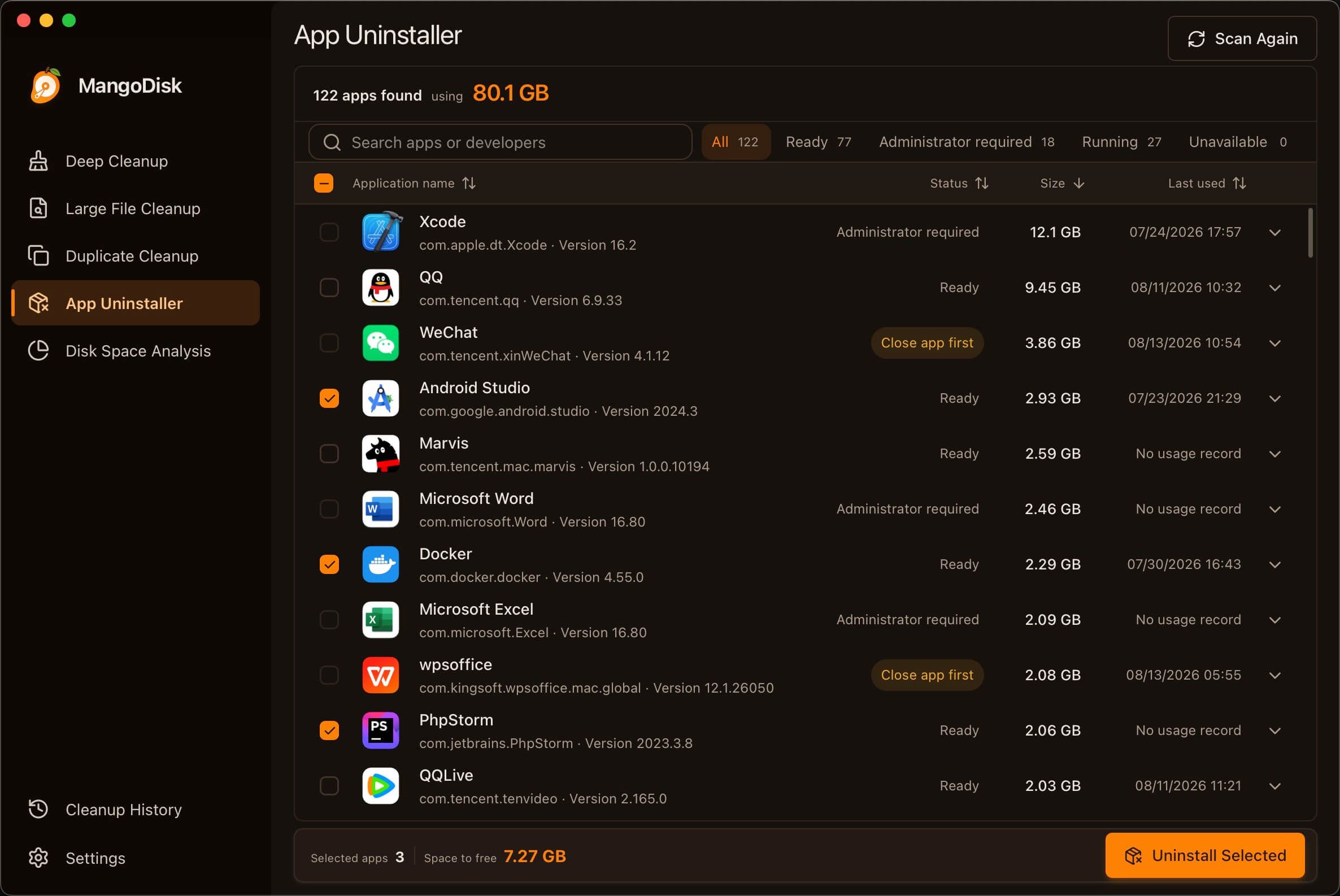
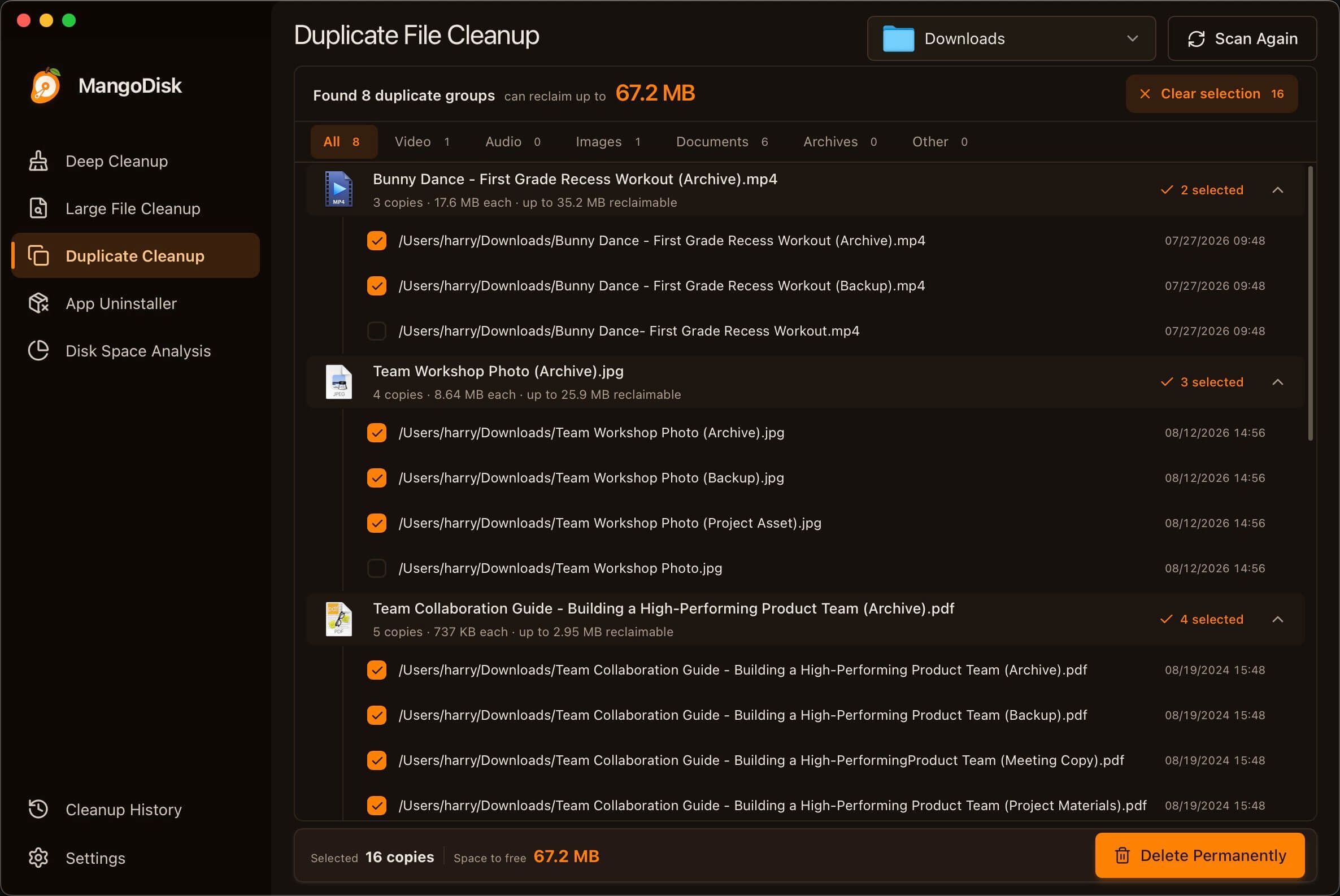
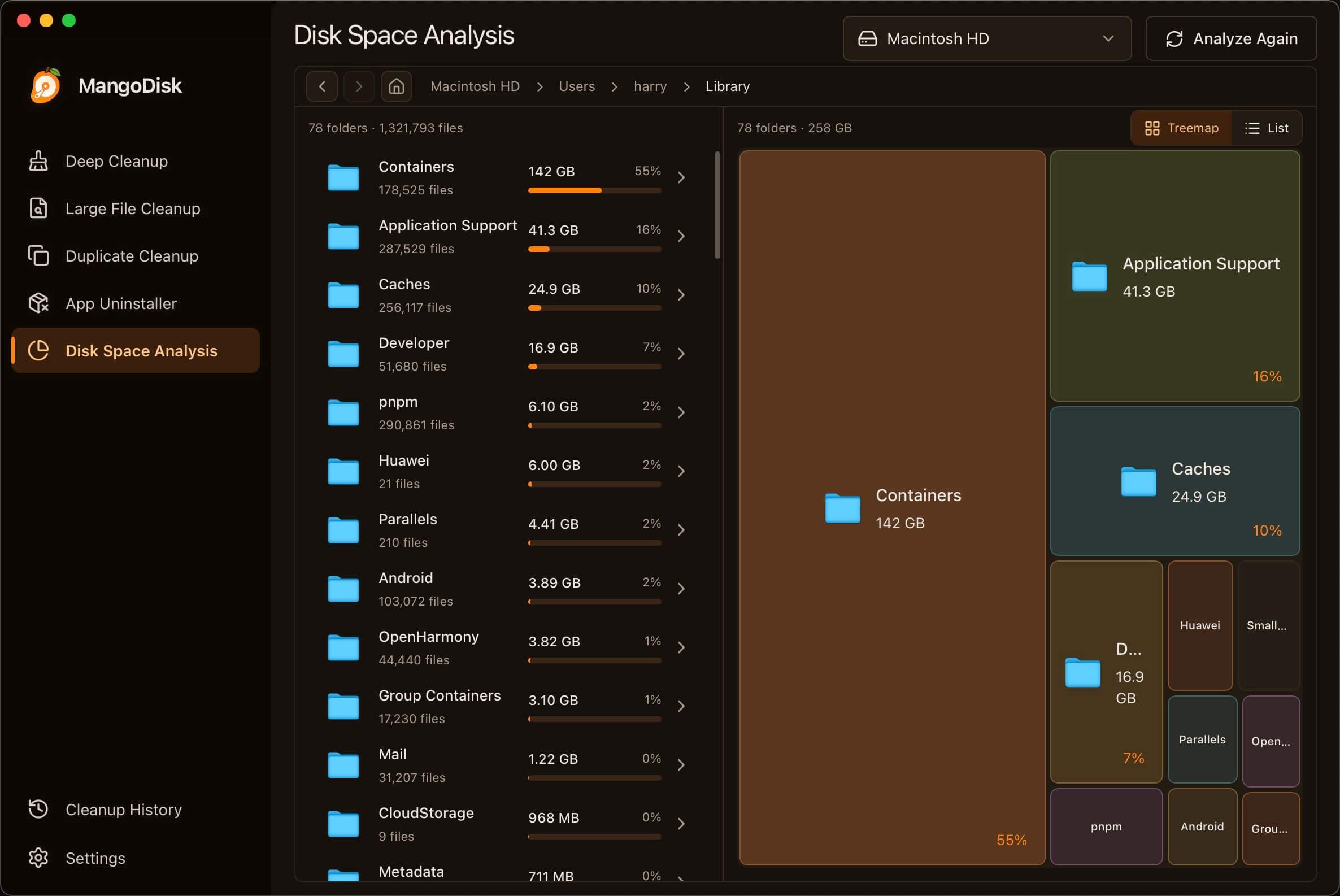
MangoDisk is a cross-platform desktop application built with Tauri 2 and a Rust core that helps you reclaim storage space and understand what is actually using your disk. It runs natively on macOS and Windows and ships the same cleanup engine both as a graphical app and as a standalone mangodisk CLI.
The app focuses on five core workflows. Deep Cleanup scans caches, logs, package-manager downloads, IDE indexes, build artifacts (node_modules, Rust target, Gradle, Swift, Python, .NET, Godot, CMake outputs), and downloaded local AI models, grouping candidates by category with size, location, and a risk notice for each item. Large File Cleanup lets you browse videos, audio, images, archives, documents, and installers above a configurable size threshold and reveal them in Finder or Explorer. Duplicate File Cleanup verifies exact duplicates by content rather than filename, keeping at least one copy in each group. The Application Uninstaller inspects associated caches, preferences, and private app data, distinguishing required uninstall components from rebuildable data and user content. Disk Space Analysis renders a treemap and a list view of any disk or folder so you can drill down to the largest directories.
Unlike many commercial cleaners, MangoDisk maintains its own cross-platform cleanup rule library instead of copying rules from third-party projects. Each rule has to pass documentation checks against Microsoft, Apple, or vendor sources, define a safe cleanup boundary that excludes personal files and protected paths, and be validated on real macOS or Windows installs. Windows rules may use Winapp2.ini as a starting point, macOS rules may draw on relevant open-source projects, but neither is treated as sufficient on its own. The full rule library is public on GitHub for review. Scanning is read-only; nothing is deleted without an explicit user confirmation, and the desktop app shows the selected items and reclaimable space before any cleanup runs.
Compared to CleanMyMac X, DaisyDisk, and CCleaner, MangoDisk is fully GPL-3.0 and ships on both macOS and Windows from the same codebase, with a transparent rule set and a reproducible CLI for scripted use.
Categories:
Tags:


Frequently Asked Questions
Which platforms does MangoDisk support?
MangoDisk ships a native desktop app for macOS and Windows, plus a standalone MangoDisk CLI available on both platforms via Homebrew and WinGet. There is no Linux build or mobile app at this time.
How does MangoDisk decide what is safe to clean?
MangoDisk maintains its own cross-platform cleanup rule library. Each rule must be backed by Microsoft, Apple, or vendor documentation, exclude personal files and protected system paths, and be tested on real macOS or Windows installs. The full rule set is published on GitHub so every entry can be reviewed.
Can I use MangoDisk from the command line?
Yes. The MangoDisk CLI uses the same Rust cleanup engine as the desktop app. By default mangodisk clean only scans. Run mangodisk clean --apply to apply smart recommendations, add --dry-run to preview, and --format json for machine-readable output. Non-interactive cleanup also requires an explicit confirmation flag.
Does MangoDisk automatically delete files?
No. Scanning is read-only and never deletes content on its own. The desktop app groups candidates by category with size, location, and risk notices, and nothing is removed until you review the selection and confirm the reclaimable space. The CLI similarly defaults to scan-only and requires an explicit apply flag to delete.
How does MangoDisk find duplicate files?
Duplicate File Cleanup compares file content rather than file names. Results group identical copies with the count, size of each copy, and maximum reclaimable space, and smart selection always keeps at least one file in every group so nothing is fully removed unless you ask.
OpenAltFinder Score
Project Details
Repository details
Updated 9/27/2026, 3:00:17 AM
View RepositoryRepository activity
Compare MangoDisk with
Similar open source alternatives

godu
Simple golang utility helping to discover large files and folders.
 DaisyDisk
Mole
Deep clean and optimize your Mac with this all-in-one CLI toolkit.
 CleanMyMac X
PureMac
PureMac is a free, open-source macOS cleaner and optimizer with zero telemetry. Cache, junk, and uninstall cleanup make it a true CleanMyMac alternative you can fully trust.
CleanMyMac X
Pearcleaner
A free, source-available macOS app cleaner with privacy in mind.
CleanMyMac X