
Tropy
Desktop app for organising, describing and annotating photographs of archival research material.
Open source alternative to:


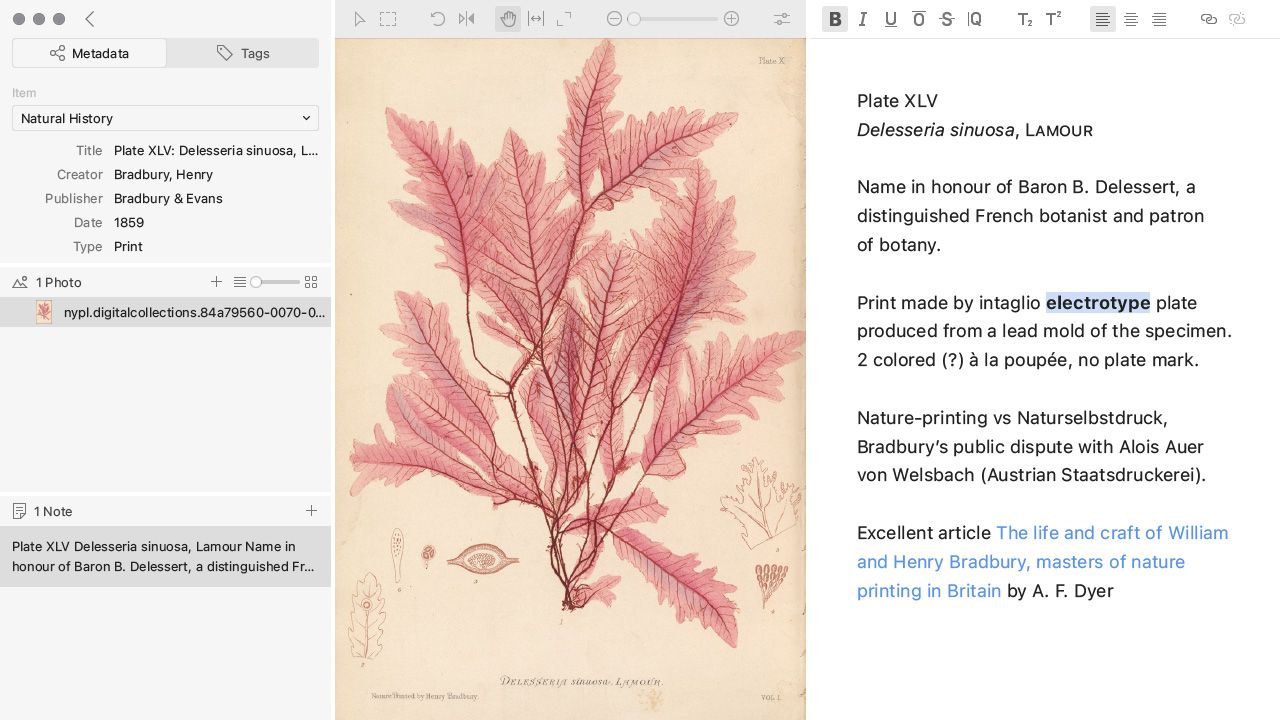
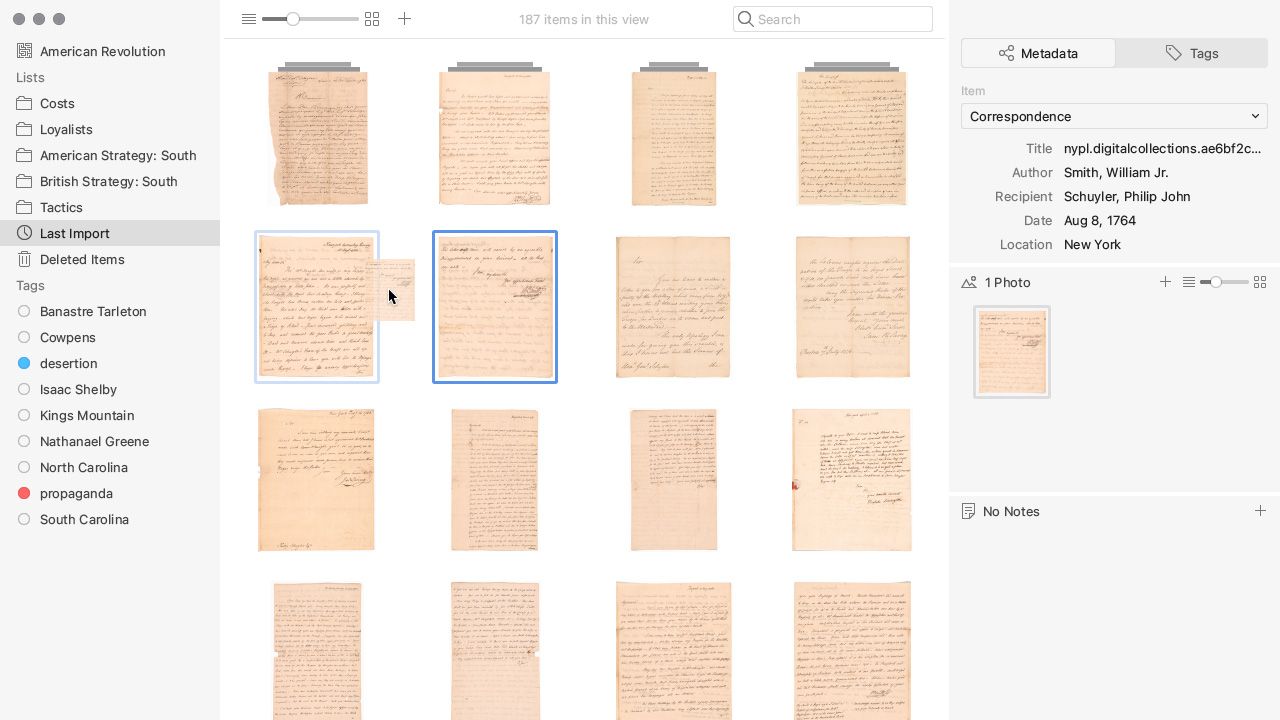
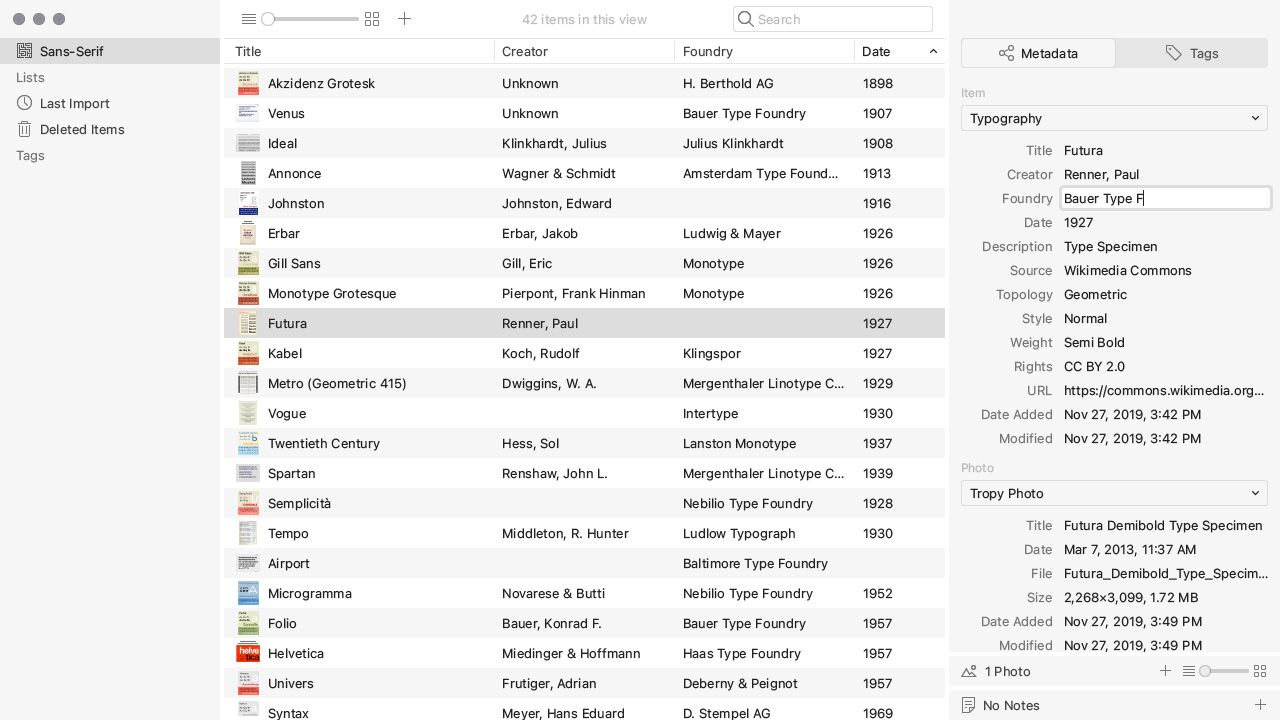
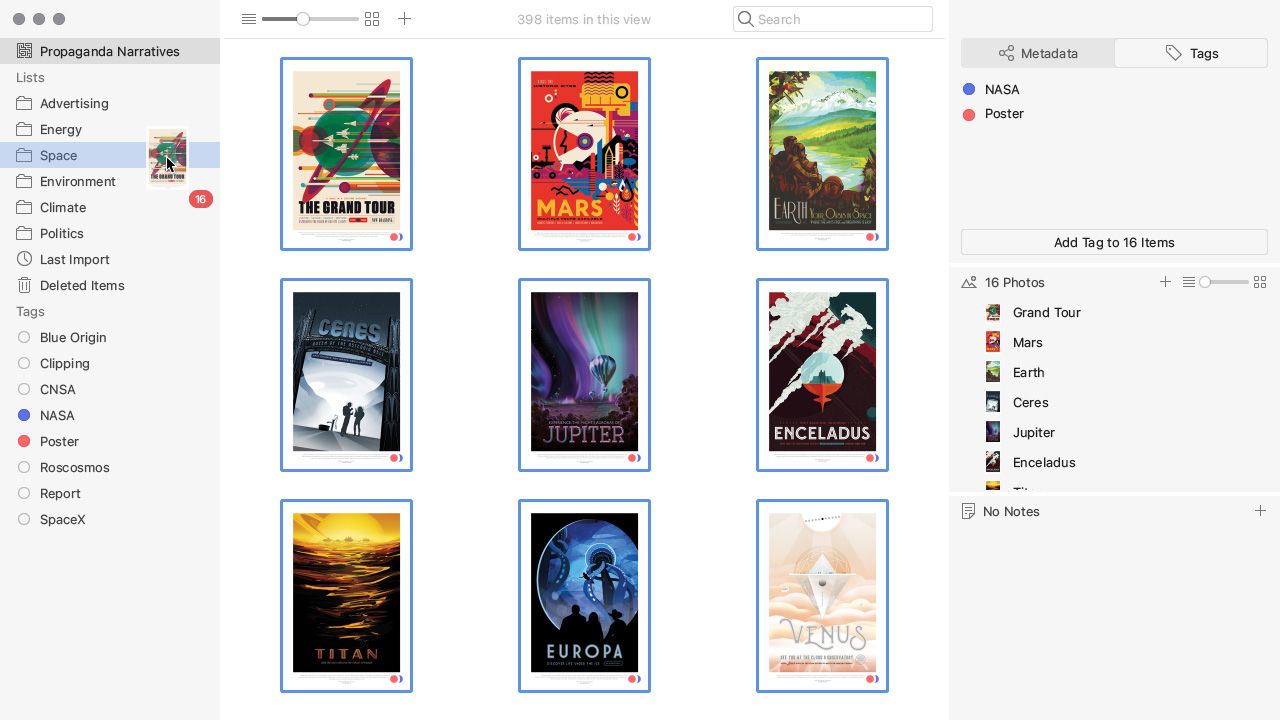
Tropy is a free, open-source desktop application built for people who photograph archival material and then have to live with the results: thousands of images still named IMG_5261.JPG, with the box, folder and collection they came from living only in a notebook. It was created at the Roy Rosenzweig Center for History and New Media and is now developed jointly with the Luxembourg Centre for Contemporary and Digital History and Digital Scholar, the nonprofit behind Zotero and Omeka.
The workflow is built around research sources rather than camera rollups. Photos are imported by reference, combined into items (the three pages of a letter become one item), described with custom metadata templates, tagged, and grouped into lists. Templates can mix in external vocabularies, including the Dublin Core, RDF and Europeana vocabularies that ship with the app plus any .ttl or .n3 vocabulary you import, so fields map onto archival description practice instead of a fixed schema. Item view adds notes and transcriptions in a rich text editor, selections cut out a detail of a page, and the built-in photo tools only go as far as rotate, crop and zoom to make a document legible. Search runs across metadata, tags and notes.
A project is a single .tpy file backed by SQLite, the storage format the Library of Congress recommends for preservation, and your photos are linked rather than modified, so removing Tropy leaves the originals untouched. Metadata and notes export to JSON-LD, CSV, a ZIP archive or directly to Omeka S, with a CSL export for Zotero; IIIF manifests can be imported, and plugins handle custom formats. Compared with paid photo catalogues such as Adobe Lightroom or Eagle, Tropy adds archival templates, transcriptions and selections but deliberately skips ratings, develop modules and cloud sync, and it is explicitly not a citation manager or a writing environment. Collaboration across machines is still manual: put the project on an external or cloud drive and open it read-only when the research is finished.
Highlights
- Items, lists, tags and full-text search over metadata, notes and tags
- Custom metadata templates with Dublin Core, RDF and Europeana vocabularies, plus imported
.ttl/.n3vocabularies - Notes and transcriptions, selections within an image, and basic rotate/crop/zoom
- Export to JSON-LD, CSV, ZIP archive, Omeka S and CSL for Zotero; IIIF manifest import
- Plugin system for custom imports and exports, with a SQLite-backed project file
- Native builds for macOS, Windows and Linux, including Flatpak, Homebrew, winget and AUR
Categories:
Build with:





Frequently Asked Questions
Which platforms does Tropy run on?
Tropy is an Electron desktop app with builds for macOS, Windows and Linux, and no web or mobile version. Besides direct downloads from the release page, it installs through Homebrew, winget and the AUR, and Flatpak is the recommended route on Linux. The interface has been translated into many languages by volunteers, and photos must be imported from disk because Tropy cannot drag directly from Apple Photos.
Where does Tropy store my project and photos?
A project is a .tpy file saved wherever you choose when you create it, and it is backed by SQLite. Importing a photo only makes a thumbnail copy, so the originals stay in their folders untouched. Custom templates live in a separate user data folder, at Library/Application Support/Tropy on macOS, .config/tropy on Linux and AppData/Roaming/Tropy on Windows. A backup therefore means copying the project file, the user data folder and your photos.
What export formats does Tropy support?
Items export to JSON-LD, which carries metadata and notes but not the image files themselves. Plugins add CSV export, a ZIP archive export of your items, and IIIF import, and Tropy can push directly to Omeka S. A CSL export produces files Zotero can import, and notes can be written out as HTML or Markdown, a choice made in Preferences.
Does Tropy support collaboration or syncing between computers?
Not synchronously. A project file can sit on an external drive or a cloud drive and be opened on another machine, and the forums document a portable-project setup, but there is no live multi-user editing. For finished research, a project can be marked read-only so collaborators cannot change it by accident.
Can I import existing material into Tropy?
Photos come in through File, Import photos, the plus button above the item table, or drag and drop from your file system. The Lists plugin imports a folder tree as nested lists, and IIIF manifests can be imported as items. Metadata templates and vocabularies are importable and exportable, with vocabularies accepted as .ttl or .n3 files.
Looking for contributors
This project is actively seeking help, join the community!
OpenAltFinder Score
Project Details
Repository details
Updated 10/28/2026, 9:00:54 AM
View RepositoryGet the latest open source alternatives delivered weekly.
Discover tools that give you freedom from proprietary software.
Similar open source alternatives
RawTherapee
Powerful, cross-platform open source raw photo processing program and a strong alternative to Adobe Lightroom.
 Adobe Lightroom
Darktable
Open source photography workflow application and raw developer for organizing, editing, and exporting large photo libraries.
Adobe Lightroom
Monbooru
Self-hosted, booru-style gallery that tags, searches and deduplicates a local image, video and comic collection.
 Google Photos
LightCraft
Open-source, clean-room reimplementation of Adobe Lightroom in Rust — photo library and raw development, local-first.
Adobe Lightroom