
Arcadeia
Self-hosted photo and video library with animated thumbnails, full-text search, and optional local speech transcription.
Open source alternative to:

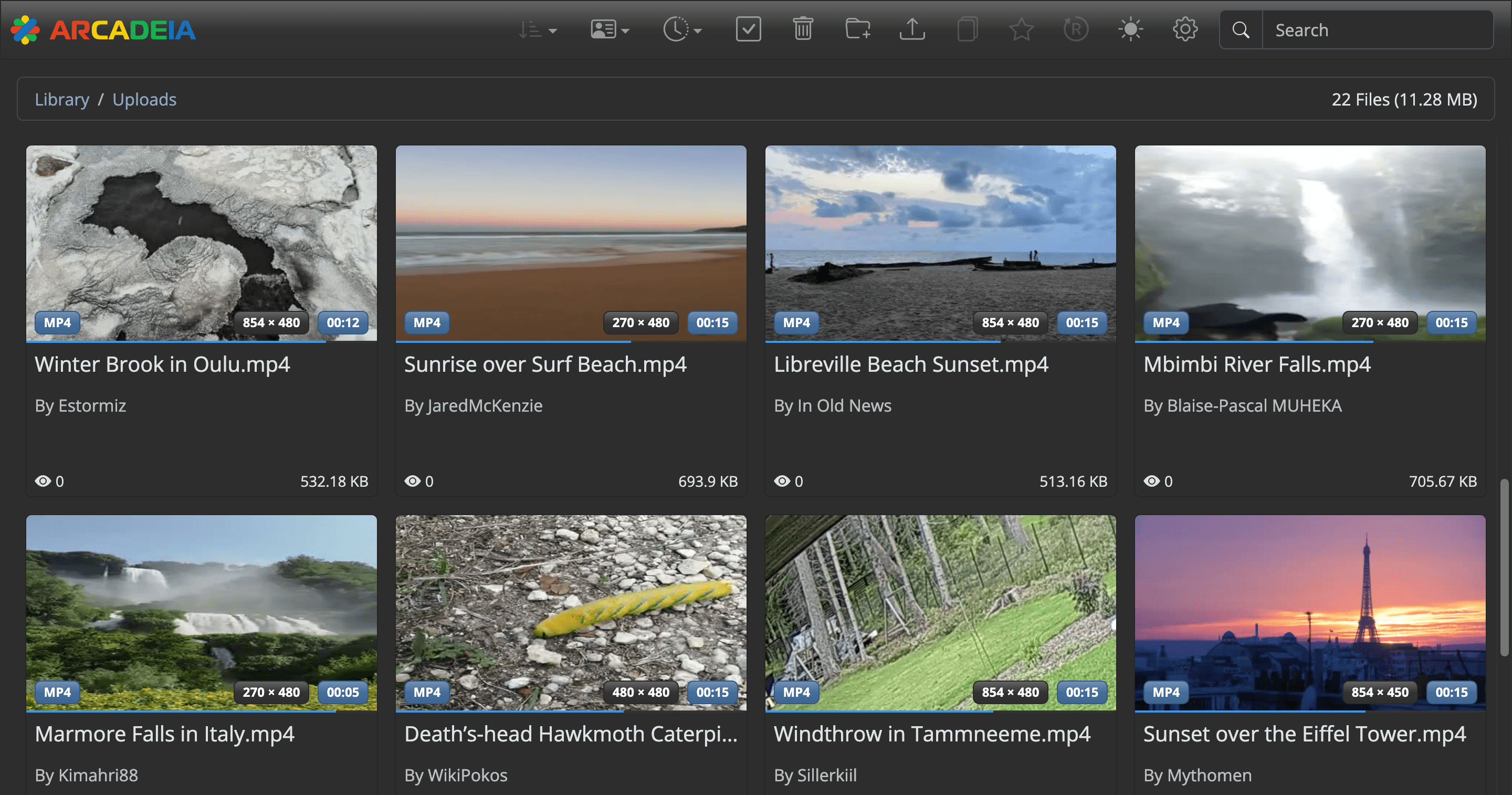
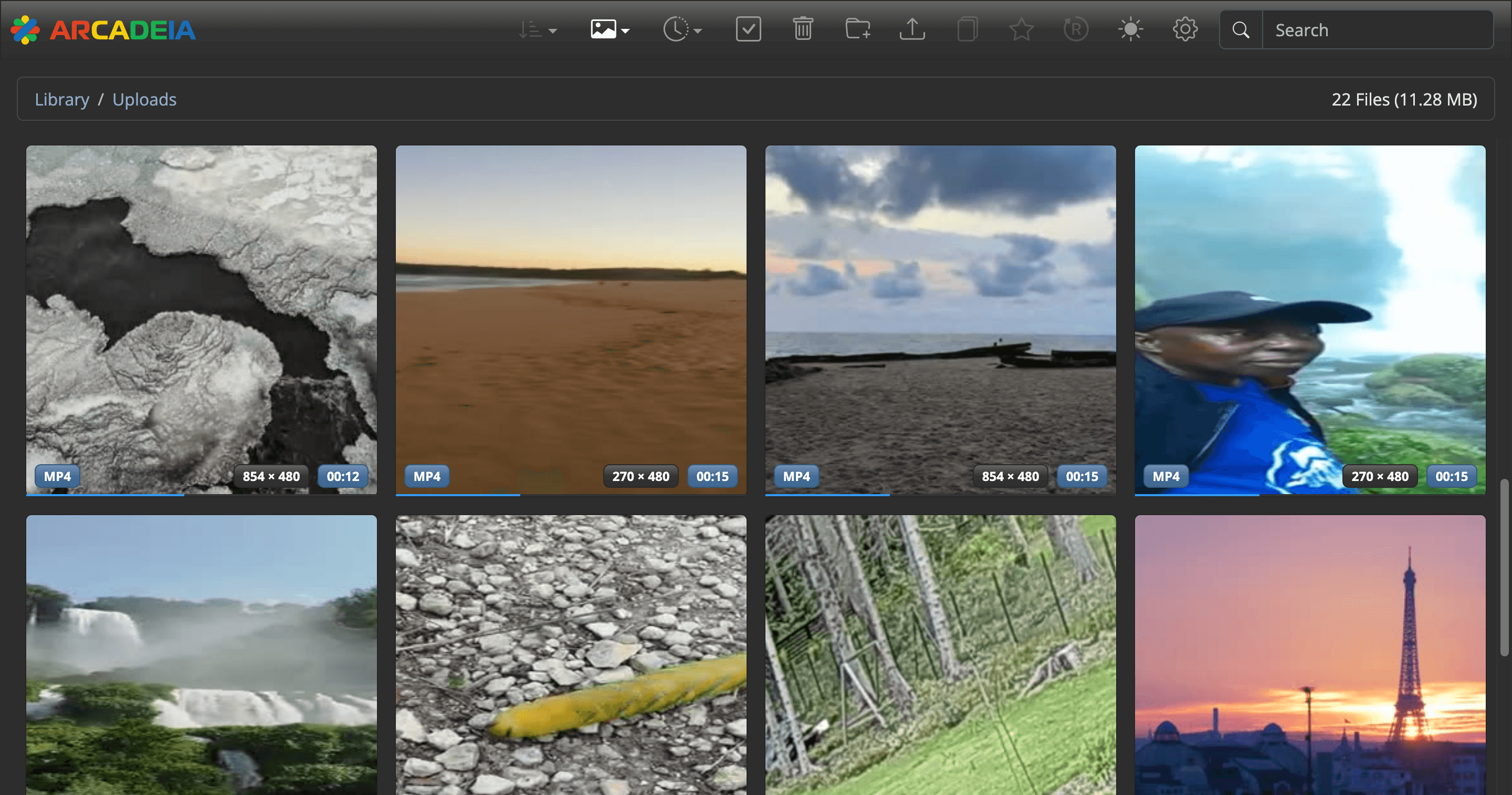
Arcadeia is a self-hosted photo and video library for people who keep a personal media archive on their own hardware. It scans folders and network shares, generates animated thumbnails that preview key moments in each video, and lets you browse, favorite, and open files in the browser without hunting for filenames.
Search is backed by Apache Solr: you can query filenames and descriptions, and optionally enable local Whisper transcription so words spoken in videos become searchable too. Video playback is transcoded on the fly with FFmpeg into web-friendly formats, and uploads accept individual files, whole directories, or URLs downloaded with yt-dlp.
Compared with Google Photos, iCloud Photos, Synology Photos, and Amazon Photos, Arcadeia keeps the library and any transcription on your own server and has no subscription. The trade-off is maturity: there are no mobile apps or automatic phone backup, and the project has no built-in authentication, so it should stay on a local or trusted network behind a VPN or authenticated reverse proxy. It ships as a Docker Compose stack with the .NET application, Solr, and an Apache reverse proxy, and asks for at least 4 GB of RAM.
Categories:






Frequently Asked Questions
Which platforms does Arcadeia run on?
Arcadeia is a server application: it runs on a Linux Docker host or on macOS through Docker Desktop, and you use it from any modern web browser. There are no native desktop or mobile apps, so phones and tablets open the same web interface over the network.
Does Arcadeia include user accounts or authentication?
No. The project ships without built-in authentication and is meant for a local or trusted network. The documentation recommends placing it behind a reverse proxy with TLS and restricting access with a firewall or VPN before exposing it to the internet. Read-only modes for the library and settings can prevent editing, but they do not add a login.
How does speech transcription work?
Transcription is optional and disabled by default. When enabled in Settings, Arcadeia runs local Whisper models ranging from Tiny to Large in the background and indexes the spoken words so they appear in search results. You can pick the model and spoken language or let it detect the language automatically, and the audio is processed on your own server rather than sent to a cloud service.
Can I connect media that already lives on a NAS?
Yes. The Network Mounts tab in Settings supports SMB/CIFS and NFS shares: you enter the server, share, and credentials, and Arcadeia mounts the share inside its container. The scanner then indexes the mounted folders like local storage, and removing a mount does not delete files on the remote share. You can also drag files, folders, or URLs into Uploads.
What are the minimum requirements to self-host Arcadeia?
Use an x86_64 or ARM64 machine with at least 4 GB of RAM (8 GB is recommended for large libraries) and 10 GB of free disk space plus room for your media. Docker and Docker Compose 2.24.4 or later are required. The bundled stack publishes ports 80 and 443 through an Apache reverse proxy and runs Solr and the .NET application as separate containers.
OpenAltFinder Score
Project Details
Repository details
Updated 10/19/2026, 2:00:24 PM
View RepositoryCompare Arcadeia with
Similar open source alternatives

Home Gallery
Self-hosted open-source web gallery for photos and videos with AI-powered image discovery, face detection, and tagging.
 Google Photos
FerrumPix
Desktop photo manager and image editor for Linux, Windows, and macOS with RAW development, batch processing, and Immich/Nextcloud integration.
Google Photos
PhotoPrism
PhotoPrism is an AI-powered self-hosted photo library for browsing, organizing, and sharing your collection. Built in Go, it bakes privacy into the core of every feature you use.
Google Photos
Ente
Open-source, end-to-end encrypted cloud for photos, videos, and 2FA secrets — a privacy-first Google Photos and iCloud Photos alternative.
Google Photos
Foldergram
A self-hosted, Instagram-style photo and video gallery that serves your local folders as a beautiful feed.
Google Photos
Immich
High performance self-hosted photo and video management solution with automatic backup, facial recognition, and AI-powered search.
Google Photos