
Clockoli
Git-native time tracking browser extension that keeps your timesheets in a private GitHub repository you control.


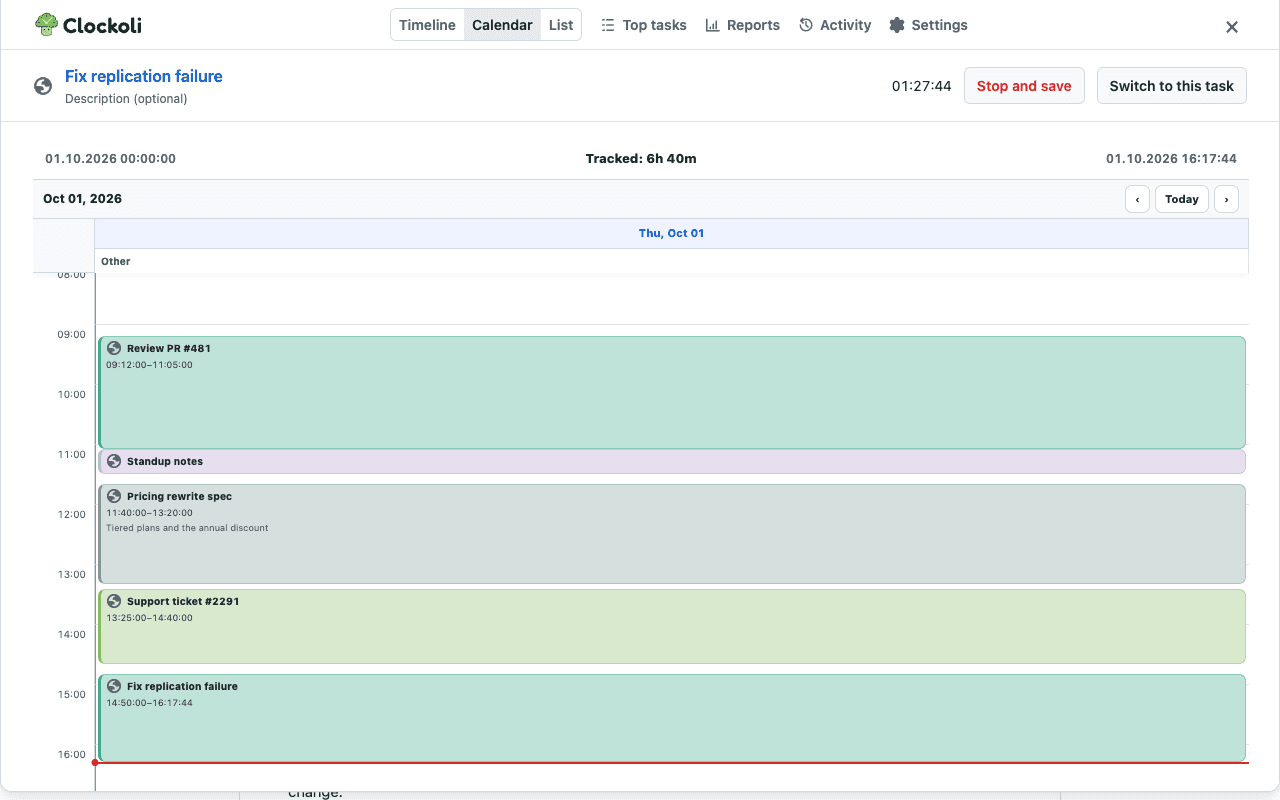
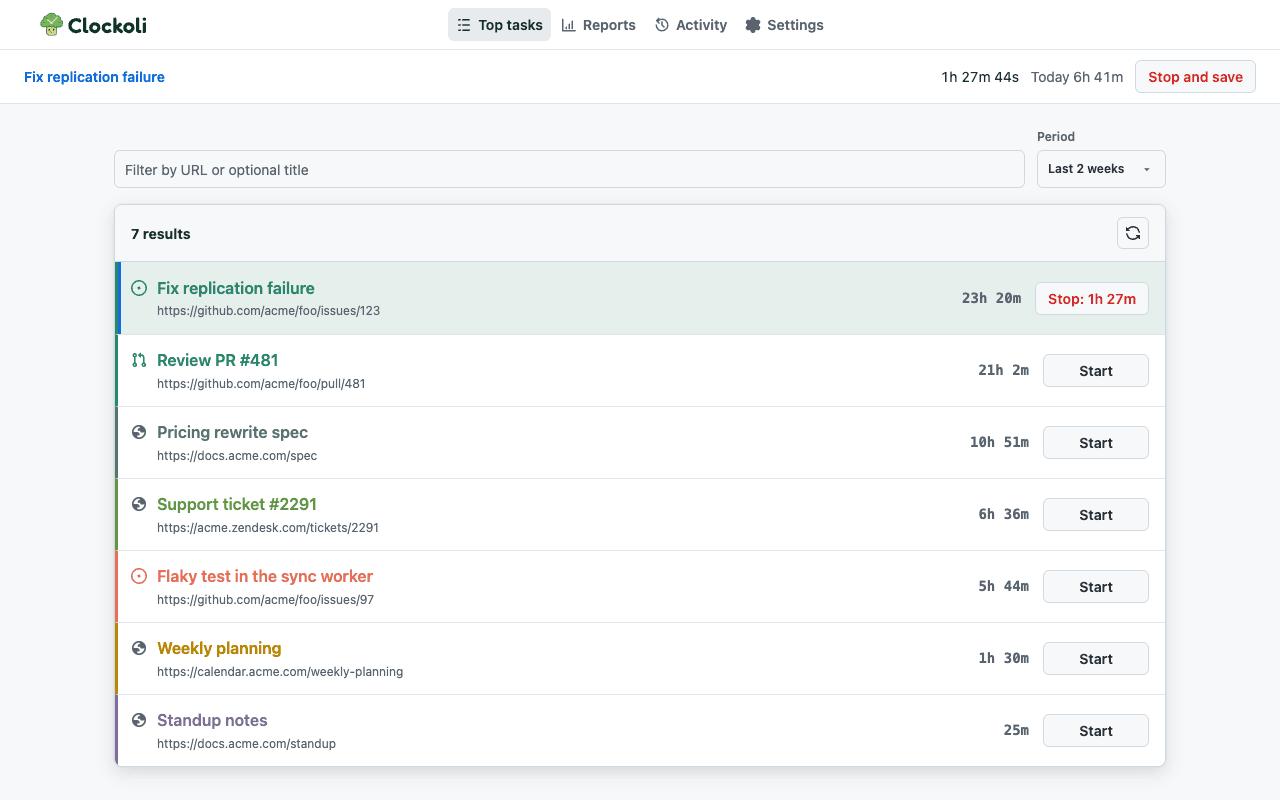
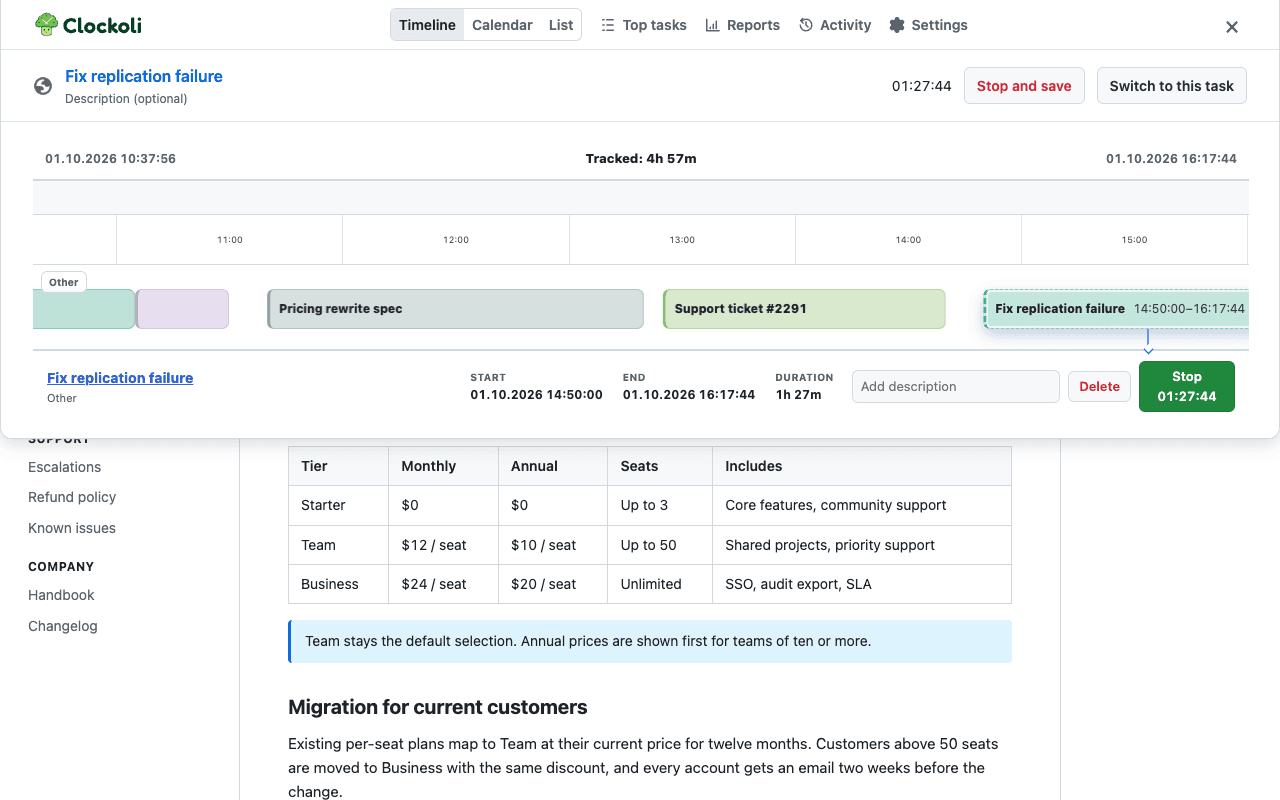
Clockoli is a browser extension that tracks time on any HTTP(S) page and writes each completed entry as one JSON line into a private GitHub repository you choose. There is no application server and no Clockoli account: the extension talks directly to the GitHub API with the device-flow credentials you approve, so your GitHub repository is both the database and the backup. Each edit or deletion becomes a git commit, and a finished entry lands in a monthly file under times/{YYYY-MM}/{login}.jsonl in a documented, versioned format.
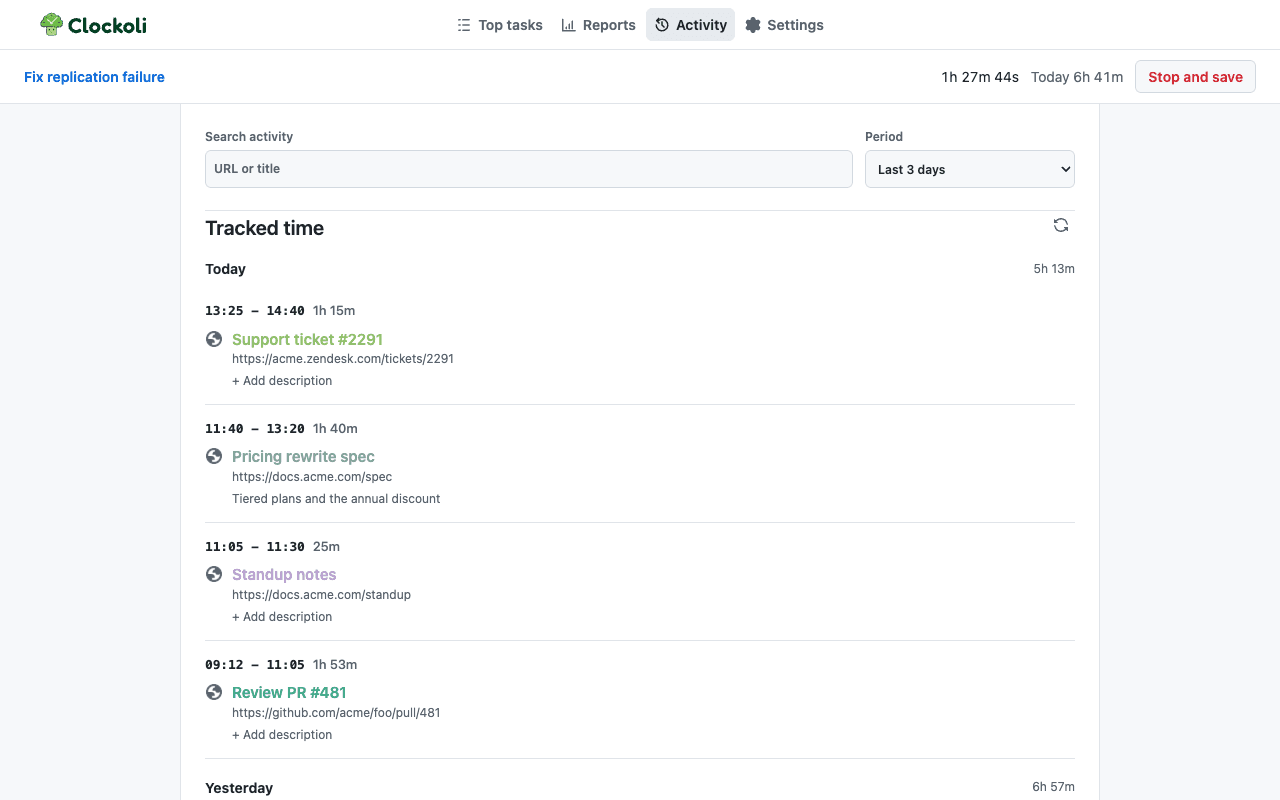
Use it from the toolbar on any page, or from the stopwatch button that Clockoli injects into GitHub issue and pull-request pages. Timers are queued locally so they keep working offline and sync once GitHub is reachable. The Activity view offers a timeline, calendar and list where entries can be edited, dragged, resized, deleted, added in bulk, or merged when two task identities refer to the same work.
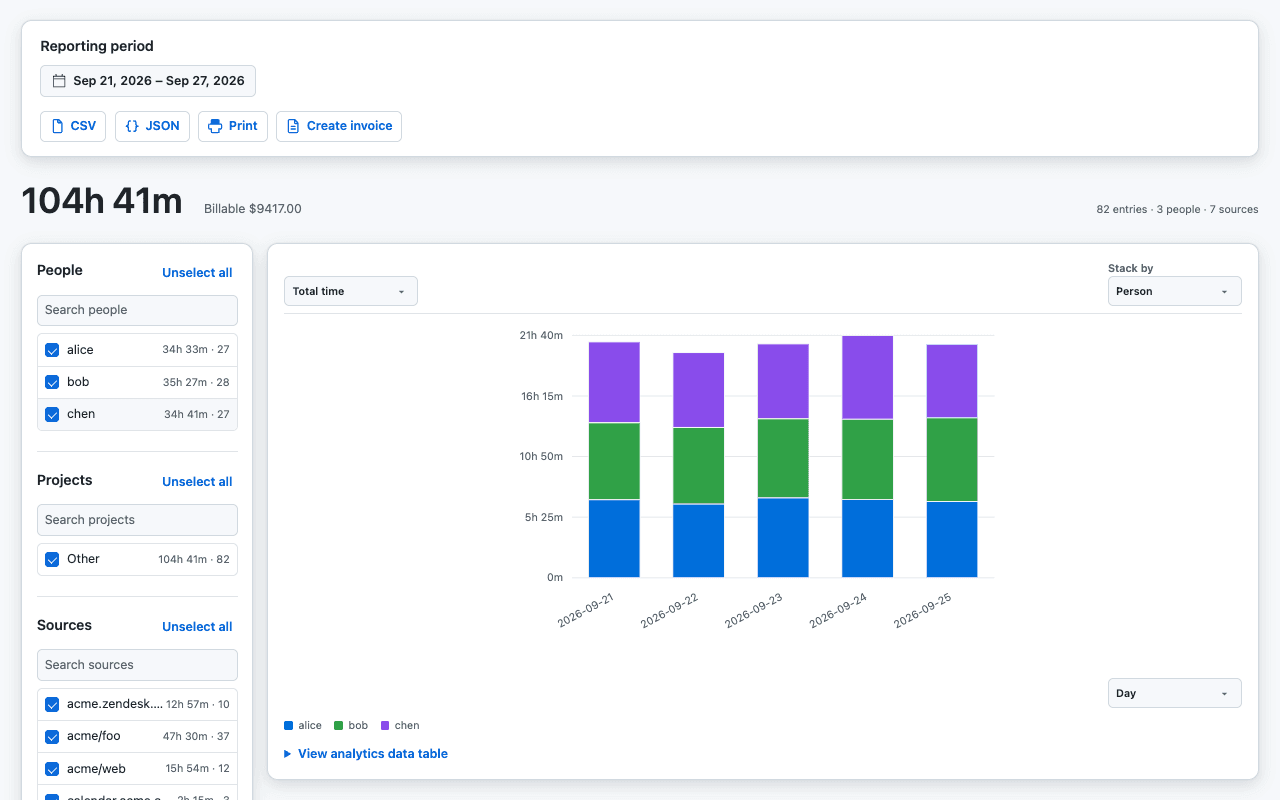
Reports read personal and organisation repositories as one view, broken down by day, week, month, person, source or task, and export to CSV or JSON or print to PDF. Effective-dated hourly rates and invoice details stay in browser storage and are never committed, so teammates sharing the repository see hours but not rates. It covers the same ground as Toggl Track, Clockify and Harvest for freelancers and small teams, and like Kimai and Solidtime it removes the subscription, but instead of self-hosting a server you delegate storage to GitHub.
Categories:
Build with:

Frequently Asked Questions
Which browsers does Clockoli support?
Chrome and other Chromium browsers version 102 and newer get the extension from the Chrome Web Store, where it updates automatically. Firefox 140+ and Safari 18+ on macOS are available as preview builds from GitHub releases; those installs are manual and do not update themselves. Safari removes temporary extensions after 24 hours or when the browser quits, so you have to add the folder again.
How does Clockoli connect to GitHub?
Clockoli uses GitHub's device flow: it shows a one-time code, you paste it on github.com, and you approve access, so you never create or paste a personal access token. When granting access you can pick only the repositories it needs. Your GitHub credentials stay in the extension and are sent only to api.github.com.
Can I import my existing time tracking history?
There is an optional Clockify import add-on that previews the imported data and lets you map Clockify users to GitHub users before writing anything. It is the only bundled importer; history from other trackers has to be converted into the documented JSONL entry format yourself.
What export formats and reports does Clockoli offer?
Reports can be broken down by day, week, month, person, source or task, and exported as CSV or JSON timesheets or printed to PDF. Filtered reports can also be turned into numbered, taxed invoices that are generated in the browser and printed or saved as PDF, never committed to the repository.
How is time stored in the GitHub repository?
Each completed entry is one JSON line in a monthly file at times/YYYY-MM/{login}.jsonl, and a running timer lives in its own file under active/. The format is versioned with schema_version 1 and documented, so a plain git clone is a complete, human-readable backup that an AI agent or script can read without any Clockoli API.
Project Details
Get the latest open source alternatives delivered weekly.
Discover tools that give you freedom from proprietary software.
Compare Clockoli with
Similar open source alternatives

ActivityWatch
Local-first automatic time tracker that records app, window, and browser activity on desktop and Android.
 RescueTime

Solidtime
Modern, open source time-tracking app for freelancers and teams with project, client, task, and reporting features.
 Toggl

TimeTracker
A robust, self-hosted time tracking application designed for teams and freelancers who need reliable time management without cloud dependencies. Built with Flask and optimized for Raspberry Pi deployment, TimeTracker provides persistent timers, comprehensive reporting, and a modern web interface.
Toggl
Ever Gauzy
Open source ERP/CRM/HRM platform with time tracking, invoicing, payroll, and project management for teams and freelance networks.
 NetSuite

Super Productivity
Open-source to-do list and time tracker with timeboxing, a daily planner, Pomodoro focus sessions, and integrations for Jira, GitHub, and GitLab.
 Todoist
Kimai
Open source time-tracking application for freelancers, teams, and organisations, with timesheets, invoicing, and detailed reports.
Toggl