dayGLANCE
Privacy-first day planner with visual time-blocking, tasks, habits, and goals that runs in the browser, as a desktop or mobile app, or self-hosted.


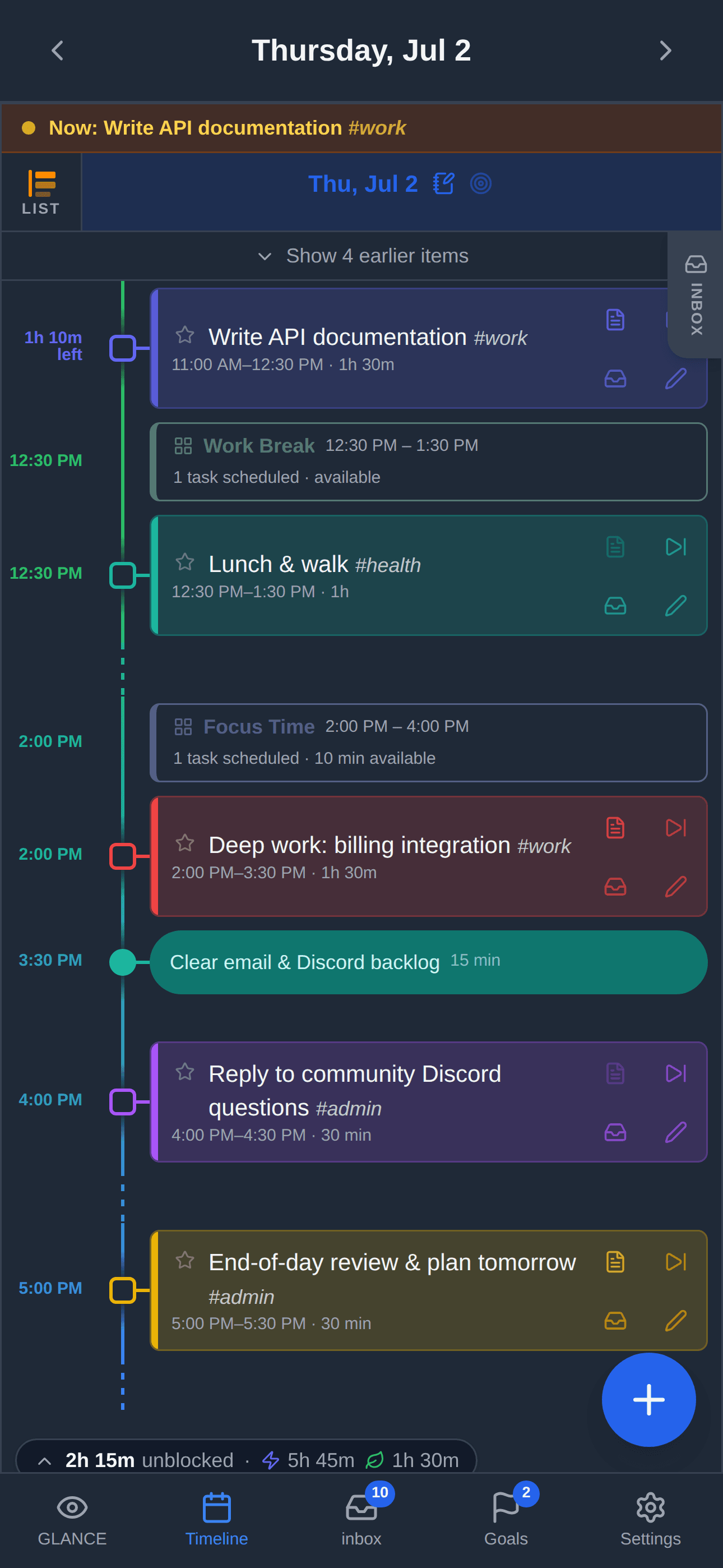
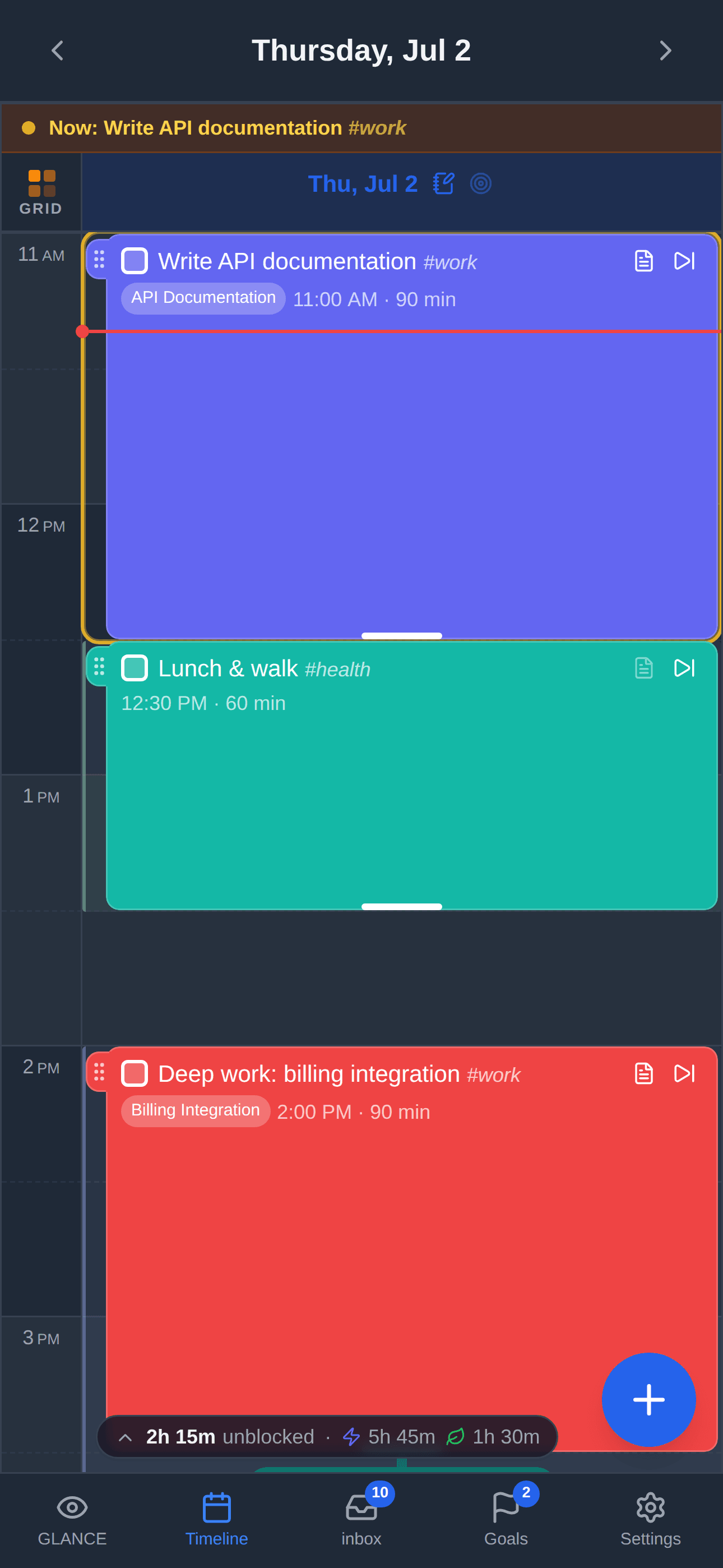
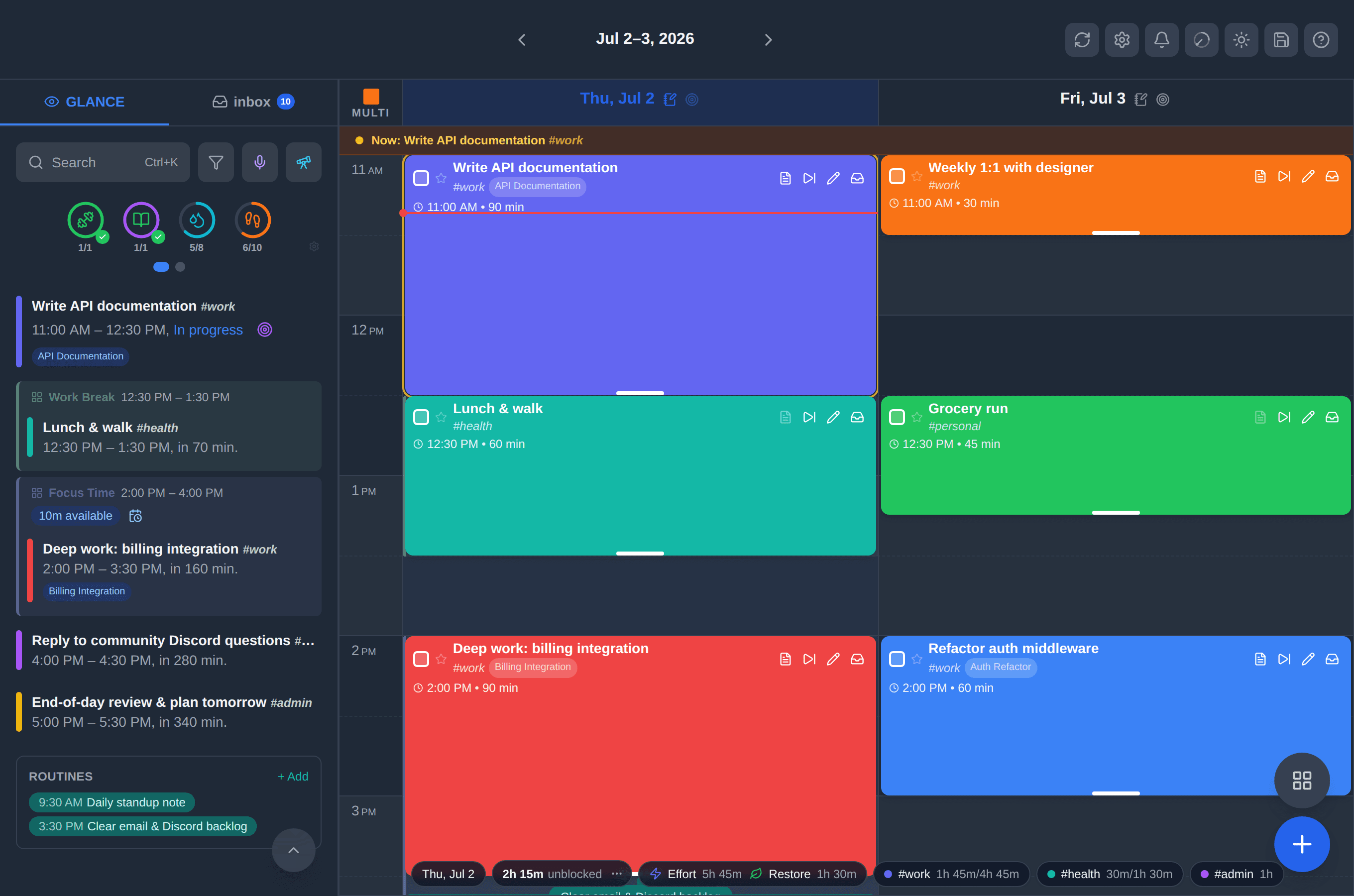
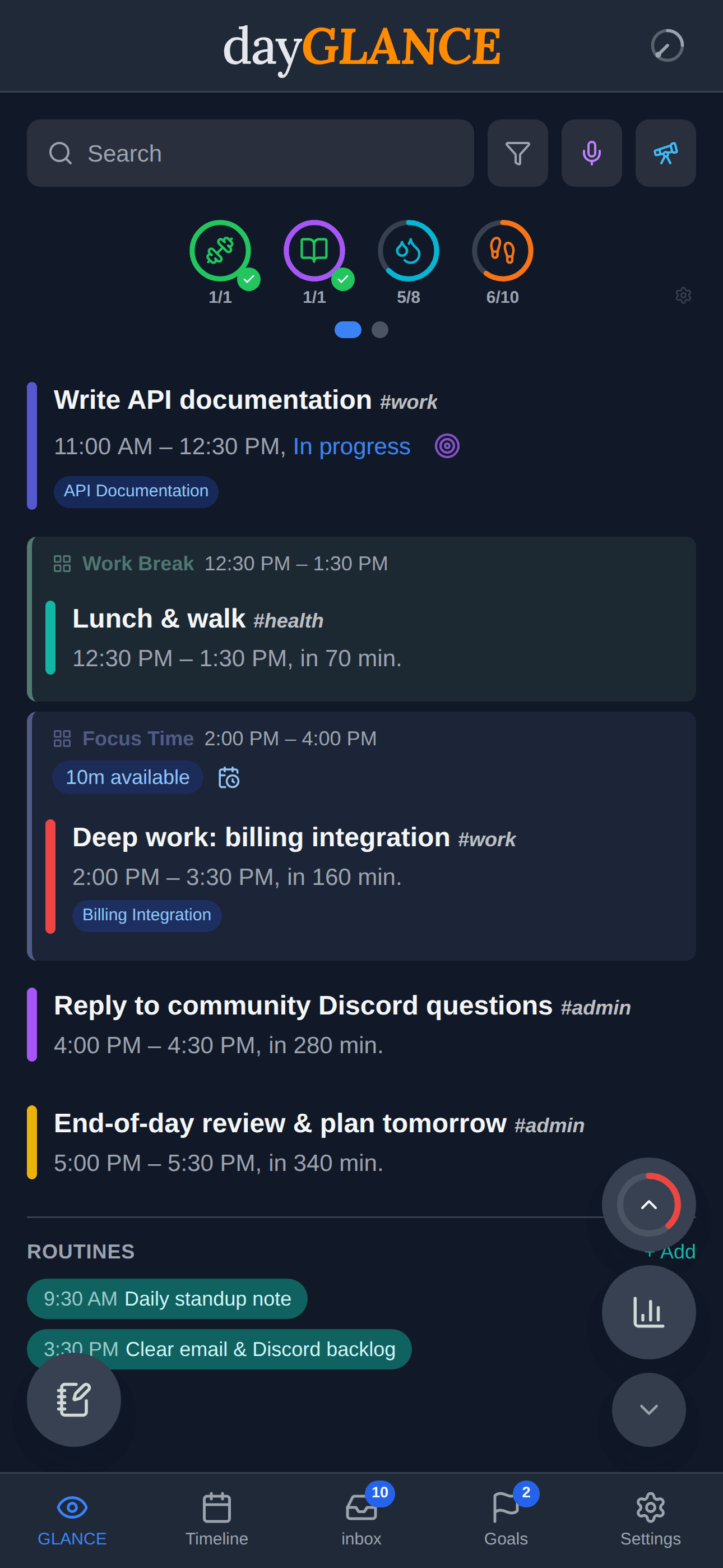
dayGLANCE is a day planner built around visual time-blocking. The main glance panel shows what is happening now and what comes next, supported by day, week, and month views, a day dial, focus mode, a smart inbox, tags, reminders, recurring tasks, and daily notes. By default everything is stored in the browser on your device: the hosted web app at dayglance.app needs no account, and the same project can be self-hosted in Docker, built as an Electron desktop app for macOS, Windows, and Linux, or installed from the App Store and Google Play.
Planning features go beyond task lists. Routines and habits track streaks, goals and projects roll work up into outcomes, and a weekly review plus daily statistics compare the plan against what actually happened. Sync is optional and bring-your-own: WebDAV or Nextcloud, a folder that Google Drive, Dropbox, OneDrive, or Syncthing already keeps in step, or iCloud between a Mac and an iPhone. Those paths merge at task level using timestamps rather than last-write-wins, with optional AES-256-GCM end-to-end encryption. CalDAV and iCal sources such as Google Calendar, Nextcloud, Apple Calendar, Fastmail, and Proton Calendar can be imported and refresh every 15 minutes, while the desktop app adds native Apple Calendar access, a Stream Deck plugin, TRMNL display support, and a local MCP server for AI assistants.
Paid planners such as Sunsama, Motion, Todoist, TickTick, and Things 3 charge a recurring subscription for the planning layer, and most keep your day on their servers. dayGLANCE is MIT-licensed, so the code is free to build and self-host, and the hosted web app keeps data in the browser instead of in an account. The paid App Store and Google Play builds are a convenience distribution that funds development; the Android APK and the desktop installers are free downloads from the releases page.
Categories:
Tags:


Frequently Asked Questions
How do I sync dayGLANCE between devices?
Cloud Sync supports WebDAV or Nextcloud, a Direct Access folder that Google Drive, Dropbox, OneDrive, or Syncthing already keeps in step, and iCloud between a Mac and an iPhone. Merges happen at task level using timestamps rather than last-write-wins, and you can turn on end-to-end encryption with AES-256-GCM using your own passphrase.
Does dayGLANCE work offline?
Core planning features work fully offline after the first load in the installable web app, and the desktop and mobile builds run natively on the device. Weather, calendar sync, cloud sync, and the AI assistant need a connection while you use them.
How do I get my calendar into dayGLANCE?
CalDAV and iCal sources such as Google Calendar, Nextcloud Calendar, Apple Calendar, Fastmail, and Proton Calendar can be imported, and those feeds refresh every 15 minutes. On iPhone, iPad, and Mac the native app also reads device calendars directly through EventKit, so subscribed calendars appear color-coded on the timeline.
What are the requirements for self-hosting dayGLANCE?
The published container image runs on linux/amd64 and linux/arm64 and serves the app on port 6767. The project recommends an authenticated or access-controlled reverse proxy in front of it rather than exposing the container directly, and its bundled proxy for WebDAV and calendar feeds can be stopped from reaching private network addresses with WEBDAV_PROXY_BLOCK_PRIVATE=1.
Does the AI assistant need a subscription?
No. The AI assistant is an optional add-on that uses your own API key and is off by default. The desktop app also runs a local MCP server, so clients such as Claude Desktop, Claude Code, and ChatGPT can read your schedule, find free time, add or reschedule tasks, and check goal progress.
Looking for contributors
This project is actively seeking help, join the community!
OpenAltFinder Score
Project Details
Repository details
Updated 11/18/2026, 4:00:58 AM
View RepositorySponsor dayGLANCE
Get the latest open source alternatives delivered weekly.
Discover tools that give you freedom from proprietary software.
Compare dayGLANCE with
Similar open source alternatives
Mitra
A self-hosted calendar and task planner in one, with two-way CalDAV, Google Calendar, and Apple Calendar sync.
 Google Calendar

tududi
Self-hosted task management that combines personal todo lists with powerful project organization. Built for individuals and teams who value privacy and control.
 Todoist
Huly
All-in-one open source platform that combines project management, CRM, chat, HR, and wiki as an alternative to Linear, Jira, Slack, and Notion.
 Notion

TaskView
Self-hosted project and task management platform with Kanban boards, sprints, time tracking, and AI/MCP integrations for software teams.
 Jira
Kagelin
Self-hosted, offline-first productivity app combining tasks, habits, a Pomodoro focus timer, and calendar with optional WebDAV sync.
 TickTick

TaskTrove
Take Back Control of Your Productivity
Todoist