
miniPaint
Online image editor with layers, filters, and effects that runs entirely in the browser. An open source Photoshop alternative with no ads or account required.
Open source alternative to:
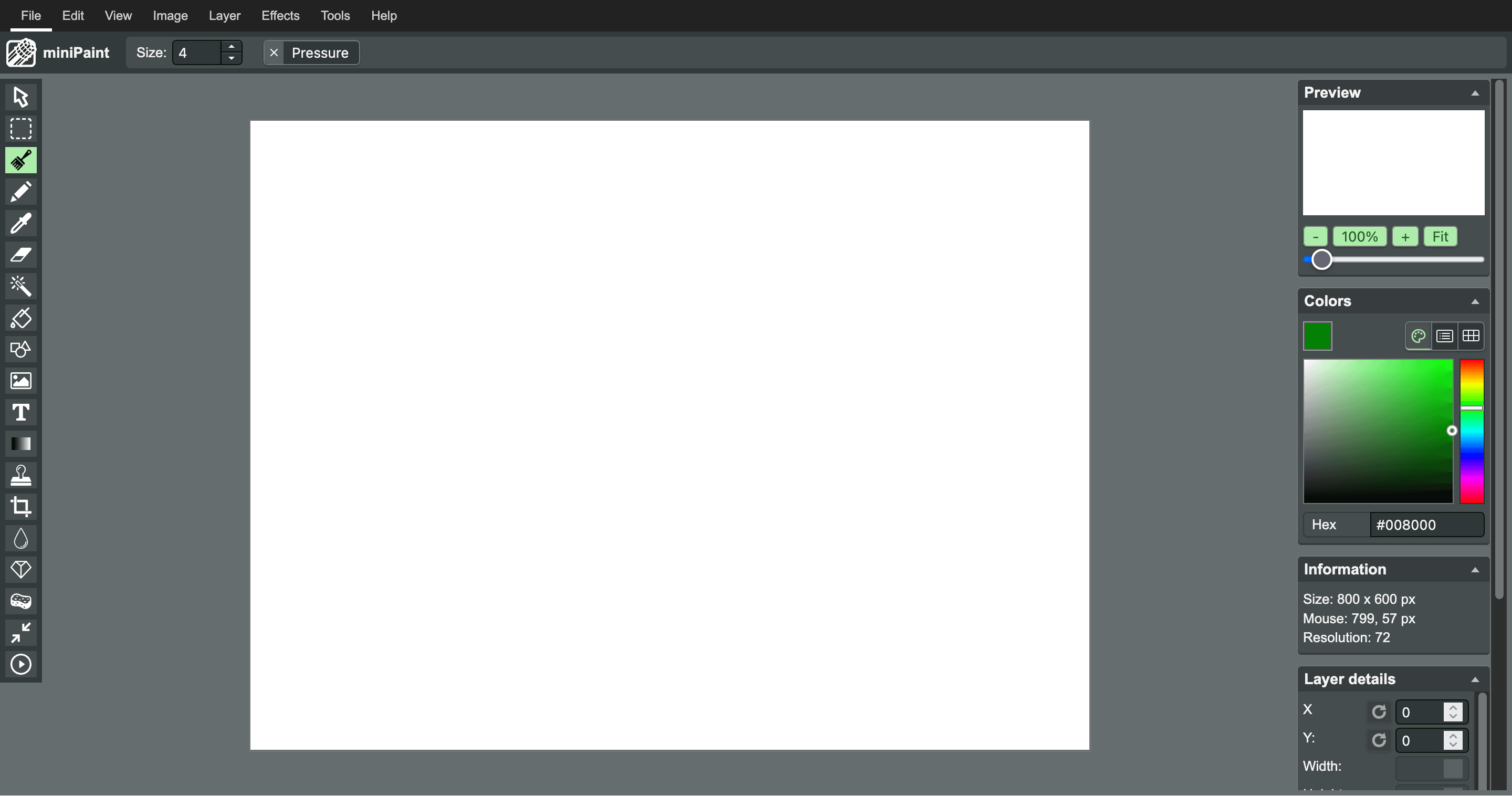
miniPaint is a browser-based image editor built with HTML5 canvas technology. It offers a rich set of features including multi-layer support, a wide range of filters and effects (blur, sharpen, emboss, vintage, Instagram-style filters), selection tools, and drawing tools like pencil, brush, eraser, and clone stamp.
Unlike cloud-based editors, miniPaint runs entirely in your browser — no images are ever uploaded to a server. It supports opening and saving in PNG, JPG, BMP, WEBP, animated GIF, and TIFF formats, and can import layers data as JSON. It also reads EXIF data and includes tools like magic wand, content fill, color adjustments, and a histogram.
As a lightweight open source alternative to Adobe Photoshop, miniPaint is ideal for quick edits and basic graphic design tasks without installing software or creating an account. It works offline once loaded and can be embedded in other websites via an iframe.

Frequently Asked Questions
What is miniPaint?
miniPaint is a free, open source image editor that runs in a web browser. It includes drawing, selection, layer, color correction, and filter tools for creating and editing images.
Is miniPaint a good alternative to Microsoft Paint?
Yes. miniPaint covers common Paint tasks such as drawing, cropping, resizing, adding shapes, and making quick image edits. It also adds features such as multiple layers, transparency, and a broad selection of filters.
Does miniPaint upload my images?
No. miniPaint processes images directly in your browser, so files opened from your computer stay on your device during normal local editing. You can save the finished image in a format supported by the editor.
Can I self-host miniPaint?
Yes. miniPaint is distributed as open source software and can be hosted on your own web server. Download the project source from GitHub and deploy it to a compatible web server.
Which file formats does miniPaint support?
miniPaint can open and save common formats including PNG, JPG, BMP, WEBP, animated GIF, and TIFF. It can also save layer data as JSON for supported editing workflows.
OpenAltFinder Score
Project Details
Repository details
Updated 10/25/2026, 5:01:22 AM
View RepositoryRepository activity
Get the latest open source alternatives delivered weekly.
Discover tools that give you freedom from proprietary software.
Compare miniPaint with
Similar open source alternatives
Krita
Free, open source digital painting and illustration application that is a popular alternative to Photoshop and Procreate.
 Adobe Photoshop
Compositor
Compositor is a free, open-source Photoshop-style image editor built in Swift, native to macOS.
Adobe Photoshop
GIMP
GNU Image Manipulation Program — the venerable free, open source image editor and Adobe Photoshop alternative.
Adobe Photoshop
SnapOtter
Self-hosted image manipulation platform with 45+ tools, local AI, and pipelines. A privacy-first open source alternative to Canva, TinyPNG, and remove.bg.
 Canva
Canva
PhotoSuite
A free, open-source desktop image editor that replicates the Photoshop interface with 1:1 native PSD/PSB file compatibility.
Adobe Photoshop
PixiEditor
PixiEditor is a universal open-source 2D editor for pixel art, painting, vector graphics, and animation. Powerful tools wrapped in a modern, friendly interface for every creator.
Adobe Photoshop