
Mnemo
Mnemo is a free, open-source desktop study app combining block-based notes, FSRS flashcards, and mind maps with no accounts or tracking.
Open source alternative to:




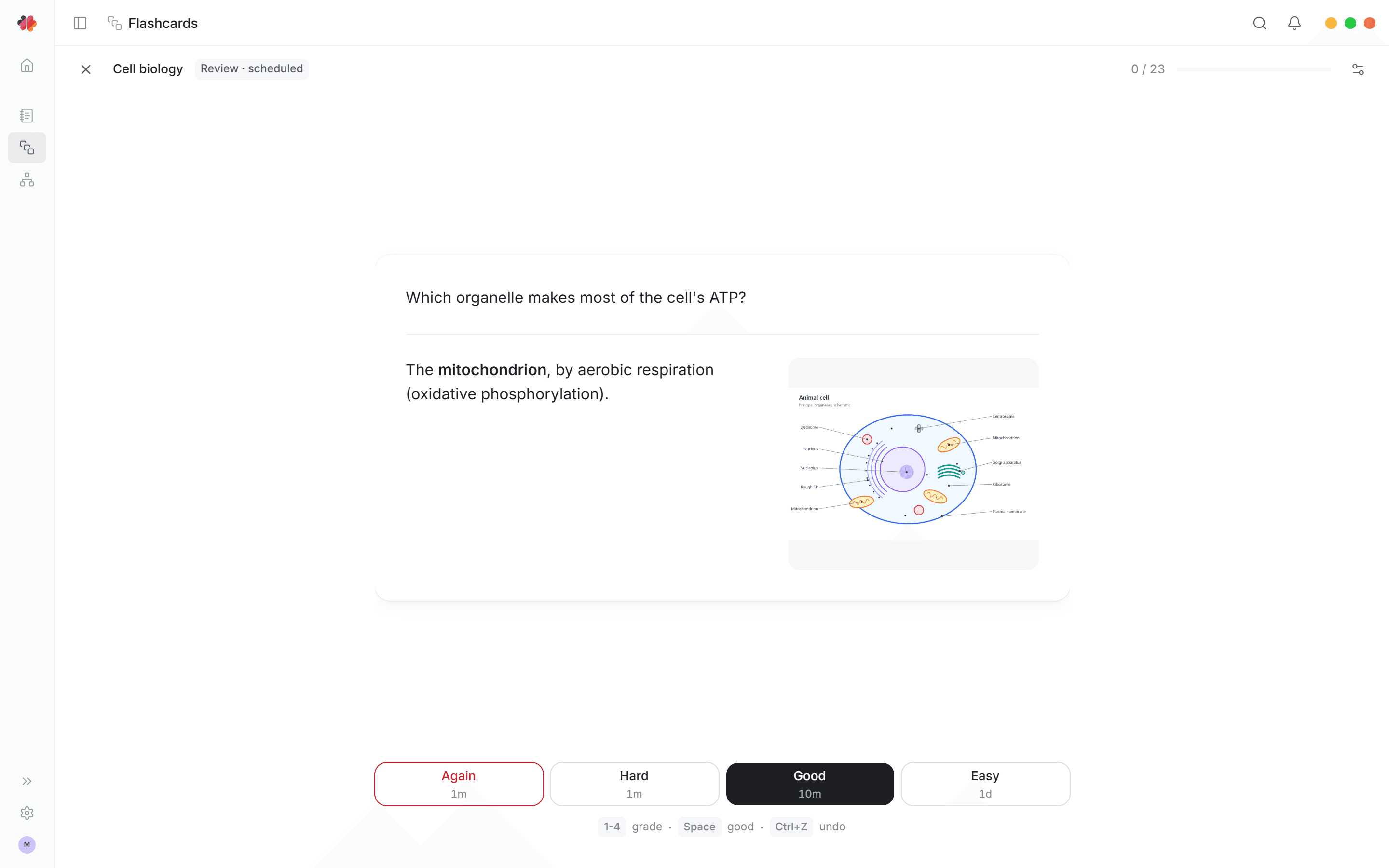
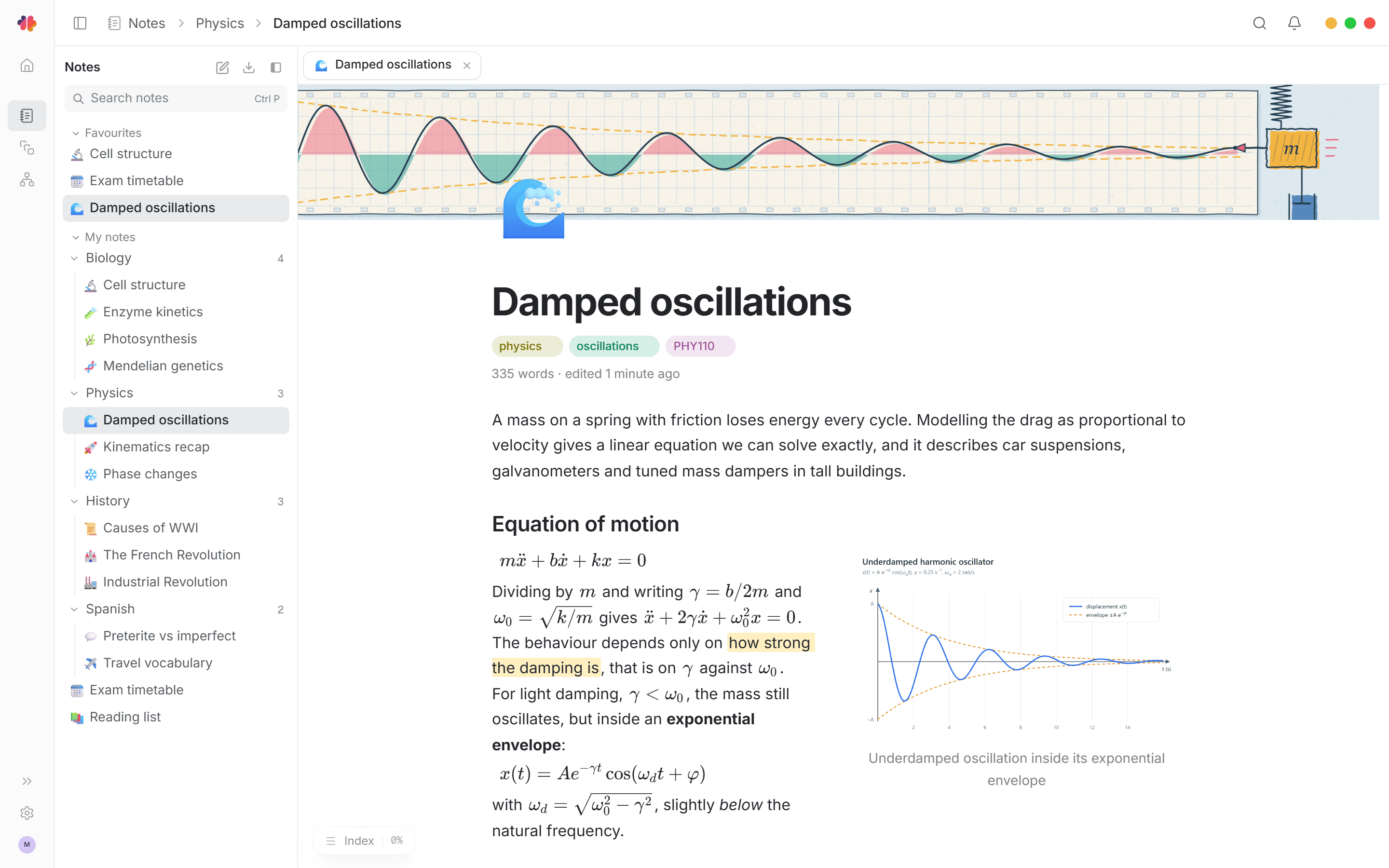
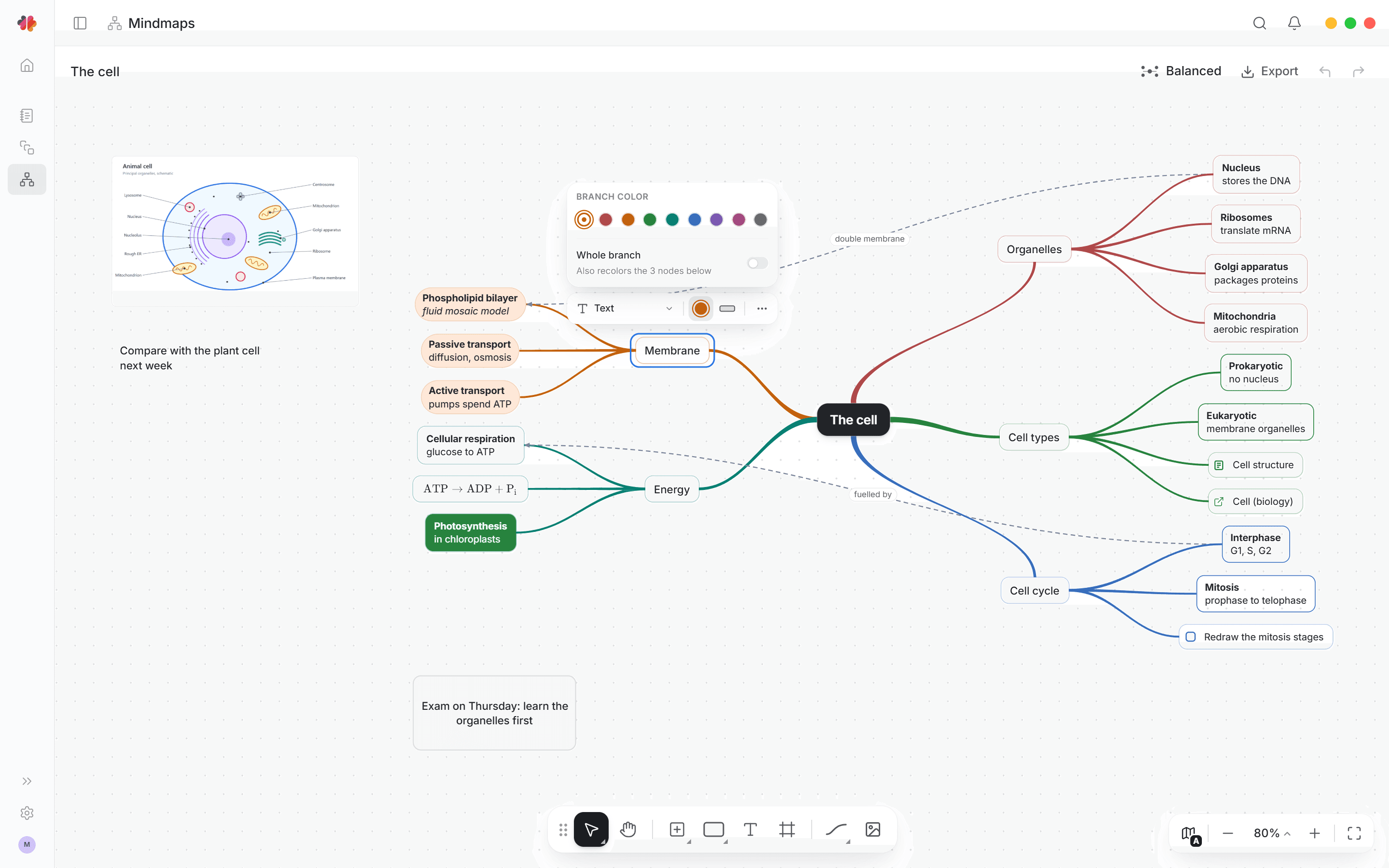
Mnemo is a free, open-source desktop study application that bundles notes, flashcards, mind maps, and progress tracking into one local-first app. It is built with React and TypeScript on top of a local .NET backend, hosted in the operating system's native web view via Photino X. There are no accounts, no ads, and no tracking — your notes and study data live on your machine.
The notes module is a block editor designed for long documents, with rich text, math, code, images, callouts, columns, page links, tabs, and a draggable note tree. Notes export to Markdown, portable .mnemo packages, or PDF through a bundled Typst compiler. The flashcard module supports classic, cloze, and image occlusion cards with decks and folders, review scheduling through FSRS, and a separate self-graded test mode that does not disturb your review schedule. The mind map module runs on an infinite canvas with multiple layout algorithms, custom edges, frames, and export to PNG, SVG, or a Markdown outline. An Overview dashboard ties it together with widgets for activity, goals, memory, and testing.
Where paid study platforms like Quizlet lock your card sets behind a subscription and an account, Mnemo keeps everything local and portable: flashcards import and export through Anki packages, CSV, and .mnemo packages, and nothing requires a server. It covers much of the same ground as Notion (notes), XMind (mind maps), and Anki (spaced repetition) in a single offline-capable app. Mnemo is currently in beta (0.8.x), with Windows the most battle-tested build, macOS available for Apple silicon, and Linux shipping as a first preview. The interface is available in English, German, Spanish, Japanese, and Norwegian Bokmål, with light and dark themes and remappable shortcuts.
Build with:


Frequently Asked Questions
Which platforms does Mnemo run on?
Mnemo ships as a native desktop app for Windows 10 and 11 (x64 installer and portable zip), macOS on Apple silicon (installer package and portable app), and Linux x64 (AppImage and portable archive). Windows is the most stable build, while Linux is currently a first preview.
Can I import my existing Anki decks into Mnemo?
Yes. Flashcards import and export through Anki packages, CSV, and Mnemo's portable .mnemo packages, so you can move decks in either direction without losing your material.
What types of flashcards does Mnemo support?
Mnemo supports classic front-and-back cards, cloze deletion cards, and image occlusion cards, organized into decks and folders. Review scheduling uses the FSRS algorithm, and a separate self-graded test mode lets you quiz yourself without changing your review schedule.
Does Mnemo require an account or send analytics data?
No. Mnemo has no accounts, no ads, and no tracking — your notes and study data stay on your machine. By default it contacts GitHub Releases once at startup to check for updates, and you can disable that in Settings > Updates.
How do I get my data out of Mnemo?
Notes export to Markdown, PDF (through a bundled Typst compiler), or .mnemo packages. Flashcards export to Anki packages, CSV, or .mnemo packages. Mind maps export to PNG, SVG, Markdown outlines, or .mnemo packages. The app database and files stay in your local application data directory.
OpenAltFinder Score
Project Details
Repository details
Updated 10/10/2026, 9:00:26 AM
View RepositoryCompare Mnemo with
Similar open source alternatives

AppFlowy
Open source Notion alternative that brings projects, wikis, and teams together with AI while keeping you in control of your data.
 Notion
HelixNotes
A fast, privacy-first local markdown note-taking app built with Tauri and SvelteKit. Your notes stay as plain .md files on your device.
 Obsidian
Jotty
Lightweight self-hosted app for managing personal file-based notes and checklists.
Notion
Outline
The fastest growing-team knowledge base — beautiful, realtime collaborative, feature packed, and markdown compatible Notion and Confluence alternative.
Notion
memos
Privacy-first, self-hosted note-taking platform with markdown support, tagging, and built-in AI — a lightweight alternative to Notion and Obsidian.
Obsidian
AFFiNE
Open-source knowledge base combining note-taking, whiteboard, and project planning in one workspace.
Notion