
openGym
Self-hosted gym and bodyweight tracker with guided workouts, muscle maps, and imports from Strong, Hevy and FitNotes.


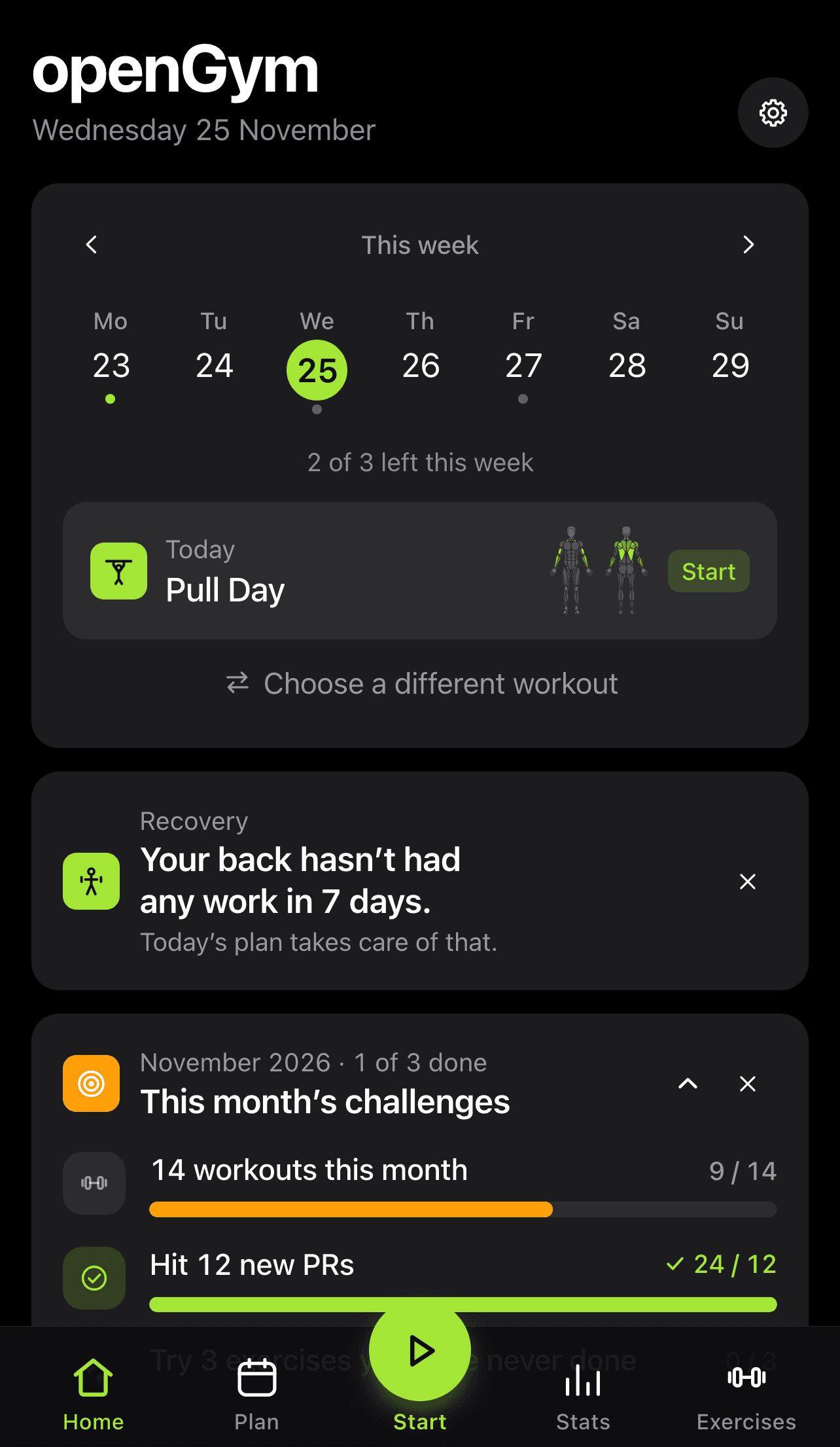
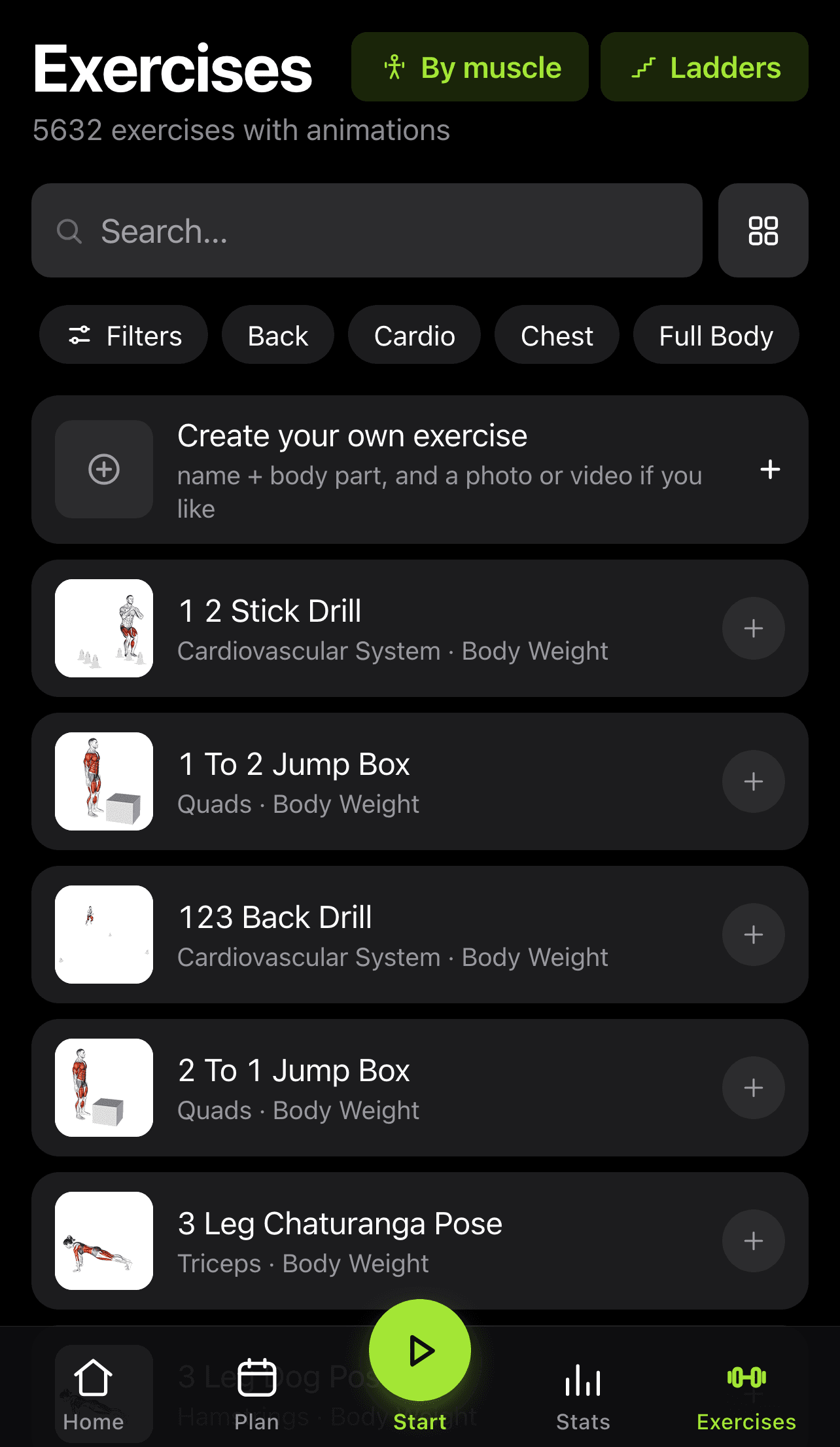
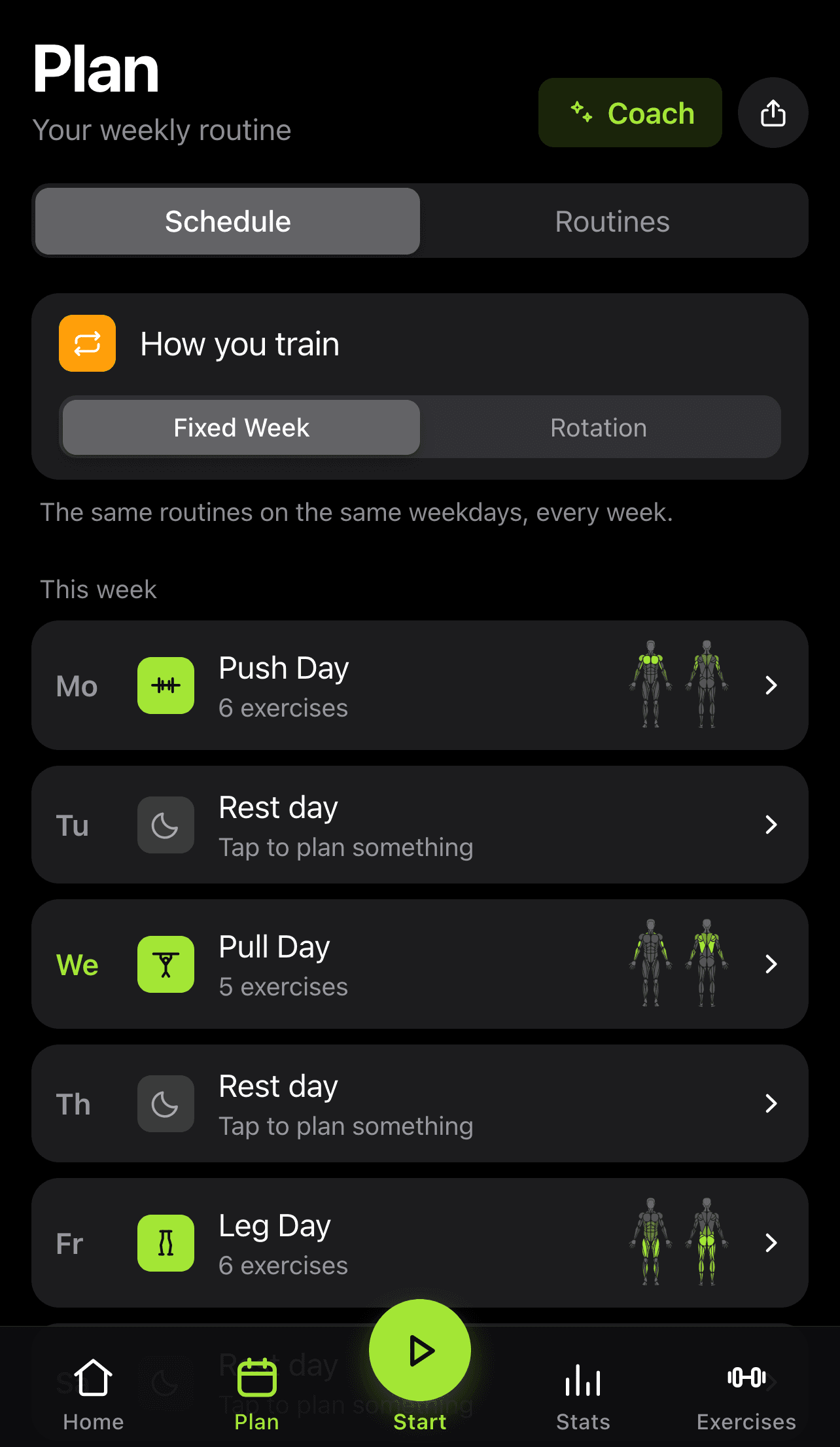
openGym is an open-source strength and bodyweight training tracker that runs on your own server or entirely on your phone. Its planner is built on a library of more than 5,600 exercises with animated demos, searchable by muscle on a body map and filterable by the equipment you own. You can follow a weekday routine or a rotation (A, B, C, ...), and sessions support supersets, warm-up sets, drop sets, rest-pause, timed exercises, cardio, per-side reps and planned deloads.
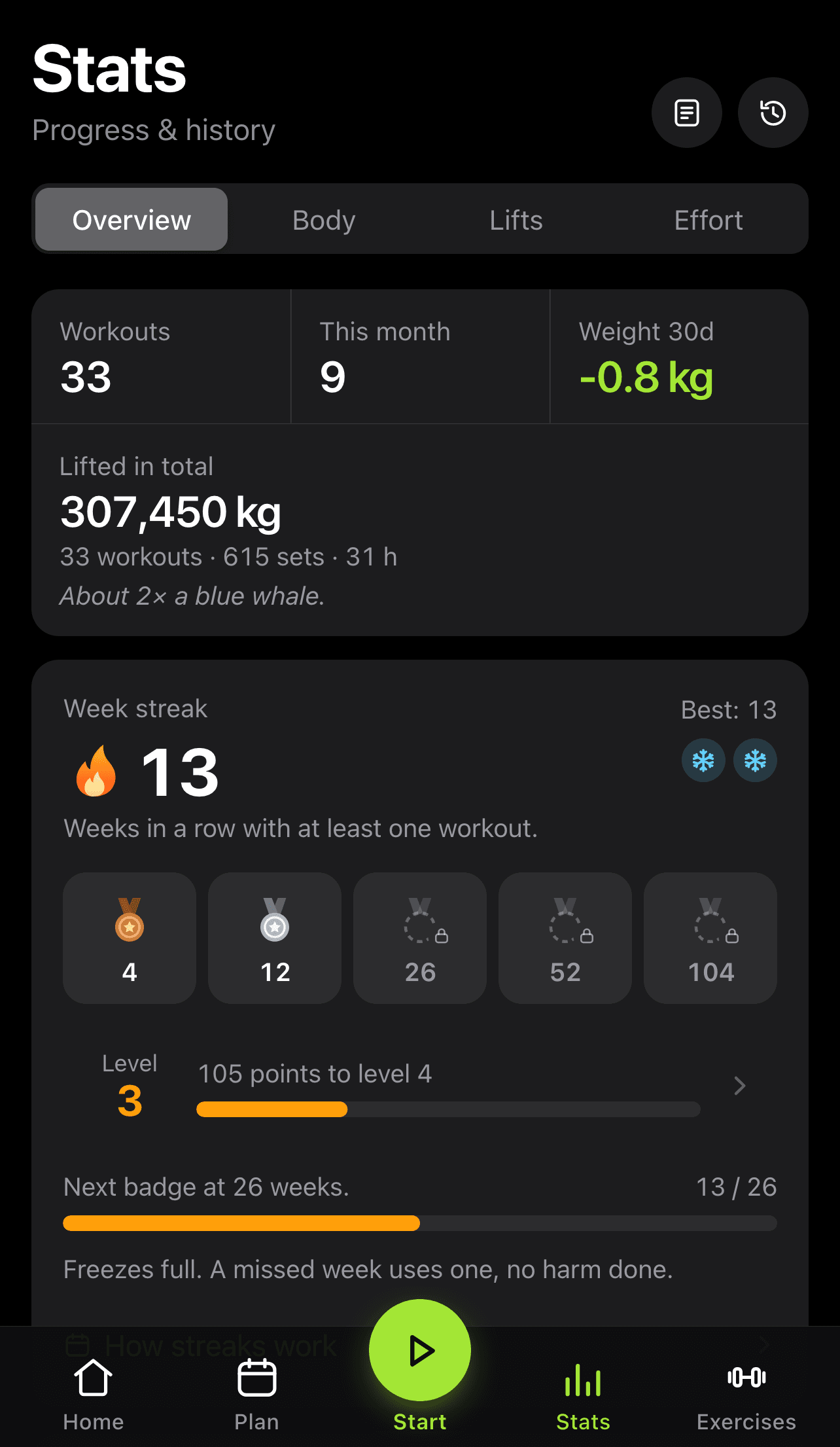
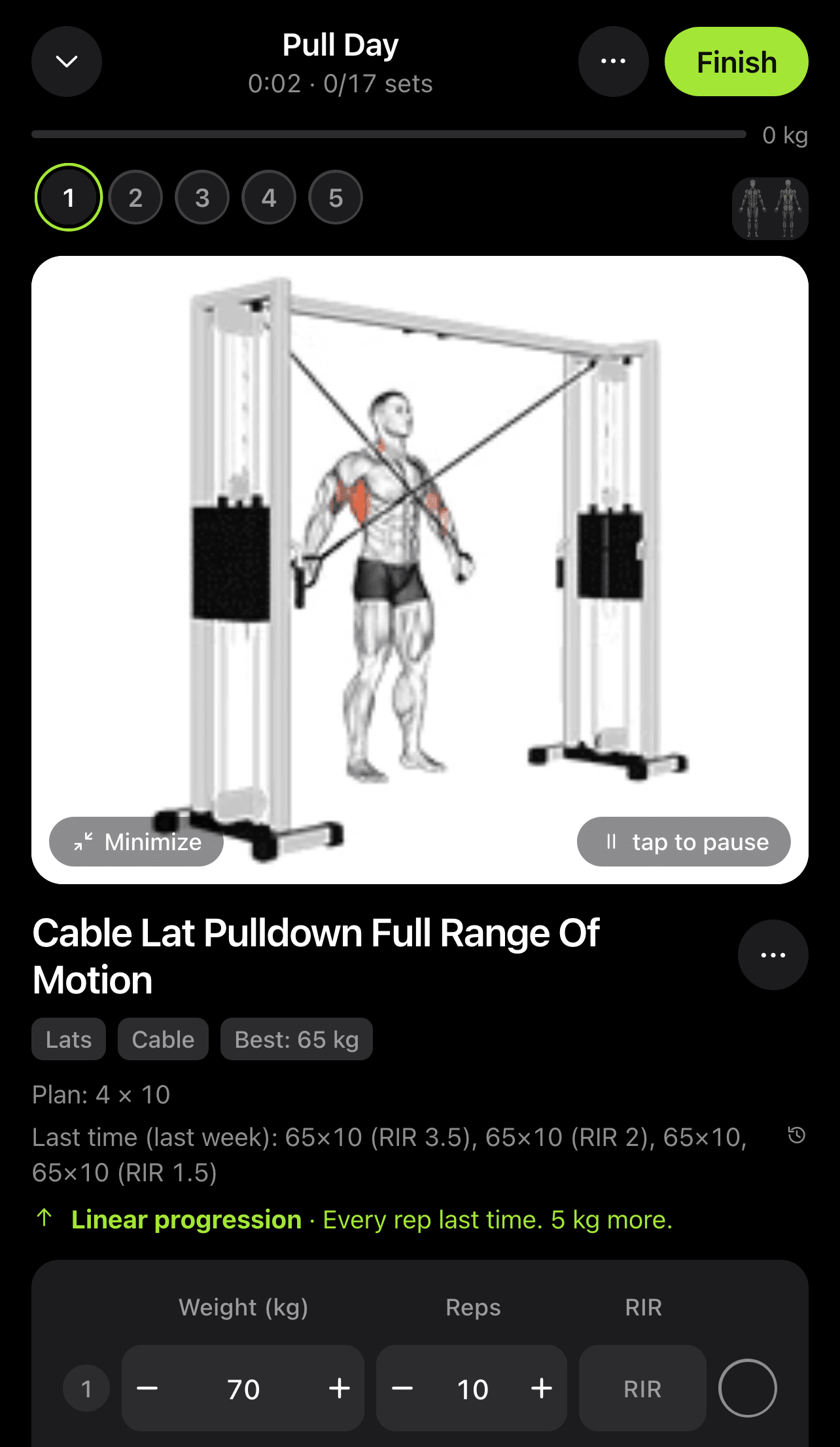
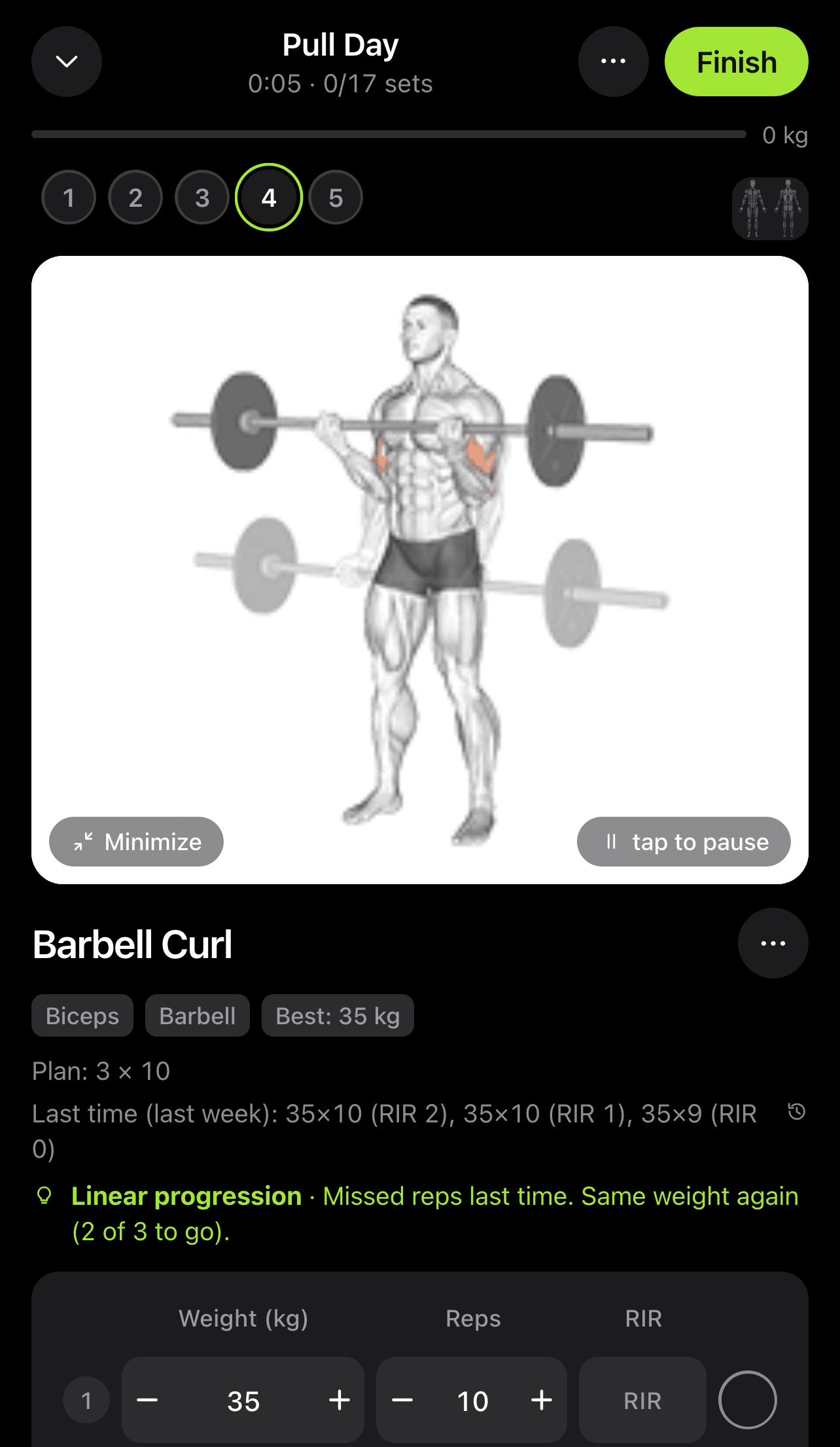
During a workout the app pre-fills weights from last time, runs a rest timer, detects PRs and shows a live volume total. Progression rules (linear, Greyskull LP, double progression, triple progression and time-based) only add load when the target reps are hit, with stalls triggering a deload. Progress views cover estimated 1RM curves, structural balance ratios, a year-long activity heatmap, a three-mode muscle map for volume, recovery and untrained muscles, body-weight charts against a goal line, and progress photos with a before/after slider. Saved workouts can be edited after the fact or logged from paper notes.
The web app installs as a PWA, and there are iPhone, iPad, Android and Apple Watch apps that also work with no server at all. Passkeys handle sign-in, sync merges field by field when two devices edit at once, and server data lives as JSON files in a folder you control. Imports cover FitNotes, Strong, Hevy (CSV or a Hevy Pro API key), Fitbod, JEFIT, Gravl, Liftosaur, Liftoff, StrongLifts 5x5 and Apple Health weight exports; everything can be exported as one JSON backup or as CSV. Optional add-ons include an AI coach using your own provider key, an MCP server for assistants, signed webhooks, a calendar feed, Strava upload and daily WebDAV backups.
Categories:
Tags:




Frequently Asked Questions
Which platforms does openGym run on?
openGym runs as a web app you can install to your home screen as a PWA, and as native iPhone, iPad and Android apps. The iOS app also ships an Apple Watch companion for ticking off sets with the Digital Crown, plus widgets and a Live Activity on the Lock Screen.
Do I need a server to use openGym?
No. The iPhone, iPad and Android apps can work on their own with no server and no account, keeping state in a file in the app storage. A server is only needed if you want one profile synced across several devices, passkey sign-in, webhooks, a calendar feed or the MCP server.
Can I import my history from Strong, Hevy, FitNotes or Fitbod?
Yes. Settings, Data and backup, Import from another app accepts exports from Strong, FitNotes, Hevy, Fitbod, JEFIT, Gravl, Liftosaur, Liftoff, StrongLifts 5x5 and Apple Health weight data. Hevy history can also be pulled directly with a Hevy Pro API key. Exercise names are matched to the openGym library, unknown ones become your own exercises, and re-importing the same file does not duplicate days.
Does openGym have an API, webhooks or a CLI?
The server exposes an HTTP API documented as an OpenAPI 3.1 spec with Swagger UI at opengym.ch/api.html, and per-device API tokens for the phone apps. On a self-hosted instance you can also send signed webhooks to Home Assistant, n8n, ntfy or Node-RED when a workout finishes, a record is set or you weigh in, publish a calendar feed, upload cardio to Strava, and run the optional MCP server so an assistant can read your training history or log a workout.
How do I back up or move my openGym data?
Settings, Data and backup can export a single JSON backup you can import on another instance or phone, plus a CSV of every set, weigh-in and measurement. Server data already lives as JSON files in the data folder next to uploads and the audit log, so copying that folder is a full backup. A daily WebDAV backup can also push a copy to your own Nextcloud or WebDAV folder and restore it on a new phone.
OpenAltFinder Score
Project Details
Repository details
Updated 11/25/2026, 5:00:57 AM
View RepositorySponsor openGym
Get the latest open source alternatives delivered weekly.
Discover tools that give you freedom from proprietary software.
Compare openGym with
Similar open source alternatives
Flex
Offline-first workout tracker for strength training and cardio with progress graphs, background rest timers and a local database.
 Hevy
Stronk
Free, open-source weightlifting tracker for logging lifts, sets and reps — a private, installable web app and alternative to Hevy and Strong.
 MyFitnessPal

LiftTrace
LiftTrace is a self-hosted weightlifting tracker that runs in a single Docker container. AGPL-3.0, no telemetry, no cloud sync — your lifting data stays on your own hardware.
Hevy
Ryot
Self-hosted tracker for media consumption and fitness, with imports from Trakt, Goodreads, MyAnimeList, Plex, Jellyfin and more.
 Trakt
wger
Self-hosted workout and fitness manager with nutrition tracking and mobile apps.
MyFitnessPal
SparkyFitness
Self-hosted fitness and health tracker for meals, workouts, water, sleep and body metrics, with family sharing and optional AI coaching.
MyFitnessPal