
Pinry
Self-hosted tiling image board for saving, tagging, and sharing images, videos, and webpages.
Open source alternative to:
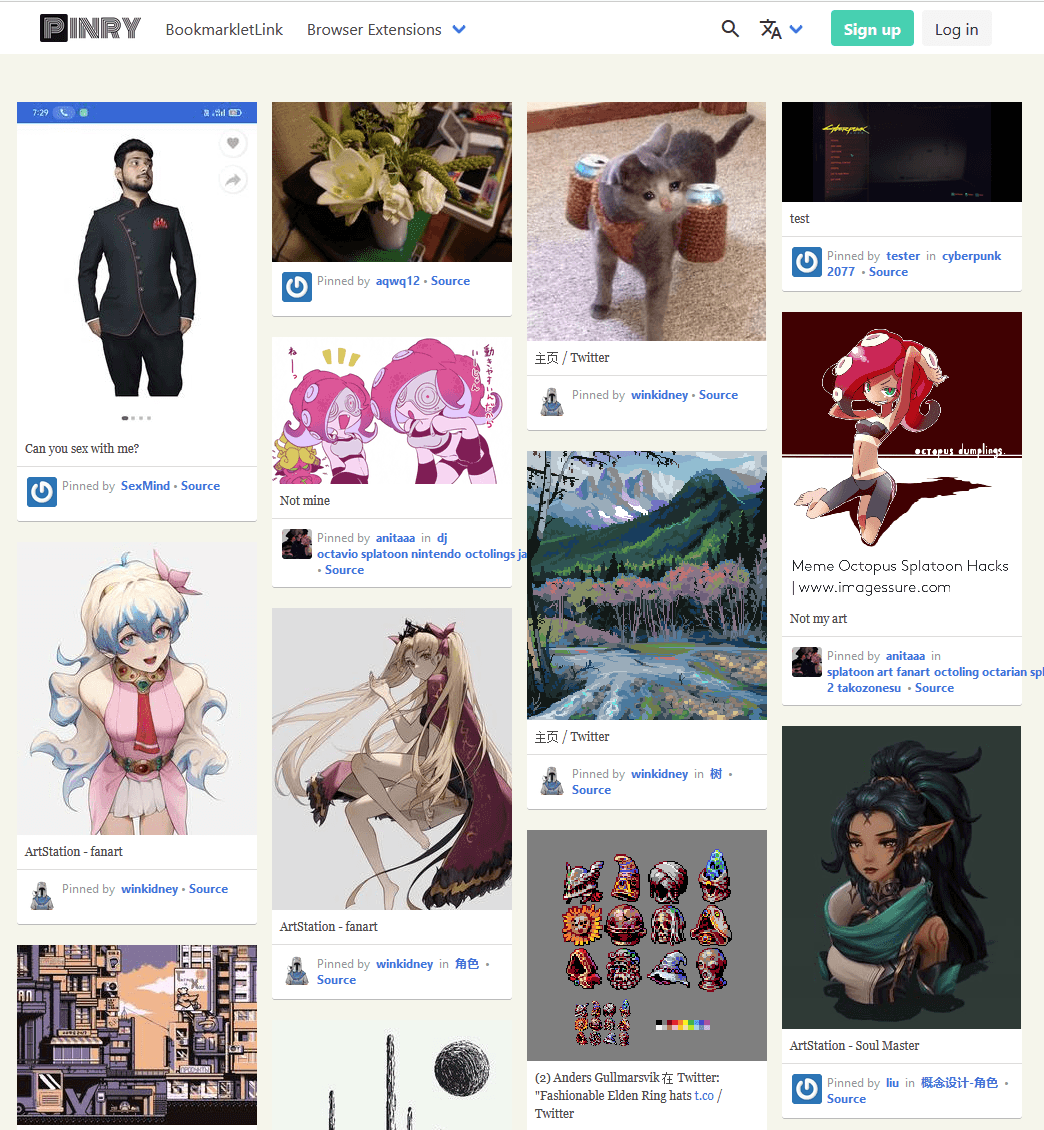
Pinry is an open source, self-hosted tiling image board system for people who want to save, tag, and share images, videos, and webpages in an easy-to-skim, Pinterest-style format. The backend is built on Django and the frontend on Vue.js, giving you a fast, self-contained board experience without relying on a hosted service.
Key features include automatic image fetching with online previews, a tagging system for pins, search by tags and board names, public and private boards, multi-user support, and browser extensions for Chrome and Firefox. It ships a full REST API built on Django REST Framework plus an official CLI tool for adding content from the terminal, and supports internationalization with English, Simplified Chinese, and French. Installation is straightforward via pre-built Docker images for AMD64, ARMv7, and ARMv8.
Compared to Pinterest, Pinry puts you in full control: you decide what gets saved, who can see it, and where your data lives. Boards can be kept private, multi-user instances let teams or households curate together, and because everything is self-hosted there is no advertising, tracking, or dependency on Pinterest policies.
Categories:




Frequently Asked Questions
How do I add content to Pinry?
Pinry ships browser extensions for Chrome and Firefox that let you pin images and webpages while browsing, plus an official command-line tool (pinry-cli-py) for adding an image or URL from the terminal. Pins are fetched automatically with online previews.
Can I keep boards private?
Yes. Boards can be either public or private, and Pinry supports multiple users, so each user manages their own pins and boards with control over visibility.
Does Pinry have an API?
Yes. Pinry exposes a full REST API built on Django REST Framework, so you can create, read, and manage pins and boards programmatically. There is also an official CLI for scripting.
How do I install and self-host Pinry?
Pre-built Docker images are available for AMD64, ARMv7, and ARMv8. See the documentation at pinry.github.io/pinry for installation, development, and deployment guides.
Which languages does Pinry support?
The interface includes internationalization (i18n) support with English, Simplified Chinese, and French translations bundled.
OpenAltFinder Score
Project Details
Repository details
Updated 10/31/2026, 11:00:53 PM
View RepositoryRepository activity
Get the latest open source alternatives delivered weekly.
Discover tools that give you freedom from proprietary software.
Compare Pinry with
Similar open source alternatives

Buku
Privacy-focused, command-line bookmark manager that stores links in a local encrypted SQLite database with full-text search.
 Pinboard
Wallabag
Self-hosted read-it-later app that saves articles for offline reading with a clean, distraction-free view.
 Pocket
Karakeep
Self-hostable bookmark-everything app with AI-based automatic tagging, full-text search, and support for links, notes, and images.
Pocket
Bowrd
Open-source visual bookmarking: save images to boards, follow Fediverse accounts, and share collections — no ads, no algorithm.
 Pinterest
Faved
Free open-source self-hosted bookmark manager with customizable nested tags, fast search, and local data storage.
Pocket
Linkwarden
Linkwarden is an open-source, self-hostable bookmark manager for collecting, reading, annotating, and preserving web content.
 Raindrop