PrintCraft
Open-source PDF workbench in pure Rust — read, organize, combine, split, comment and secure PDFs.
Open source alternative to:


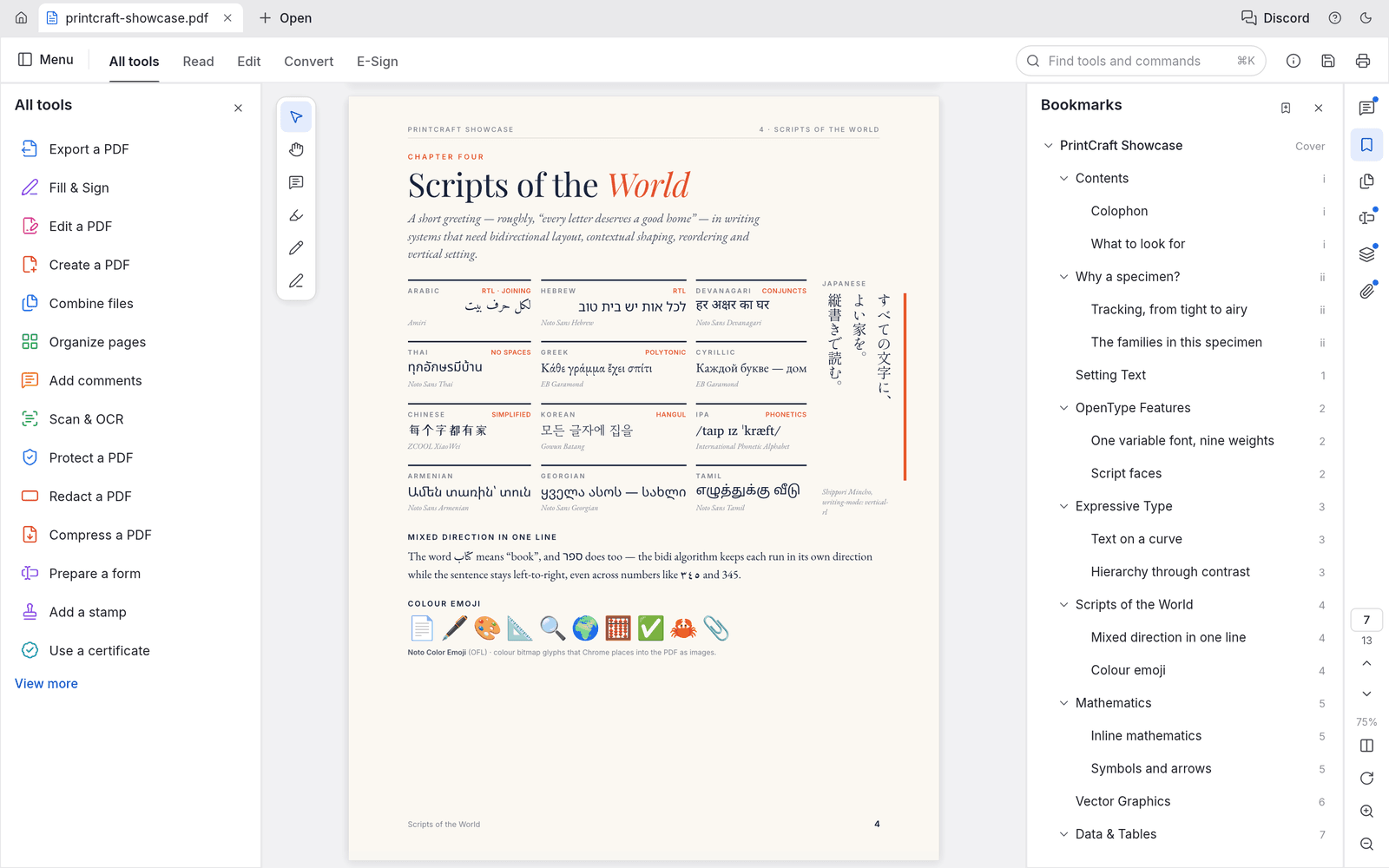
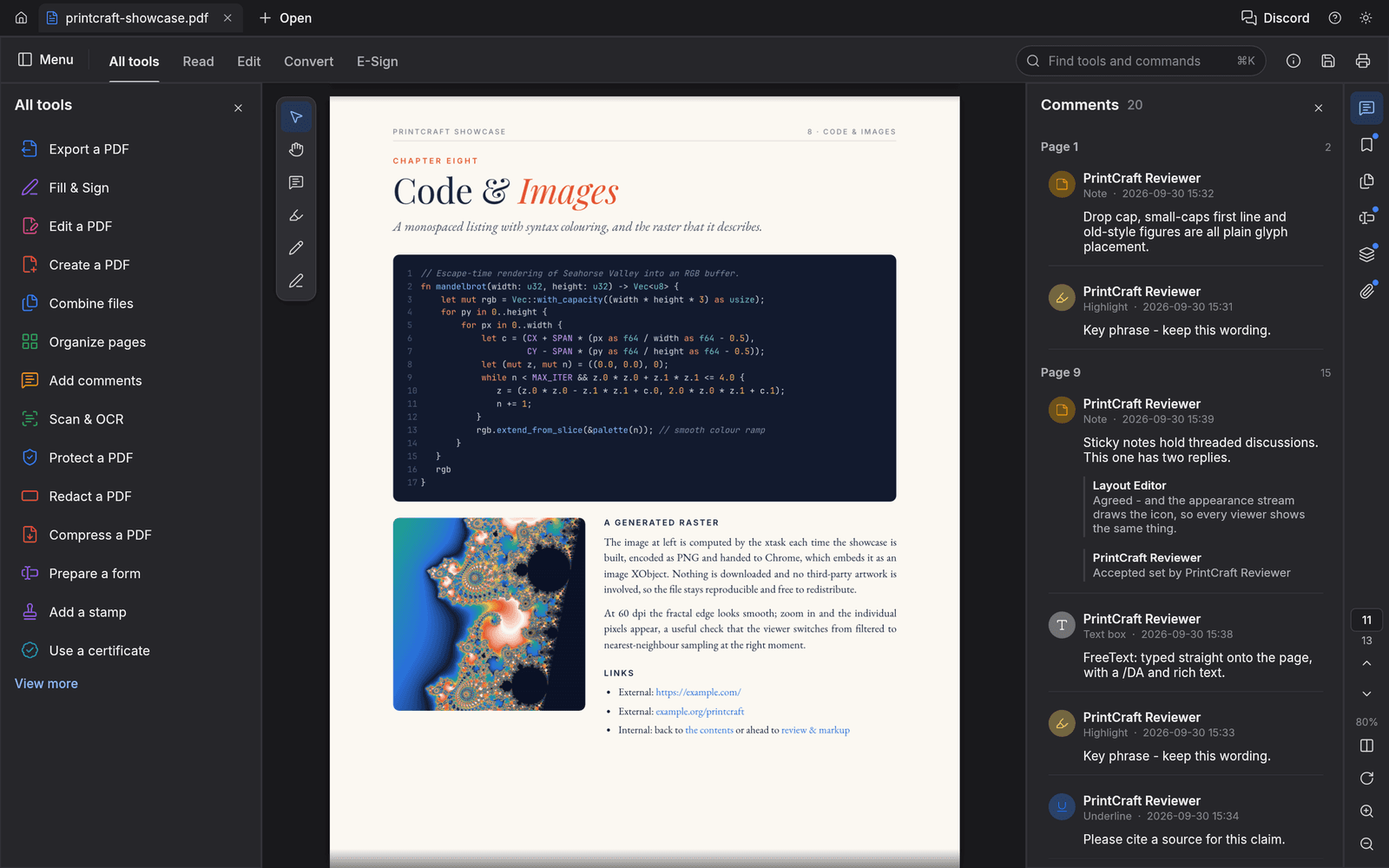
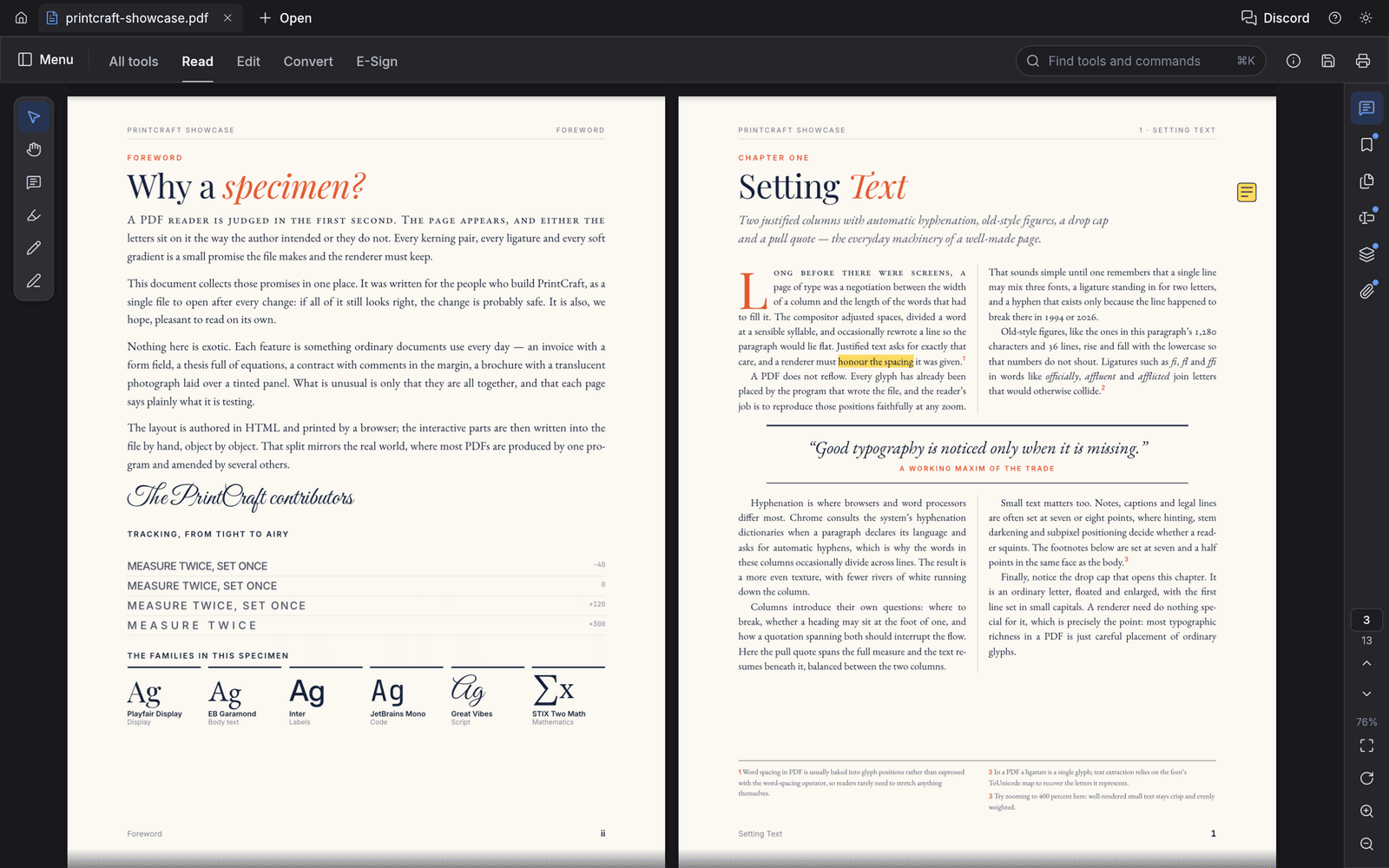
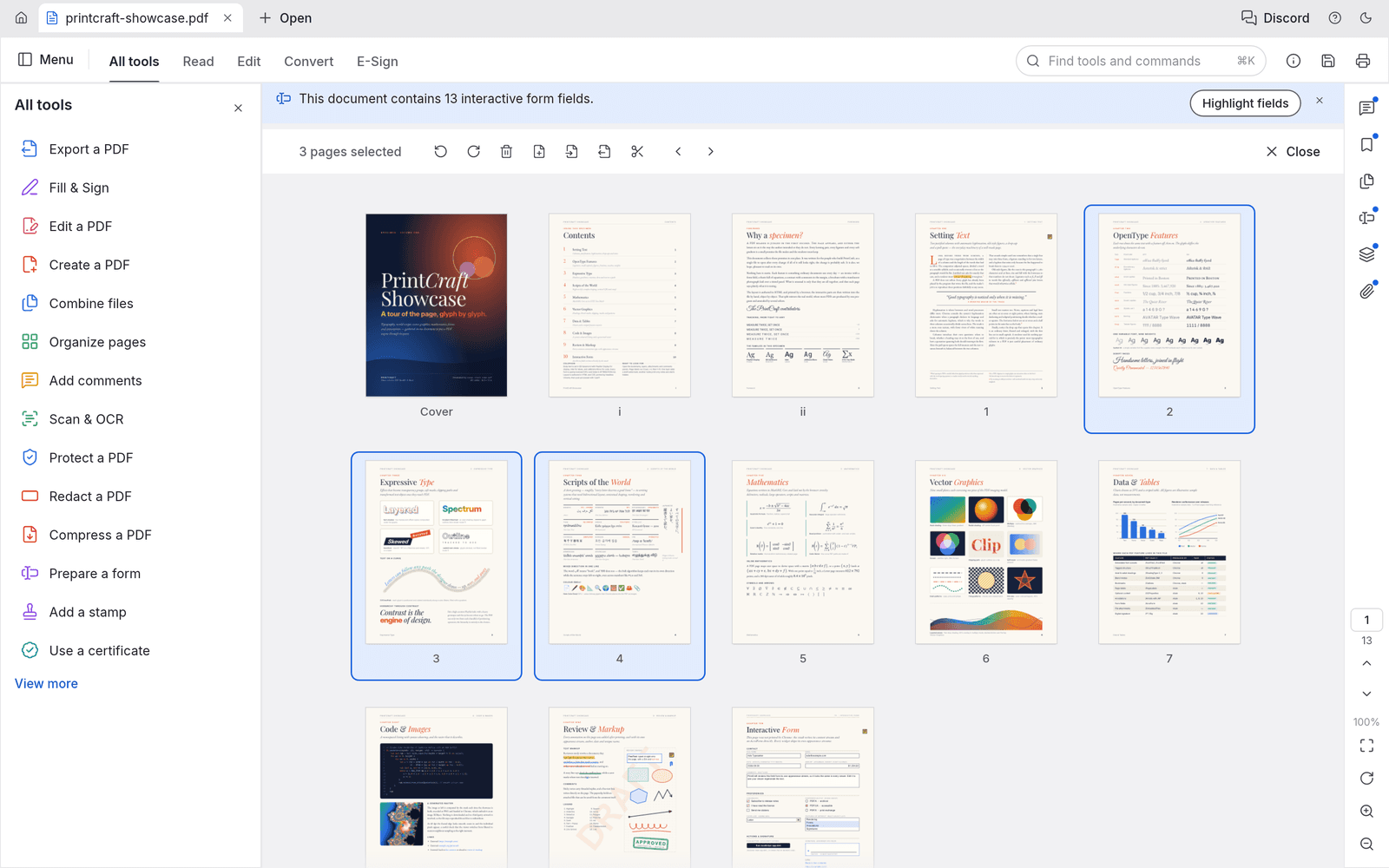
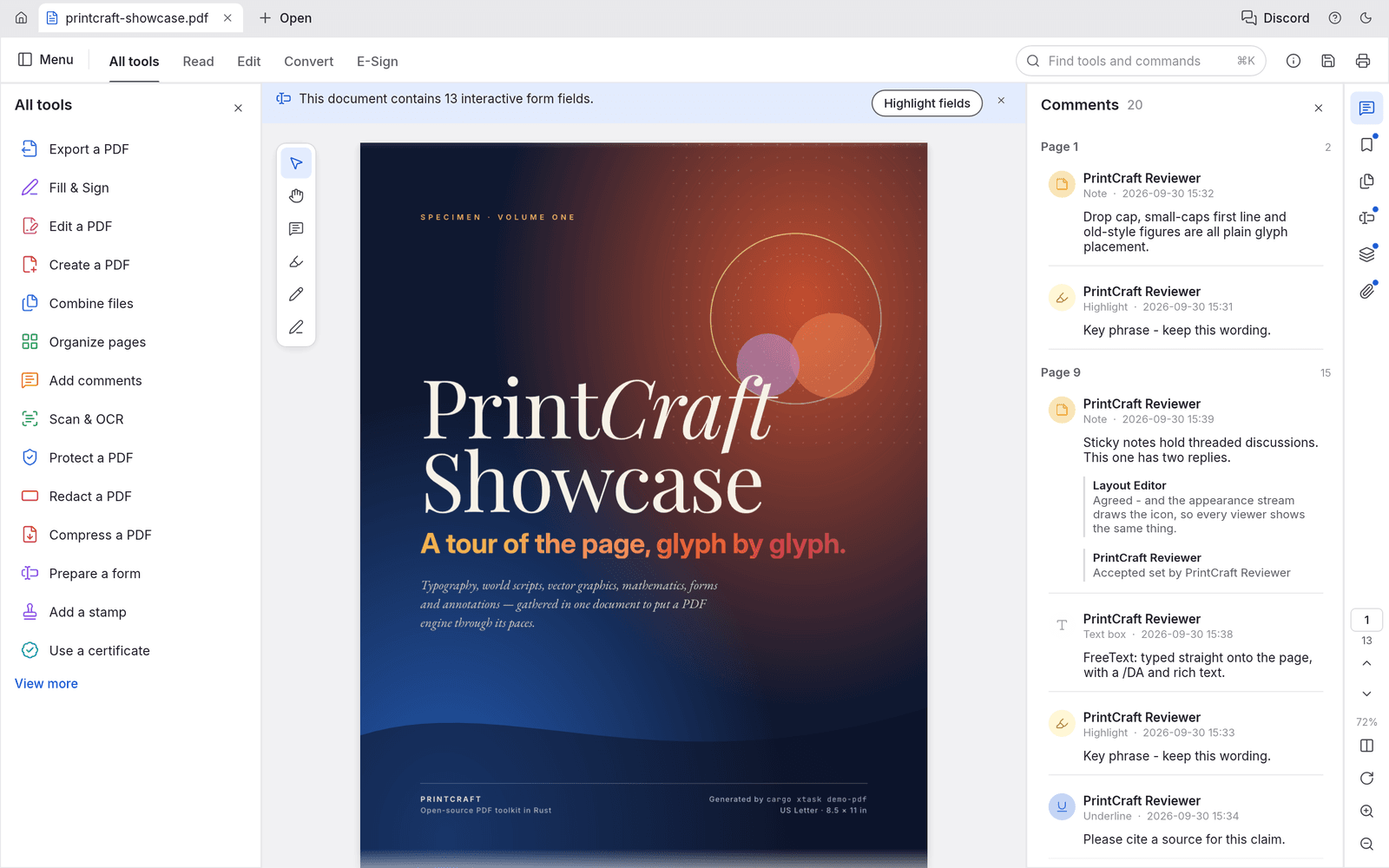
PrintCraft is a free, open-source PDF workbench that takes on Adobe Acrobat with a native Rust app for macOS, Windows and Linux — plus a web build — with no account, no cloud and no telemetry.
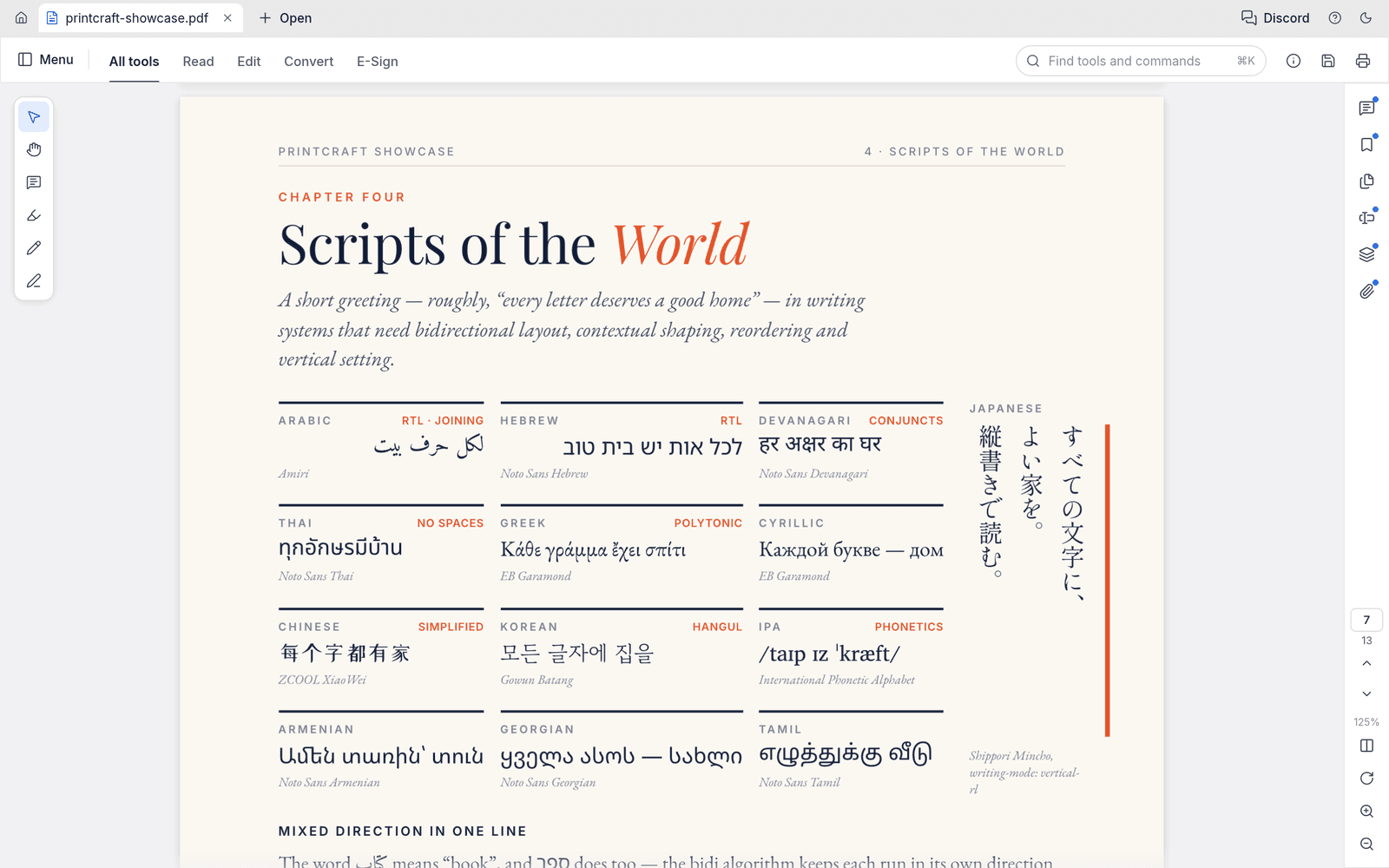
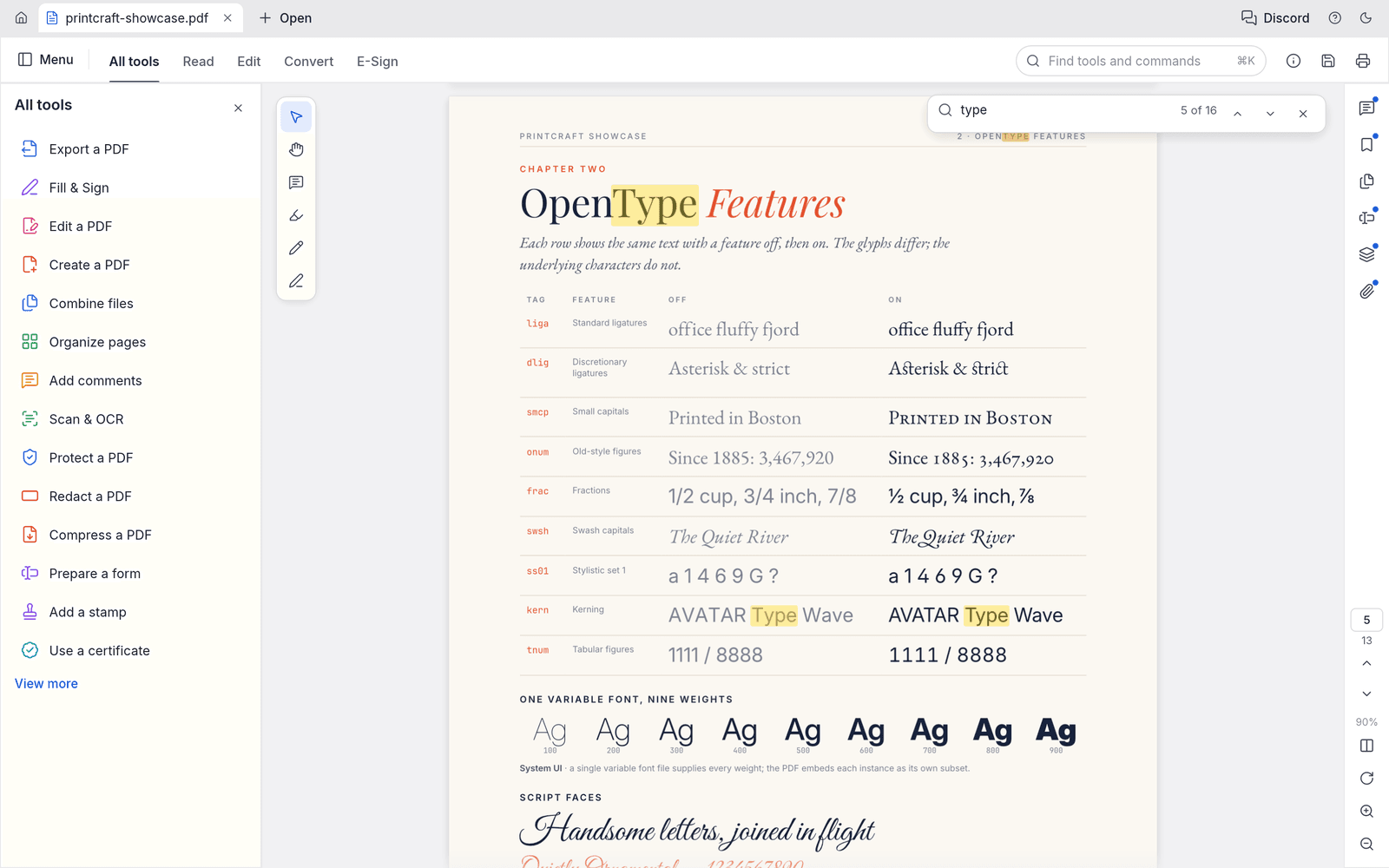
Its PDF renderer is unusually faithful: kerning and ligatures, right-to-left and complex scripts, vertical CJK, colour emoji, shadings, blend modes, soft masks and optional content all render as the author intended, with tiled rendering keeping deep zoom crisp. Pages render in isolation and damaged files are repaired — across the 983-file pdf.js test corpus it reports zero crashes. Reading modes cover continuous, single-page, two-up, full screen and a distraction-free Read mode, in light and dark themes, with search, selection and copy throughout.
It is also a real workbench: organize pages like cards on a table, combine and split documents, open password-protected files and respect their permission rules, and work with comments, forms, layers and attachments. Writes are atomic and append-only, so the original bytes stay untouched and deep undo means nothing is lost. A CLI, a loopback control channel and an MCP server let scripts and AI agents operate the real interface.
Frequently Asked Questions
Which platforms does PrintCraft run on?
PrintCraft ships native apps for macOS, Windows and Linux plus a web build. The engine reads and writes PDFs entirely in Rust, with no Electron or web-view dependency, and it works fully offline.
Can PrintCraft edit PDFs, or only view them?
It edits as well as views: you can organize pages, combine and split documents, fill and handle forms, add threaded comments and manage layers and attachments. Every save appends your changes and leaves the original file's bytes untouched, with atomic writes and deep undo.
Does PrintCraft open password-protected PDFs?
Yes — it opens protected documents and respects their permission rules, while still rendering faithfully with full font and script support.
How does PrintCraft handle damaged or unusual PDF files?
Every page renders in isolation and damaged documents are repaired rather than rejected — the project reports zero crashes across pdf.js's 983-file test corpus. Large pages render as tiles so text stays sharp at any zoom level.
Can AI agents drive PrintCraft?
Yes. printcraft-cli offers headless operations, a JSON-lines control channel lets an agent see and operate the real interface over loopback with token authentication, and an MCP server exposes the same capabilities to Claude and other MCP clients.
OpenAltFinder Score
Project Details
Repository details
Updated 10/5/2026, 5:00:16 AM
View RepositoryCompare PrintCraft with
Similar open source alternatives

PdfDing
Self-hosted PDF manager, viewer, and editor with multi-device sync, tagging, and an in-browser reader; deployable via Docker.
 Adobe Acrobat
Sioyek
Cross-platform PDF viewer focused on textbooks and research papers with smart navigation, marks, bookmarks, and bibliography jumping.
Adobe Acrobat
KillerPDF
KillerPDF is a lightweight, fully portable PDF editor for Windows. Edit, merge, annotate, and sign PDFs locally with no subscription, accounts, or hidden telemetry anywhere on your computer.
Adobe Acrobat
EmbedPDF
A PDF viewer that seamlessly integrates with any JavaScript project
 Adobe Acrobat Reader
Pympress
Lightweight GTK PDF presenter for dual-screen setups, showing current slide, next slide, and presenter notes on separate displays.
Adobe Acrobat
SumatraPDF
Lightweight, free PDF, eBook, and comic reader for Windows that launches instantly and stays out of the way; multi-format support with minimal interface.
Adobe Acrobat