DartPDF
A free, local PDF editor for mobile, desktop, and web. Annotate, fill forms, sign, and redact with no account or uploads.
Open source alternative to:


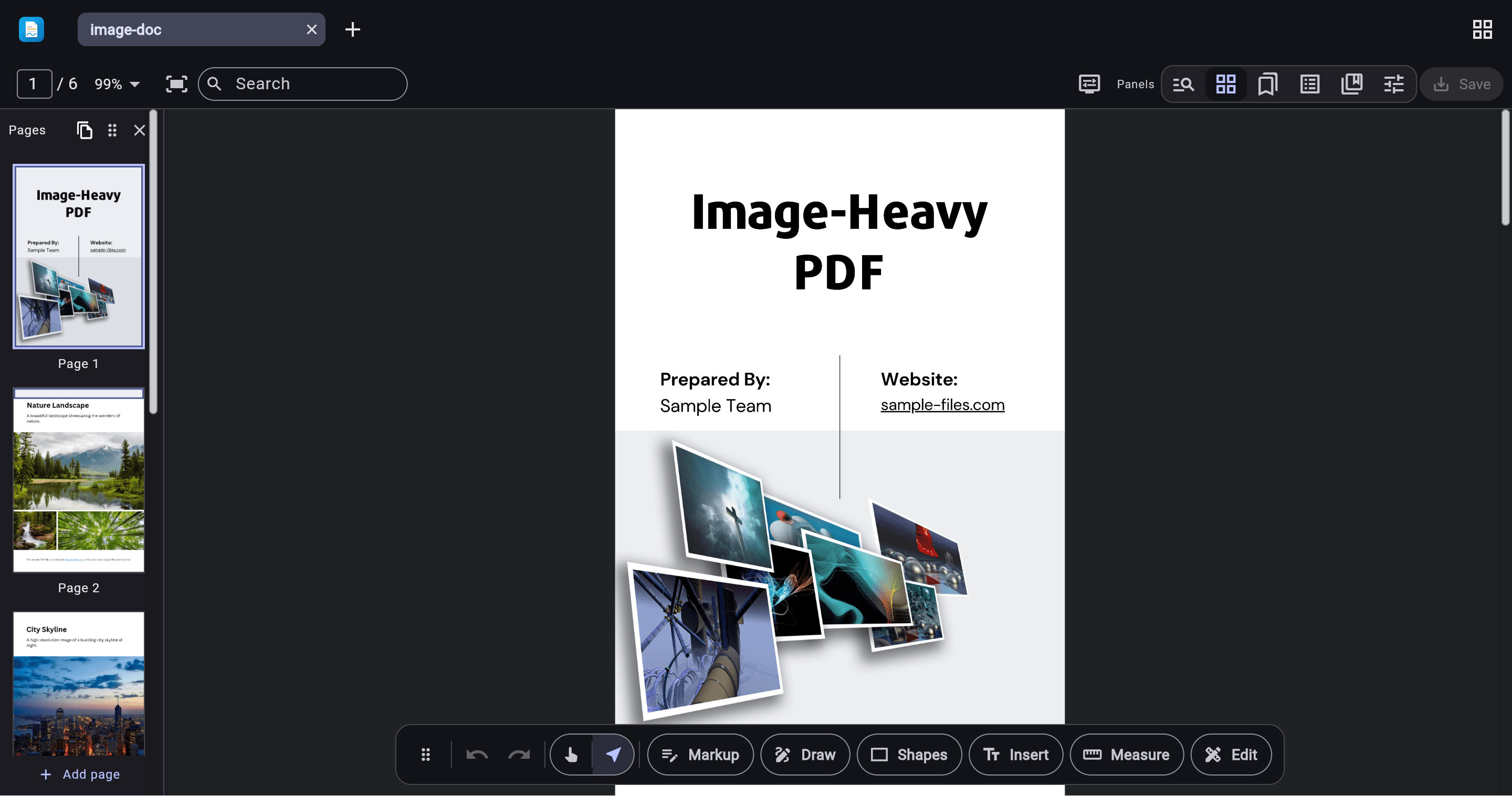
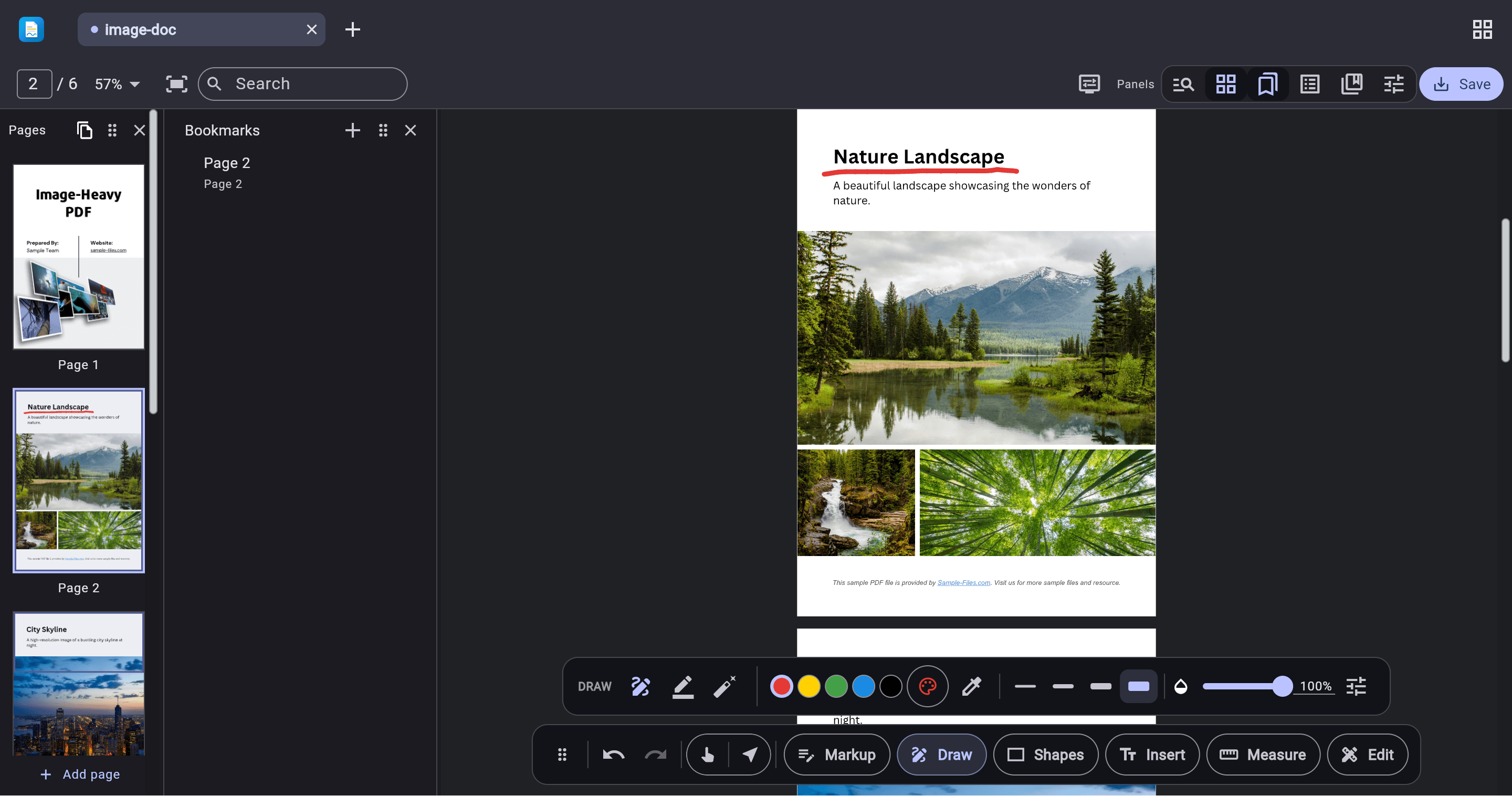
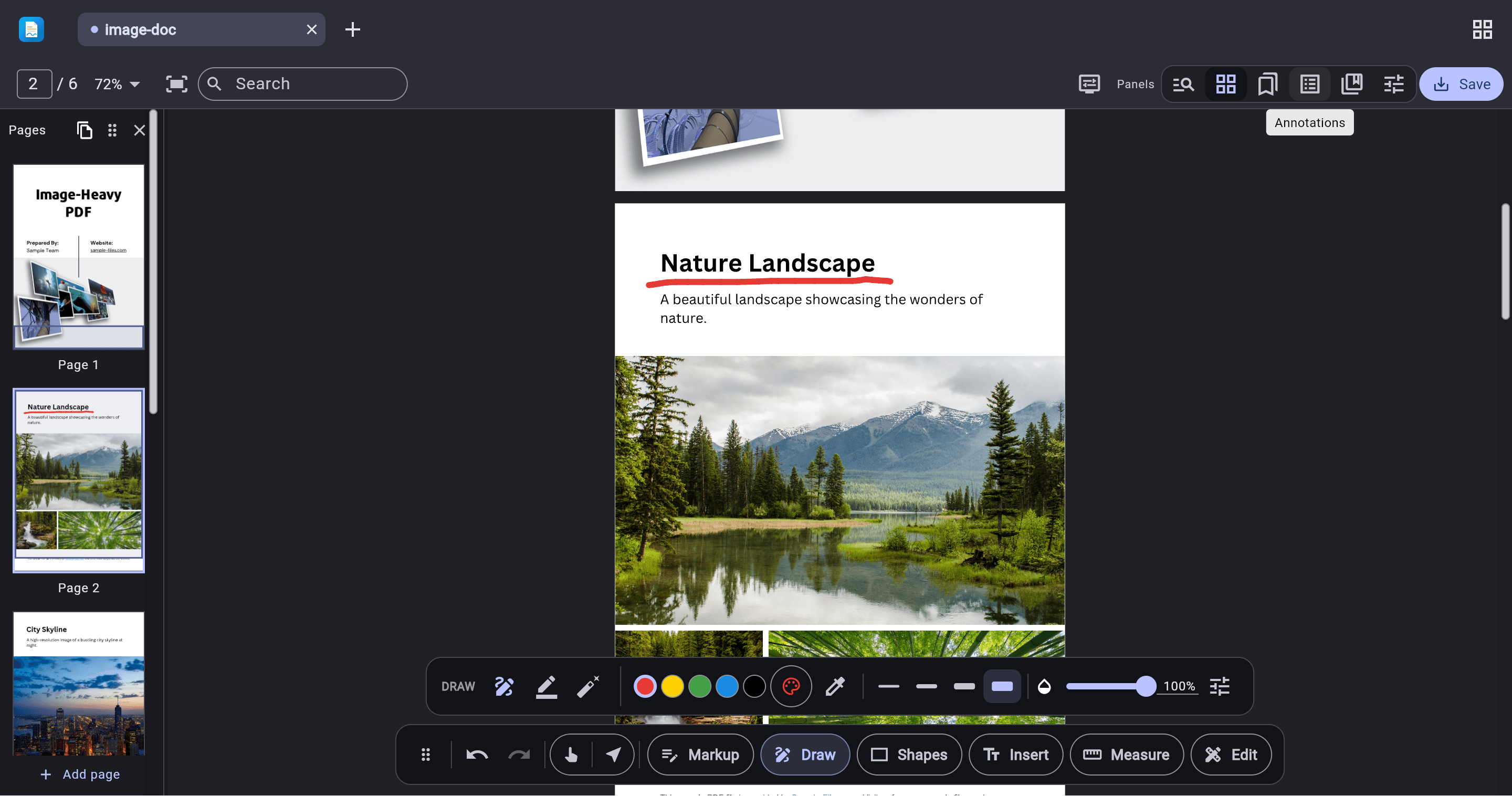
DartPDF is a free PDF editor that runs entirely on your device, with apps for Android, iPhone, iPad, Mac, Windows, Linux, and the web. It covers the everyday PDF workflow: annotations with appearance-stream generation, AcroForm form filling, drawn and digital signatures with trust-store chain validation, redaction, page manipulation, merging, and file-size reduction with Lossless, Screen, eBook, and Print presets.
There is no account and no uploads — documents never leave your device. On-device OCR adds searchable text layers offline on native apps, and content editing preserves digital signatures through incremental updates. Under the hood it runs on a pure-Dart PDF engine with no PDFium dependency, which is also published as a Flutter viewer and editor SDK on pub.dev.
Compared with Adobe Acrobat, Nitro PDF, or PDF Expert, DartPDF matches the core edit, annotate, fill, and sign workflow for free while keeping everything local. It is a younger project under active development, so viewer interaction smoothness is still catching up with PDFium-based readers — but for private, offline PDF work across every major platform it is already a practical replacement.


Frequently Asked Questions
Which platforms does DartPDF run on?
DartPDF runs on Android, iPhone, iPad, Mac, Windows, and Linux, plus a web app at app.dart-pdf.com that you can open in any browser. There is no account to create on any of them.
Does DartPDF upload my documents to a server?
No. Editing, annotation, signing, and OCR all happen on your device, and there is no account or telemetry. Your PDFs only leave your machine if you choose to share them yourself.
Can DartPDF fill in forms and sign documents?
Yes. It fills AcroForm fields including flat non-interactive forms, supports drawn signatures, and saves a checked copy. It also handles standards-based digital signatures with trust-store chain validation, and its incremental-save editing preserves existing signatures.
Does DartPDF support OCR for scanned documents?
Yes, with two options. Native apps can use the optional on-device OCR engine, which downloads a small text-recognition model once and adds searchable text layers fully offline. Web, mobile, and desktop can also use an HTTP-based OCR engine that talks to a compatible text-detection service.
Can DartPDF merge PDFs or make files smaller?
Yes. You can insert one PDF into another from the app menu or by dropping files onto the thumbnail strip, with each insert as a single undo step. Reduce file size offers a Lossless pass plus Screen, eBook, and Print presets with adjustable DPI and JPEG quality, showing before and after sizes before you save.
OpenAltFinder Score
Project Details
Repository details
Updated 10/10/2026, 6:00:16 AM
View RepositoryCompare DartPDF with
Similar open source alternatives

PdfDing
Self-hosted PDF manager, viewer, and editor with multi-device sync, tagging, and an in-browser reader; deployable via Docker.
 Adobe Acrobat
Sioyek
Cross-platform PDF viewer focused on textbooks and research papers with smart navigation, marks, bookmarks, and bibliography jumping.
Adobe Acrobat
KillerPDF
KillerPDF is a lightweight, fully portable PDF editor for Windows. Edit, merge, annotate, and sign PDFs locally with no subscription, accounts, or hidden telemetry anywhere on your computer.
Adobe Acrobat
PrintCraft
Open-source PDF workbench in pure Rust — read, organize, combine, split, comment and secure PDFs.
Adobe Acrobat
EmbedPDF
A PDF viewer that seamlessly integrates with any JavaScript project
 Adobe Acrobat Reader
word-sys PDF Editor
A free, open-source PDF editor for Linux that lets you edit text, images and objects, merge documents, and export to DOCX, PPTX and more.
Adobe Acrobat