
Gloomberb
Open-source finance terminal with a desktop app and TUI for market research, portfolio tracking, and real-time data workflows.
Open source alternative to:


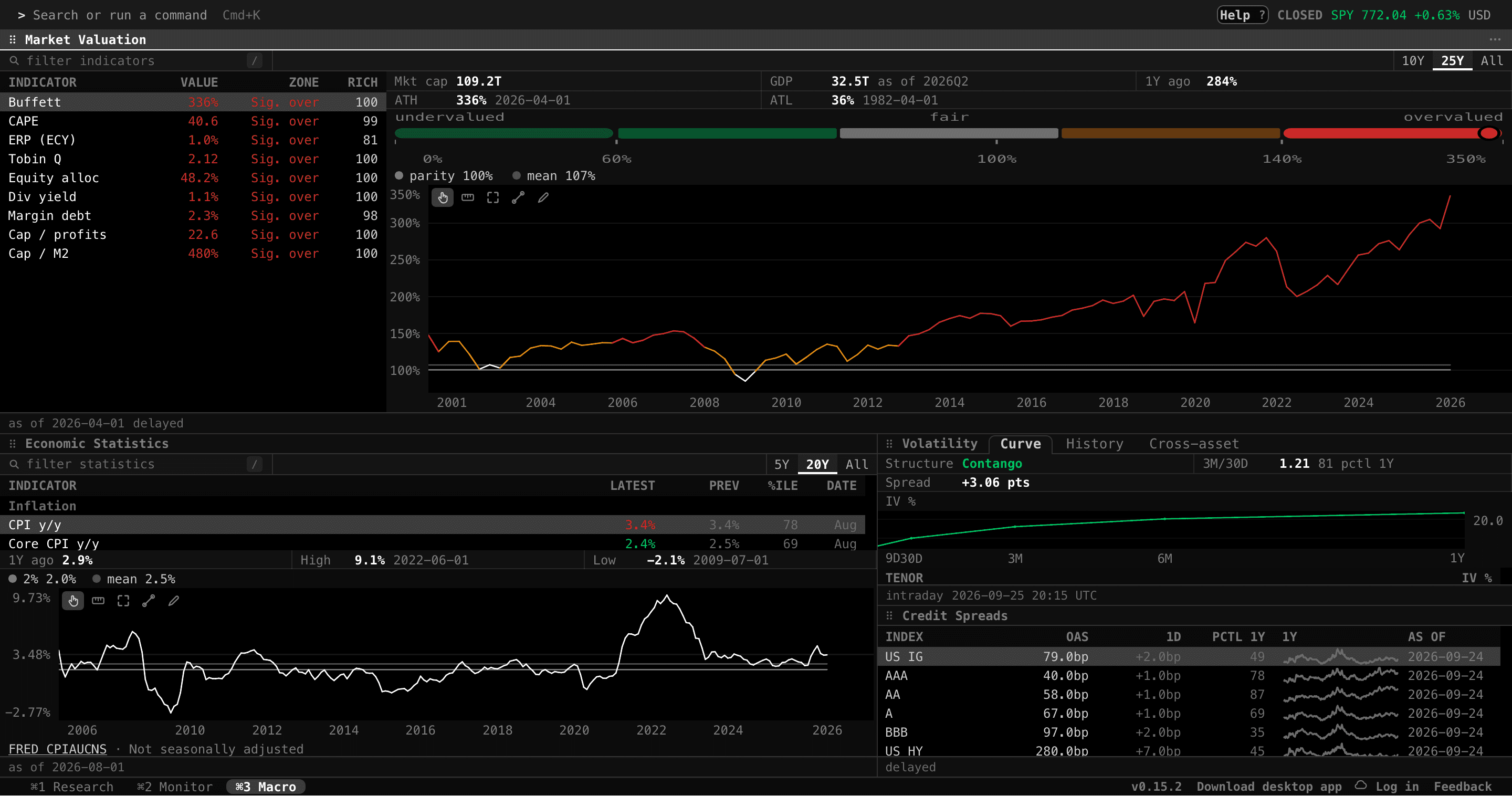
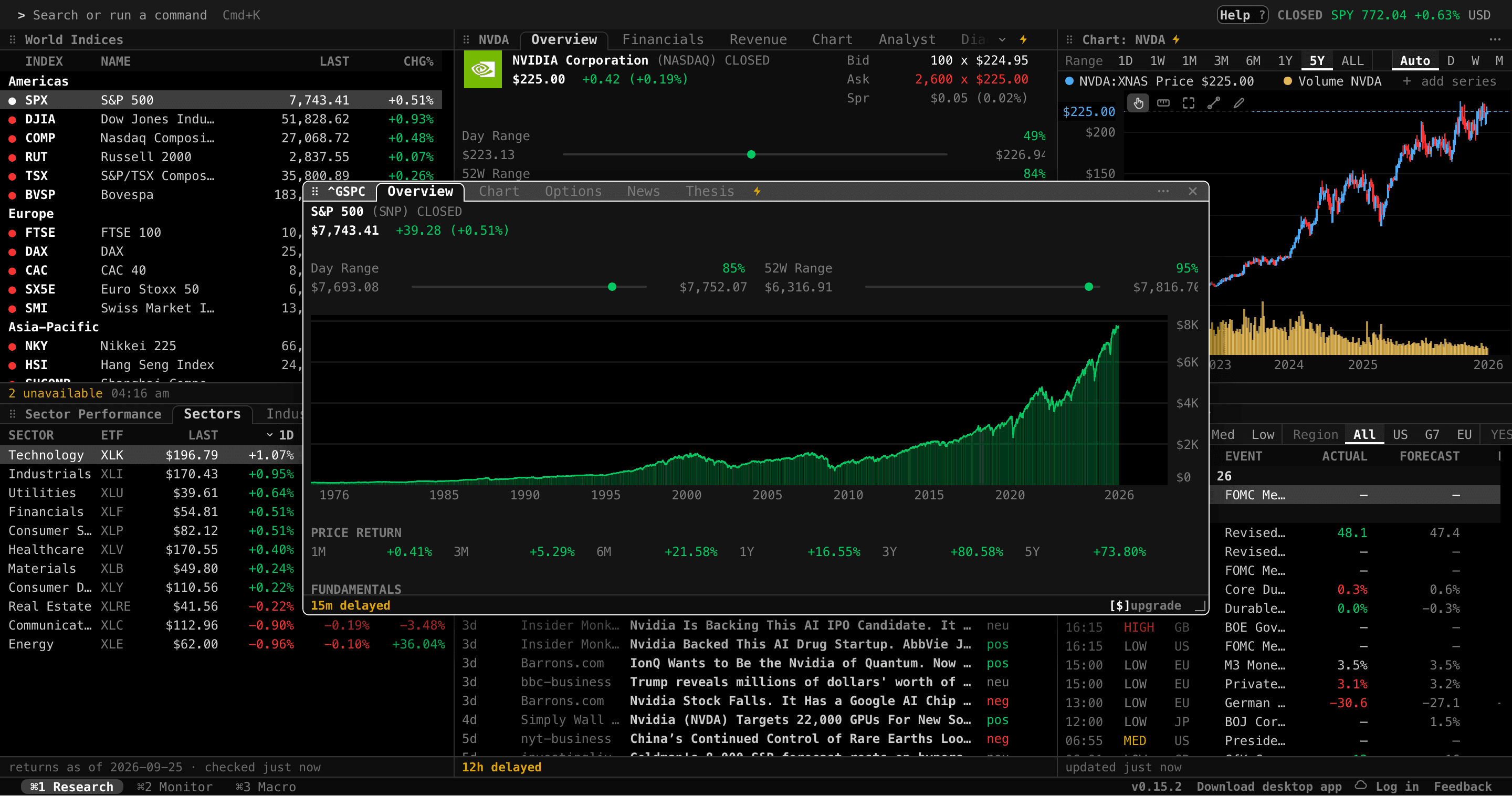
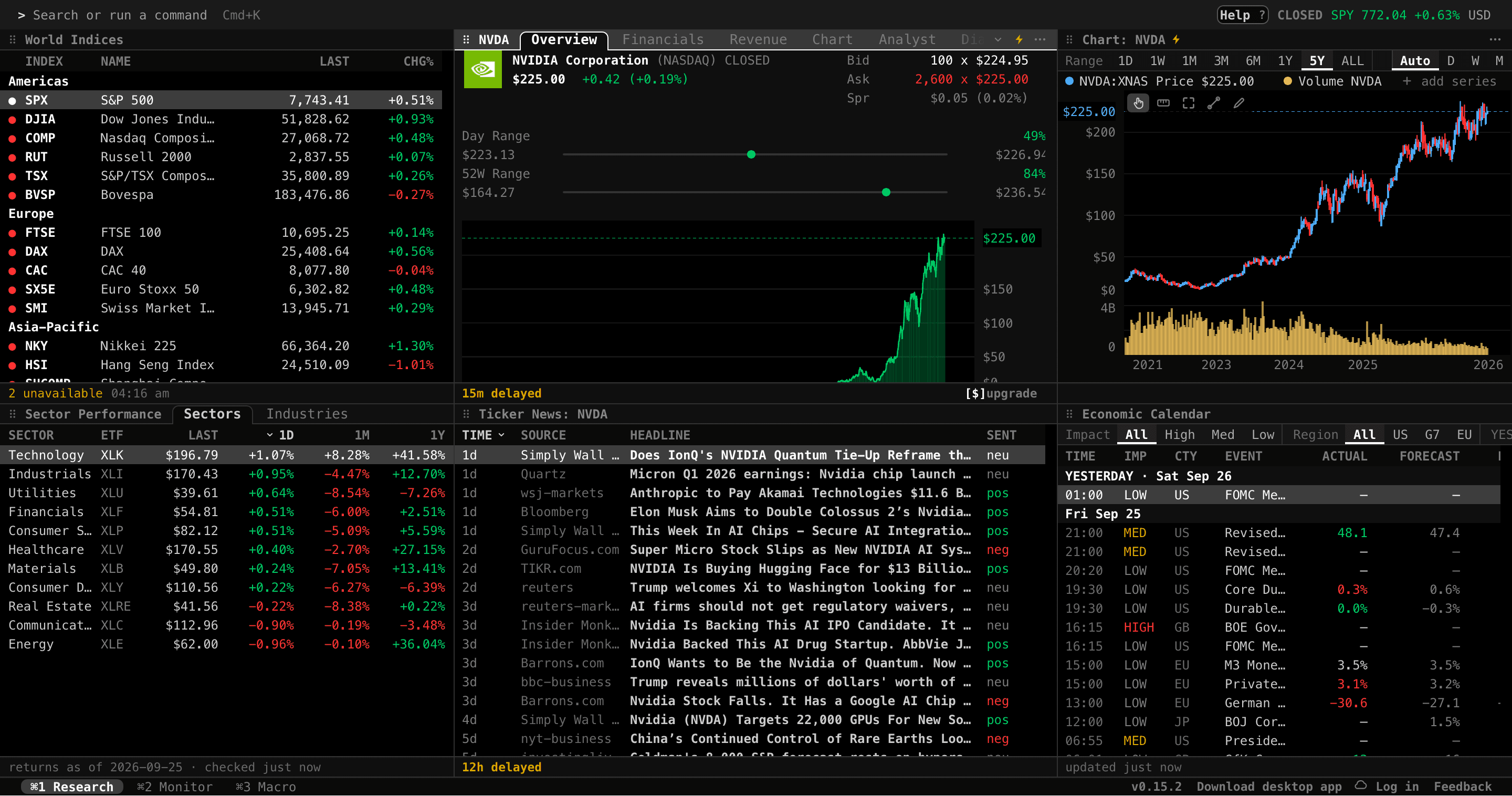
Gloomberb is an open-source finance terminal that brings Bloomberg-style market research to your desktop and terminal. It ships as a native desktop app for macOS and Windows, a terminal UI (TUI) for macOS, Linux, and Windows, plus a browser app, all sharing the same command language and plugin system.
Research features cover quotes, price charts, fundamentals and financials, SEC filings, options (implied-volatility surfaces and term structure), realized volatility and volatility cones, analyst ratings, CFTC positioning, futures curves, FX, global indices, economic events, and market scanners. You also get news feeds, portfolios, watchlists, broker connections, alerts, notes, and built-in AI tools.
Unlike the Bloomberg Terminal, which costs roughly $30,000 per year and is a closed, proprietary system, Gloomberb is MIT-licensed, free to run, and extensible. Its Bloomberg-inspired command language (DES, GP, OVDV, HVG, COT, TOP, WIRP, BTMM, CTM) makes it familiar for ex-Bloomberg users. Free market data is rate-limited and delayed by 15 minutes in the browser app; a Gloom Cloud Pro subscription unlocks realtime data, while the desktop app and TUI support plugin-provided and broker-provided data.
It is built with TypeScript and OpenTUI, installable via Homebrew, a shell script, or Bun, and requires a Kitty-compatible terminal (Ghostty, Kitty, or WezTerm) for graphics in the TUI. A CLI (gloomberb quote AAPL --json) supports scripting and automation.
Categories:
Build with:


Frequently Asked Questions
Which platforms does Gloomberb support?
There is a native desktop app for macOS (Apple Silicon) and Windows, a terminal UI for macOS, Linux, and Windows, and a browser app at term.gloom.sh. The desktop app and TUI share the same command language and plugin system, and a gloomberb CLI is included for scripted use.
Can I extend Gloomberb with plugins?
Yes. Plugins can add panes, data providers, broker connections, and commands. Install community plugins directly from GitHub with gloomberb install, and the plugin development guide (PLUGINS.md in the repo) covers building your own.
Does Gloomberb have a CLI or API for scripting?
Yes. The gloomberb CLI runs commands directly from your shell, such as gloomberb quote AAPL, and outputs human-readable text by default with --json, --csv, and --ndjson flags for machine-readable output.
Can I connect my brokerage account to Gloomberb?
Yes, broker connections are a core feature for tracking portfolios alongside watchlists, alerts, and notes. The broker capability is extendable, so plugins can add support for additional brokers.
What are the system requirements for the Gloomberb TUI?
For graphics in the terminal UI you need a Kitty-compatible terminal such as Ghostty, Kitty, or WezTerm. The TUI installs on macOS and Linux via a curl one-liner or via Bun (bun install -g gloomberb), and Windows x64 is also supported through Bun.
OpenAltFinder Score
Project Details
Repository details
Updated 9/27/2026, 4:00:16 AM
View RepositoryCompare Gloomberb with
Similar open source alternatives

SALARY-2045
A self-hosted dividend portfolio tracker built with Flask that helps long-term investors track passive income, portfolio health, and progress toward financial independence.
 Personal Capital
Fincept Terminal
Open-source Bloomberg-style finance terminal built in C++20/Qt6 with embedded Python, AI agents, and 100+ data connectors.
 Bloomberg Terminal
Open Terminal
A self-hosted financial research platform with a Bloomberg-style interface for SEC filings, stock prices, and AI-powered analysis.
Bloomberg Terminal
stonks
Terminal-based stock market visualizer that displays real-time stock graphs directly in your terminal.
 TradingView
OpenBB
Open-source financial data platform for analysts, quants, and AI agents — a free alternative to Bloomberg Terminal.
Bloomberg Terminal