
Omnivore
Open source read-it-later app with full-text search, highlighting, notes, newsletter support, and integrations with Logseq and Obsidian.
Open source alternative to:

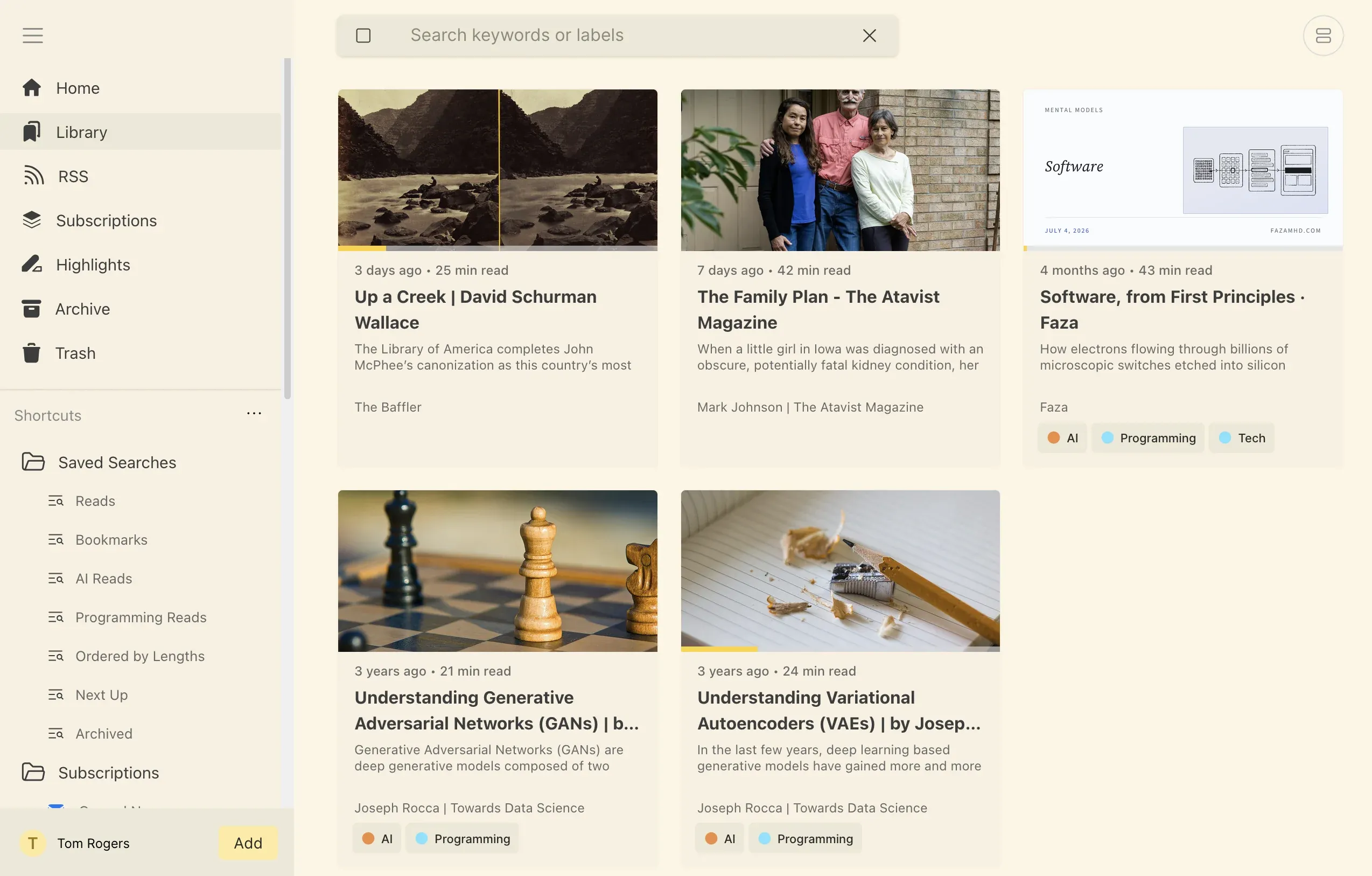
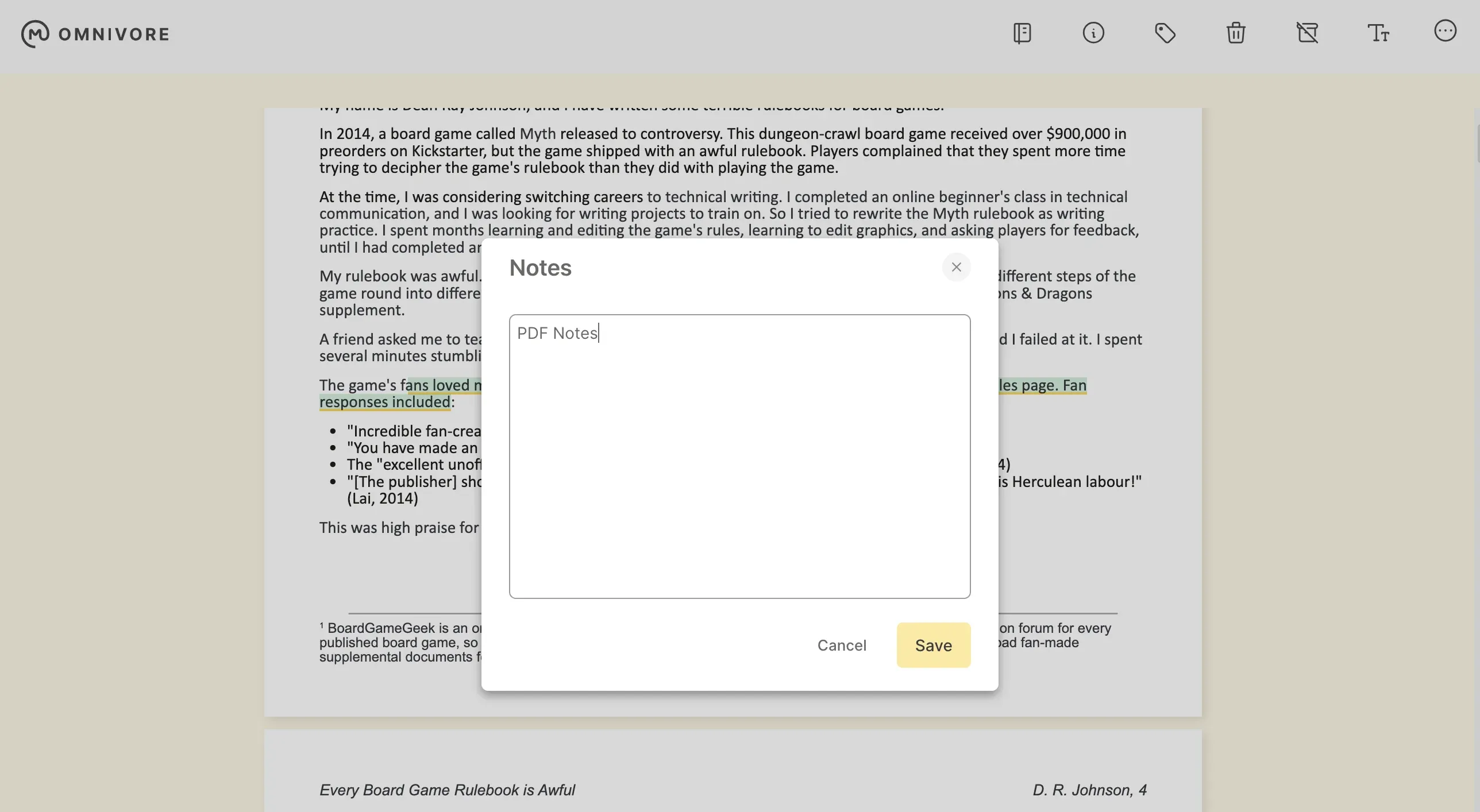

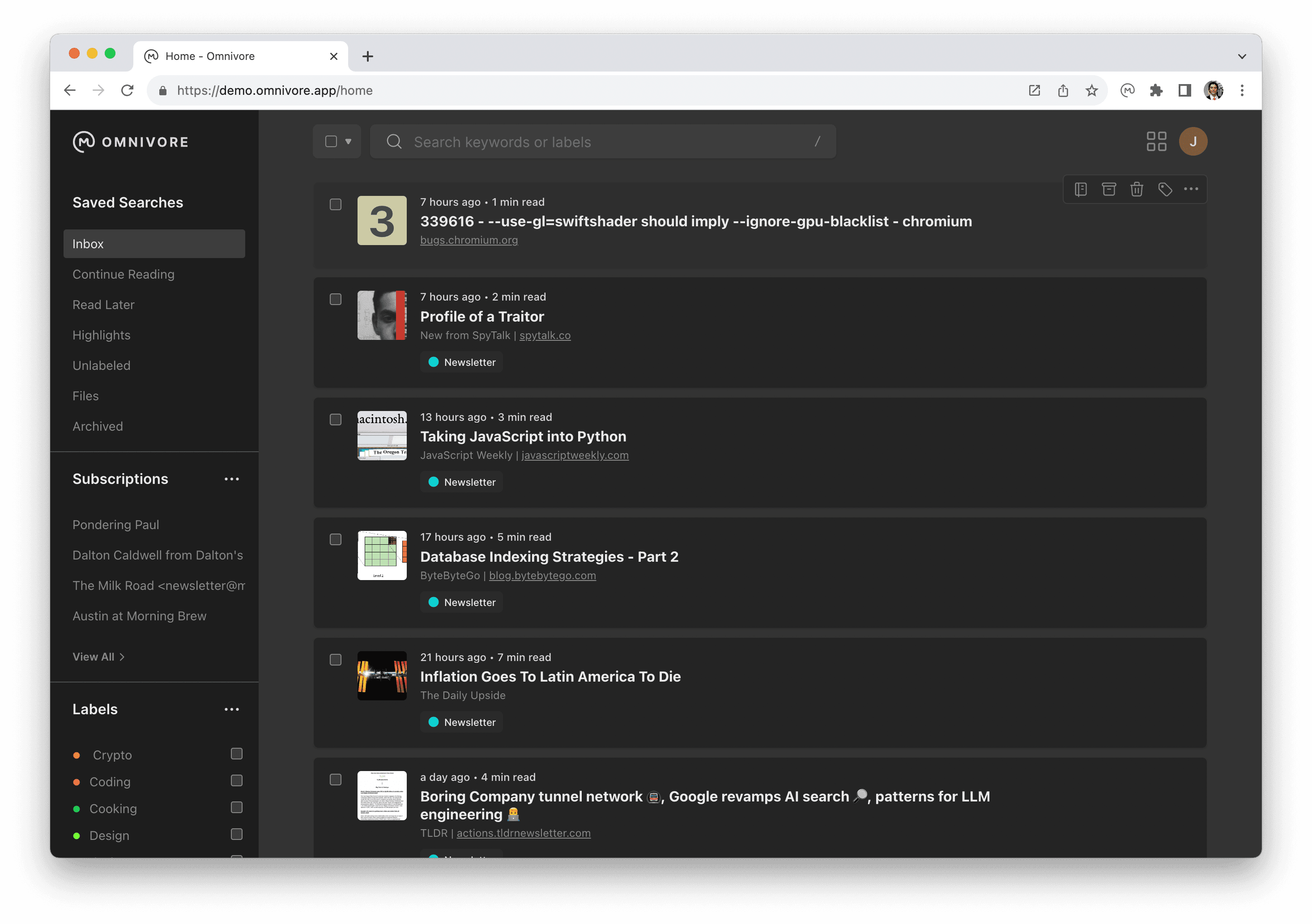
Omnivore is a complete, open-source read-it-later solution for people who like reading. It lets you save articles, PDFs, and newsletters to a clean reading environment with support for text highlighting, notes, and labels. It also supports email-based newsletter ingestion, so you can forward newsletters directly into Omnivore.
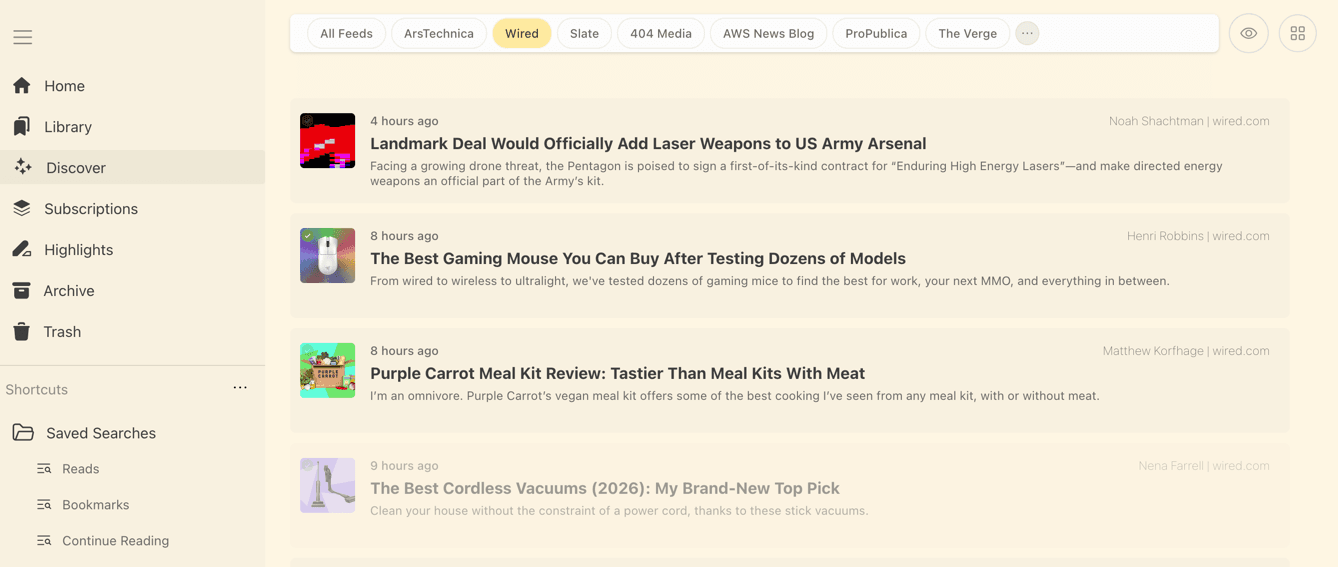
Key features include full-text search across your entire library, offline reading on mobile (iOS and Android), RSS feed support, and deep integrations with knowledge management tools like Logseq and Obsidian via plugins. The reading experience is clean and distraction-free, with customizable fonts and themes.
Omnivore can be self-hosted using Docker and supports PostgreSQL as its database. It is a strong open-source alternative to Pocket and Instapaper, especially for users who want to connect their reading workflow with note-taking tools. Note: the official hosted service at omnivore.app shut down in late 2024, but the self-hosted version remains fully functional.
Categories:
Build with:

Frequently Asked Questions
Which platforms does Omnivore run on?
Omnivore has a web app that also works as an installable PWA, native apps for iOS and Android, and browser extensions for Chrome, Firefox, Safari and Edge. Native clients add offline reading, and the iOS app includes text-to-speech.
Does Omnivore have an API I can build on?
Yes. Omnivore exposes a GraphQL API and lets you generate per-user API keys from Settings, which is how its mobile apps, the Logseq and Obsidian plugins, and third-party clients authenticate. The app also supports outgoing webhooks so saved pages and highlights can be pushed to other services.
Can Omnivore save newsletters and RSS feeds?
Yes. Omnivore can ingest email newsletters sent to your Omnivore address, including Substack, and a self-hosted instance can pull mail through an IMAP watcher or a connected mail server. It also includes an RSS reader that lets you hide or group feeds.
What do I need to self-host Omnivore?
Docker and Docker Compose are the supported path. The bundled stack runs the web app, API, content fetcher, PostgreSQL with pgvector, Redis for queues and caching, and MinIO for S3-compatible storage, so you can swap in your own Postgres, Redis or S3 bucket. A reverse proxy or Cloudflare Tunnel is recommended for public access, and email ingestion needs SMTP or IMAP credentials.
How do I get my data out of Omnivore?
Omnivore can generate a downloadable archive of your library containing your saved articles and highlights as markdown, delivered by email when the export job finishes. Highlights can also be synced to Readwise through the built-in integration.
OpenAltFinder Score
Project Details
Repository details
Updated 11/10/2026, 9:01:00 AM
View RepositoryRepository activity
Get the latest open source alternatives delivered weekly.
Discover tools that give you freedom from proprietary software.
Compare Omnivore with
Similar open source alternatives

Briefkasten
Open-source, self-hosted bookmark manager with browser extension support, automatic metadata extraction, and full-text search.
 Pocket

Buku
Privacy-focused, command-line bookmark manager that stores links in a local encrypted SQLite database with full-text search.
 Pinboard

Bookmark It.
Open-source self-hostable bookmark manager to organize, discover, and personalize your saved links.
 Raindrop

Wallabag
Self-hosted read-it-later app that saves articles for offline reading with a clean, distraction-free view.
Pocket
Karakeep
Self-hostable bookmark-everything app with AI-based automatic tagging, full-text search, and support for links, notes, and images.
Pocket
Faved
Free open-source self-hosted bookmark manager with customizable nested tags, fast search, and local data storage.
Pocket