
Tale
Open-source workspace where teams and AI agents plan tasks, run them in sandboxes, and review results together.






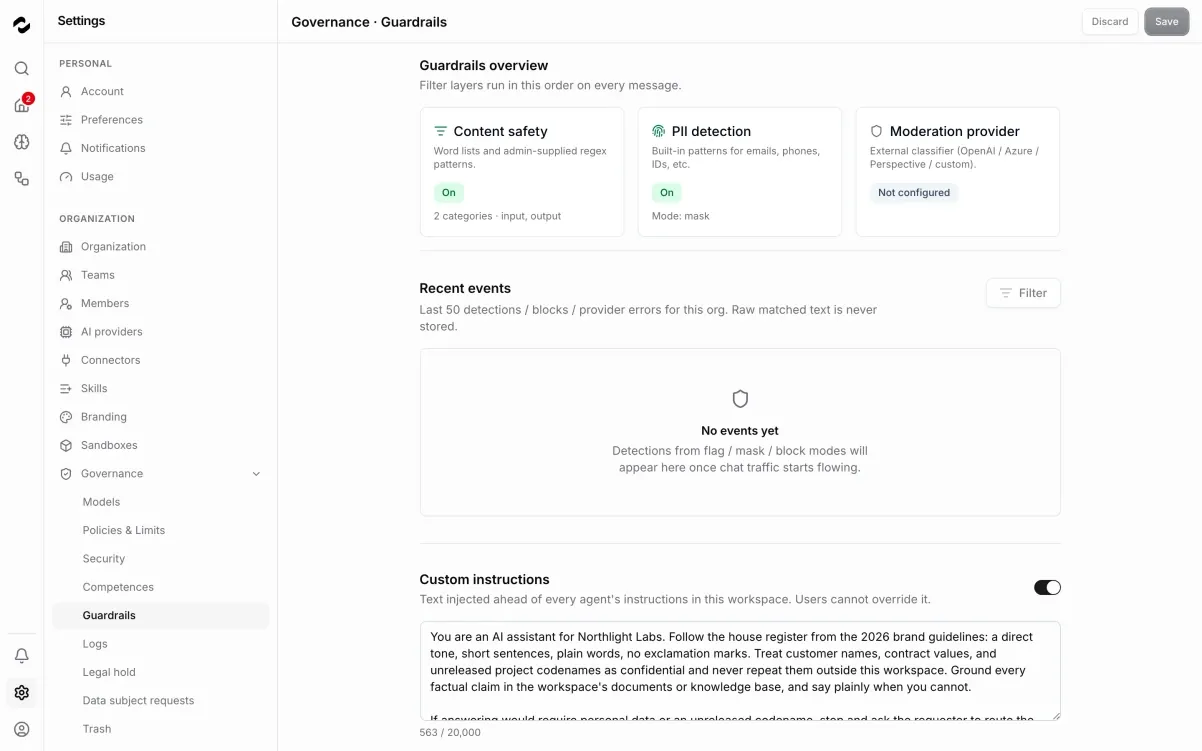
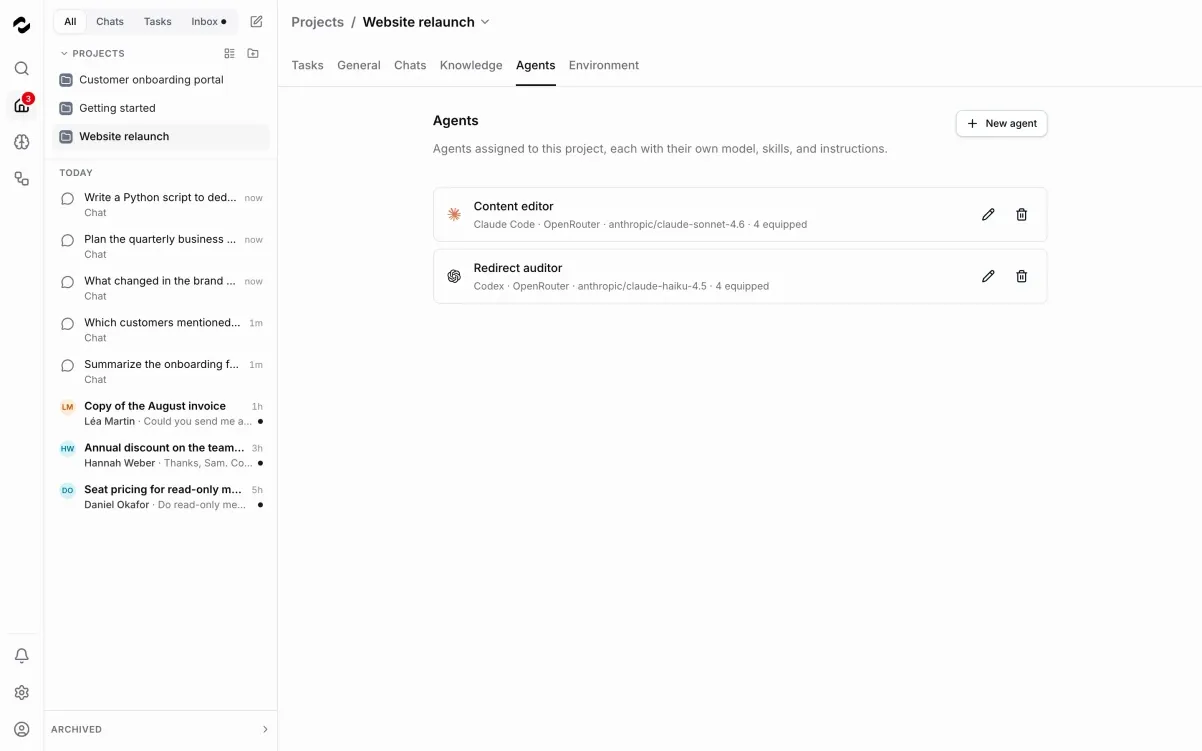
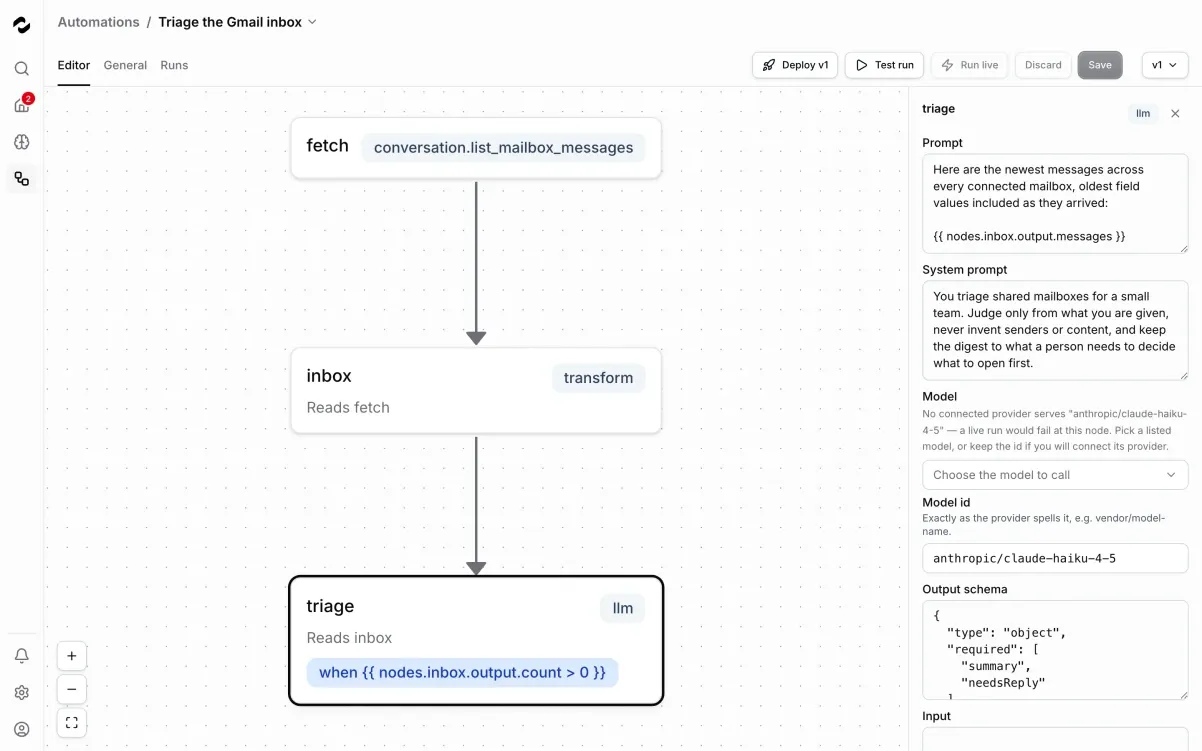
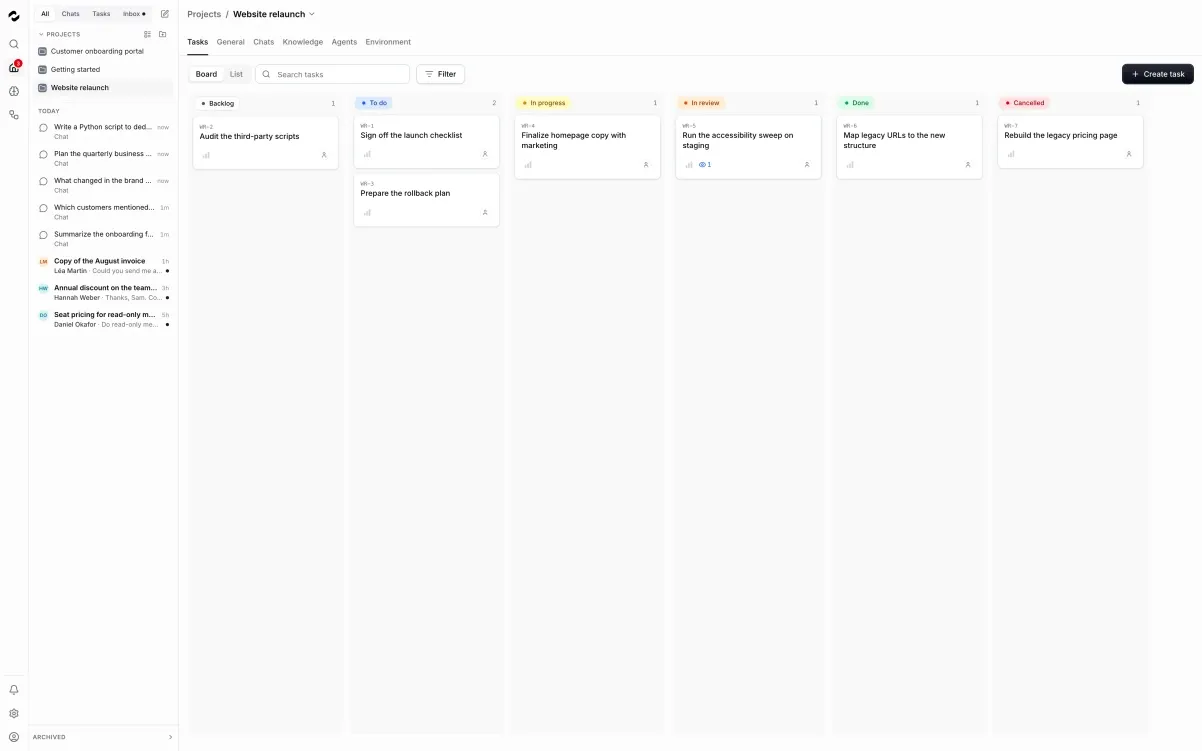
Tale is an open-source workspace where human teams and AI agents work on projects together. Work is organized as tasks on a project board: you write the brief with source files and completion criteria, assign teammates or configured project agents, then follow progress, steer agents with @mentions, and review their reports and delivered files. A manager agent can keep the queue moving by delegating ready tasks, and repeatable processes can be captured as versioned automations with scheduled starts, workflow steps, and connector approvals.
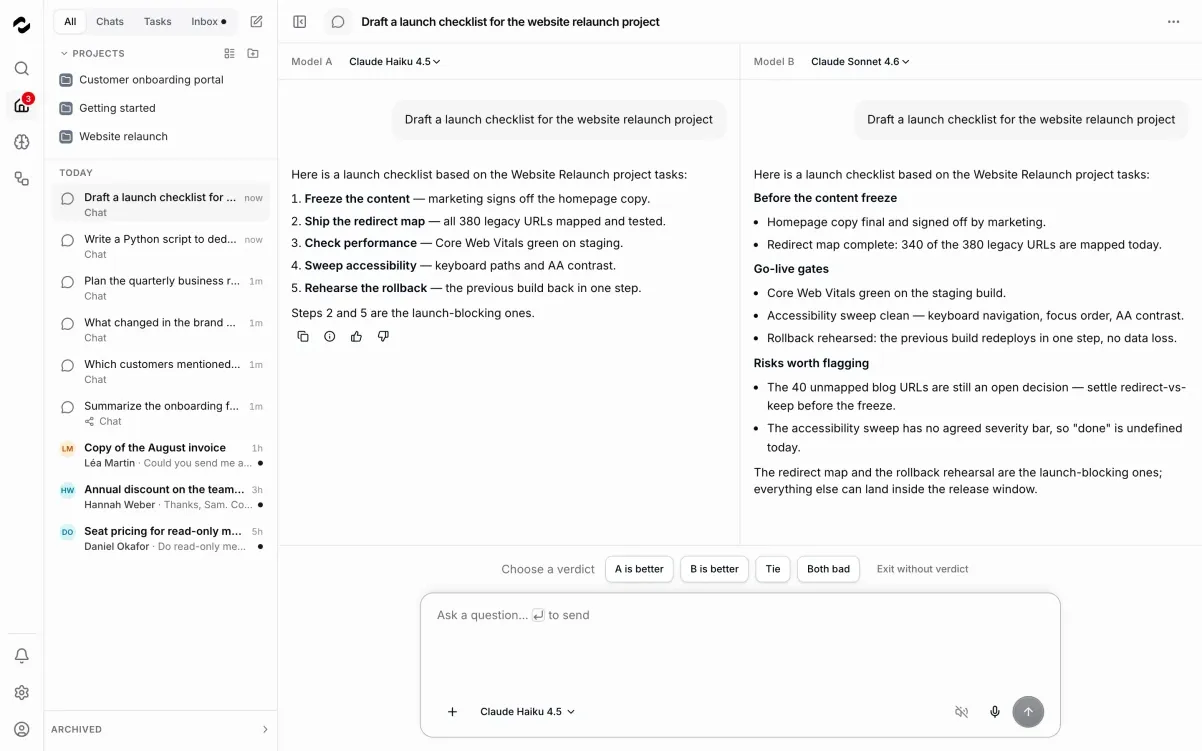
Agents run in persistent sandbox workspaces with configurable concurrency, and each project agent can be set up with its own instructions, harness, model, and tools. Tale supports popular coding-agent runtimes including Claude Code, Codex, Cursor, Gemini CLI, OpenCode, and others, and works with your own provider API keys or supported vendor subscriptions. Built-in chat with side-by-side model comparison, shared project knowledge with retrieval, and governance guardrails round out the platform.
Tale is MIT-licensed and self-hostable with Docker Compose or the Tale CLI, with a managed cloud service and an Enterprise tier (same features plus professional operation and support) for teams that prefer not to run it themselves. Compared with proprietary project tools like Asana, Linear, or ClickUp, Tale adds the AI-agent execution layer natively; compared with agent platforms like Lindy AI or Relevance AI, it keeps the full project context — tasks, files, knowledge, and reviews — in one self-hostable workspace.
Categories:
Build with:





Frequently Asked Questions
Which platforms does Tale run on?
Tale is a web app you self-host with Docker Compose or run via the Tale CLI, which works on macOS and Linux. The CLI handles setup with tale init, local runs with tale dev, and production deploys with tale deploy. There are no native desktop or mobile apps.
Which AI agent runtimes and models can I use with Tale?
Tale supports Claude Code, Codex, Cursor, Gemini CLI, Hermes, OpenClaw, OpenCode, Pi, and Qwen Code, depending on your deployment and sandbox capacity. You can connect your own provider API keys through Tales model gateway or use supported vendor subscriptions with compatible runtimes. Check the runtime compatibility matrix in the docs before choosing.
What do I need to self-host Tale?
You need Docker with Compose, several GB of free space for images and data, and a credential for a supported model provider. For a production deployment you also need DNS, TLS certificates, backups, and access controls. The self-hosted quickstart in the docs walks through the local setup and links to production preparation.
What is the difference between Tale Community and Enterprise?
Both include the same product features under the MIT license. Enterprise adds professional operation and support on top, and there is also a managed cloud service if you prefer not to run Tale yourself. See the pricing page on tale.dev for current terms.
Does Tale have automations and integrations?
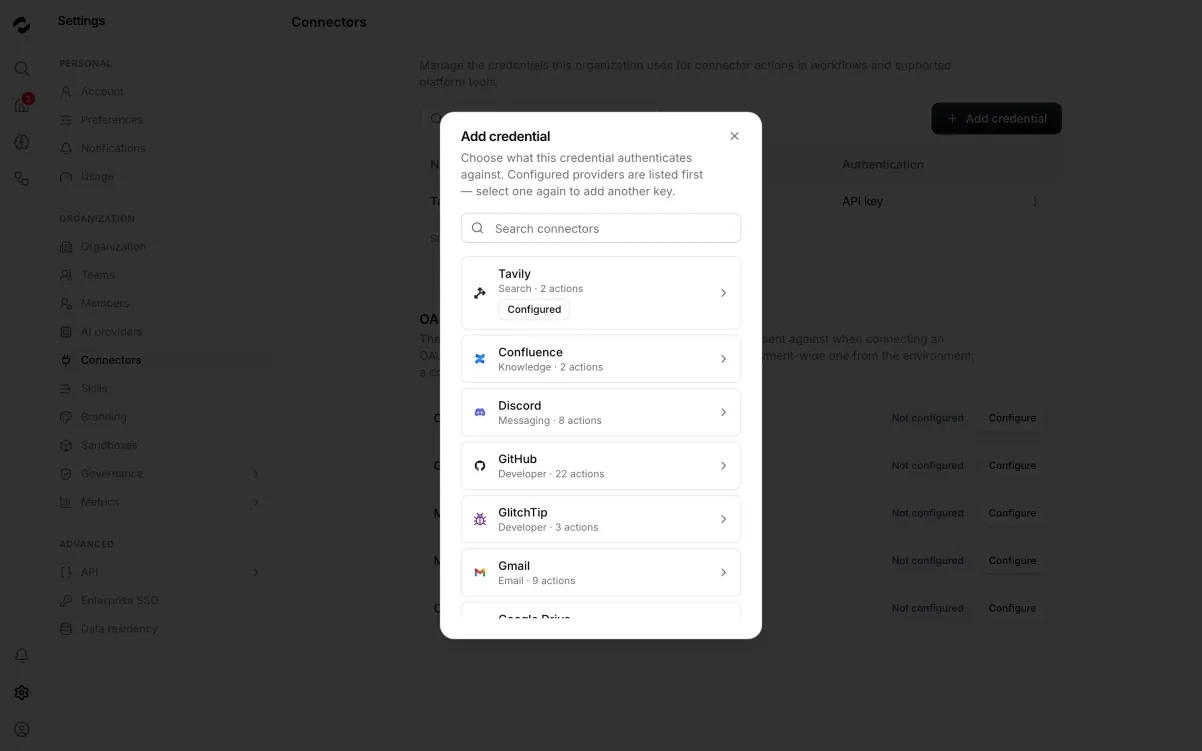
Yes. Repeatable work can be captured as versioned automations with scheduled starts, workflow steps, and connector approvals, edited in a visual workflow editor. Connectors let the workspace use external services, and there is an API with a getting-started guide for building on top of Tale.
OpenAltFinder Score
Project Details
Repository details
Updated 10/9/2026, 4:00:14 AM
View RepositorySimilar open source alternatives

Kestra
Event-driven workflow orchestration platform with a YAML-based pipeline DSL, 500+ plugins, and a built-in UI editor.
 Zapier
Plane
Open-source project management platform — an alternative to Jira, Linear, Monday, and ClickUp.
 Jira
Jira
tududi
Self-hosted task management that combines personal todo lists with powerful project organization. Built for individuals and teams who value privacy and control.
 Todoist
Devlane
Self-hostable project management for dev teams: issues, cycles, modules, pages, and analytics. Go + React alternative to Jira and Linear.
Jira
Sim
Sim is an open-source workspace to build, deploy, and orchestrate AI agents and agentic workflows. Visually connect LLMs, tools, and data sources without giving up control.
 Lindy AI
Flowise
Open source, drag-and-drop builder for AI agents and LLM workflows. Now archived (EOL Aug 2026) — the Apache 2.0 code lives on for forks and self-hosters.
 Make
Make