Drift
Free, open-source desktop video editor for Linux, Windows, and macOS built with Qt 6 and FFmpeg.
Open source alternative to:


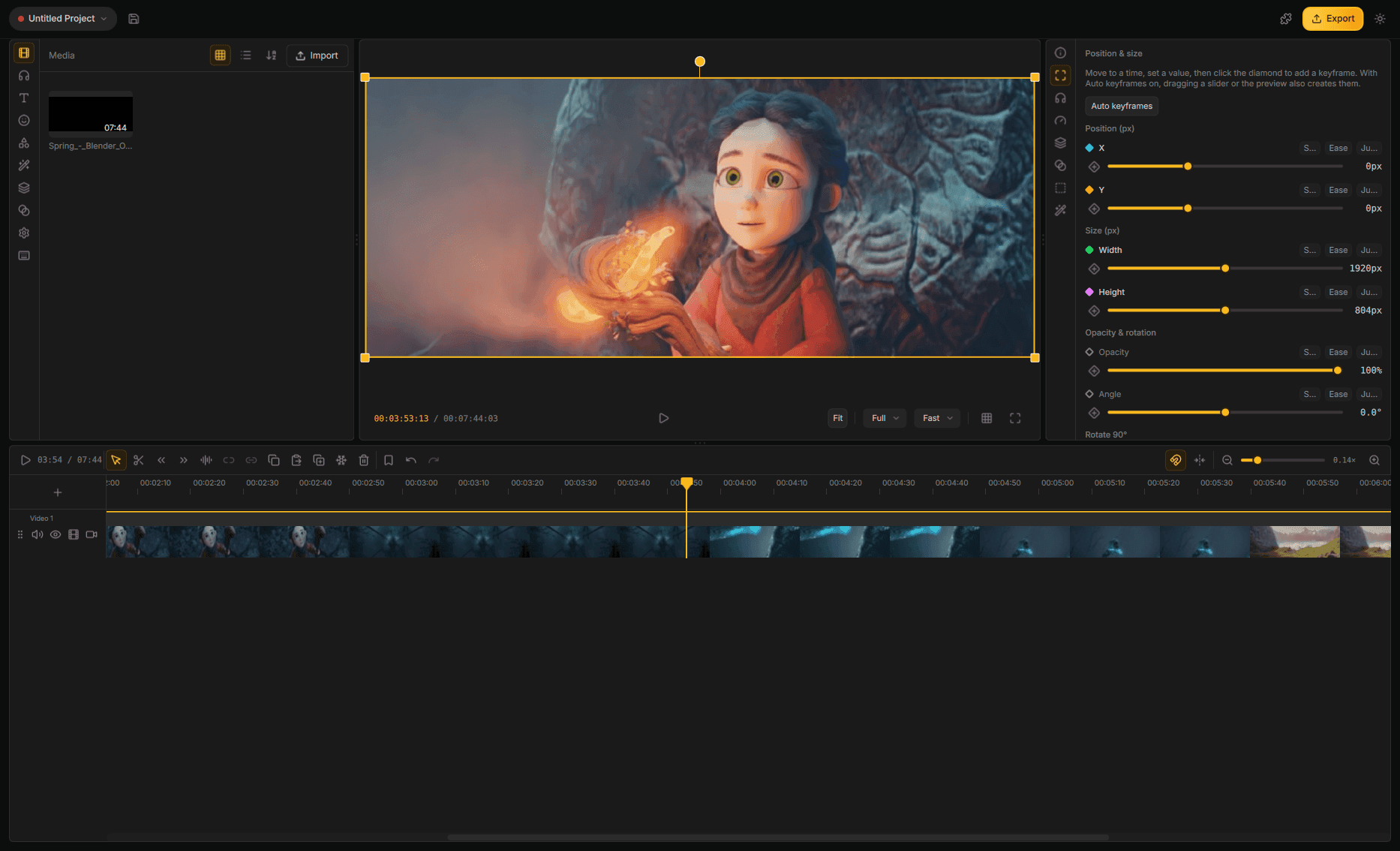
Drift is a free, open-source desktop video editor from CutWire Studios, built with Qt 6, QML, and FFmpeg. It brings the speed and simplicity of modern creator tools to your computer: drop in clips, add effects and stickers, generate captions, and export — with no subscription, no watermark, and no account required. Preview and export share one compositor, so what you see is what you get.
The editor ships a multi-track timeline with trim, split, snap, ripple, mute/hide tracks, and full undo/redo. It includes GPU effects and transitions, reusable look templates, stickers and emoji, titles and shapes, auto captions from speech, subject cutout and green-screen keying, speed ramps and reverse, audio mixing with an effect chain and noise cleanup, and MP4 export (H.264 + AAC) with quality presets. Optional addons let you pull in fonts, stickers, effects, and speech models on demand.
Drift targets beginners and creators who want a fast, modern editing experience without a subscription. Where CapCut, Camtasia, Adobe Premiere Pro, and similar tools are paid or watermarked, Drift is completely free and GPL-3.0 licensed. It is available on Flathub and as an AppImage for Linux, an installer for Windows, and builds from source for macOS.
Frequently Asked Questions
Which platforms does Drift run on?
Linux users can install from Flathub or download an AppImage from the releases page. There is also a native Windows installer. For macOS, you build from source; the repo documents the required Qt 6, FFmpeg, and CMake setup.
What export formats does Drift support?
Drift exports MP4 with H.264 video and AAC audio, matching the preview exactly since preview and export share the same compositor. The export dialog offers quality presets up front, with advanced encoder settings available when you need them.
Does Drift have automatic captions?
Yes. Drift generates speech-to-text captions that you can edit line by line on the timeline. Speech recognition runs through an ONNX Runtime addon you install from the Addon Manager, and you can choose a CPU, CUDA, or WebGPU build.
Can I extend or customize Drift?
Drift supports addons packaged as .driftpkg archives. Fonts, emoji stickers, effects, transitions, and speech models can be downloaded on demand from the Addon Manager, and effects and transitions are also bundled so the editor works out of the box.
What are the system requirements to build Drift?
You need CMake 3.21 or newer, a C++20 compiler, Qt 6.5 or newer, FFmpeg 8.x, libzstd, and OpenSSL 3. The repo has scripts and docs for setting up a build on each platform, and a CTest suite covering the core, playback, engine, and media probing.
OpenAltFinder Score
Project Details
Repository details
Updated 11/1/2026, 7:00:54 AM
View RepositoryRepository activity
Get the latest open source alternatives delivered weekly.
Discover tools that give you freedom from proprietary software.
Compare Drift with
Similar open source alternatives
Shotcut
Cross-platform open-source video editor built on the MLT framework with a wide format support and no import required.
 Adobe Premiere Pro
OpenShot Video Editor
OpenShot is a free, open-source video editor for Linux, macOS, and Windows with unlimited tracks, keyframe animation, and 3D titles.
Adobe Premiere Pro
FableCut
A browser-based video editor built for humans and AI agents. Edit with a drag-and-drop UI, a JSON timeline, MCP tools, or its REST API.
Adobe Premiere Pro
WolfCut
An open-source desktop video editor that mirrors the CapCut workflow without watermarks, paywalls, or account requirements.
 CapCut
OBS Studio
OBS Studio is free and open source software for live streaming and screen recording. Capture, mix, and broadcast video with pro-grade tools used by streamers and creators worldwide.
 Camtasia
Kdenlive
Free and open source multi-track video editor built on MLT Framework and KDE technologies.
Adobe Premiere Pro