
FilmCraft
Open-source, clean-room reimplementation of Adobe Premiere Pro in Rust — editing, colour, captions and export.
Open source alternative to:


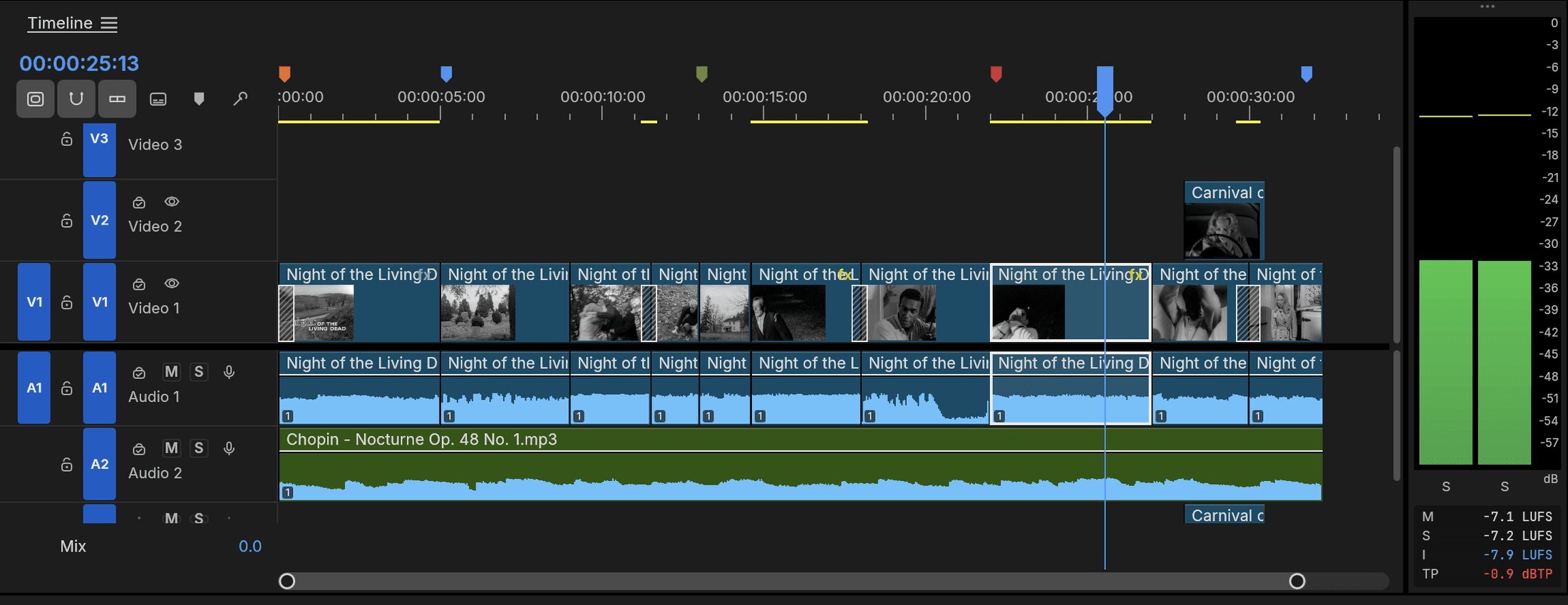
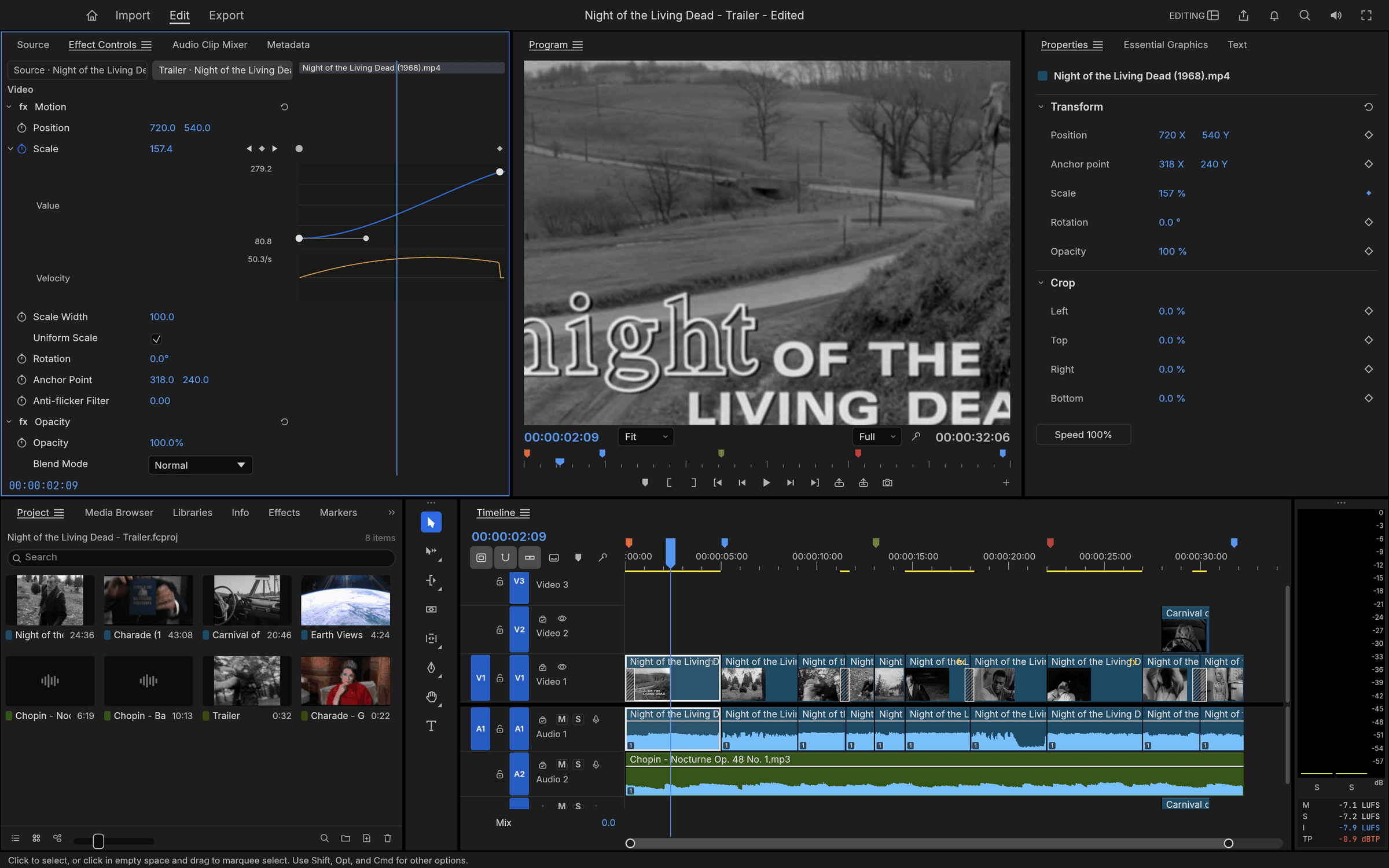
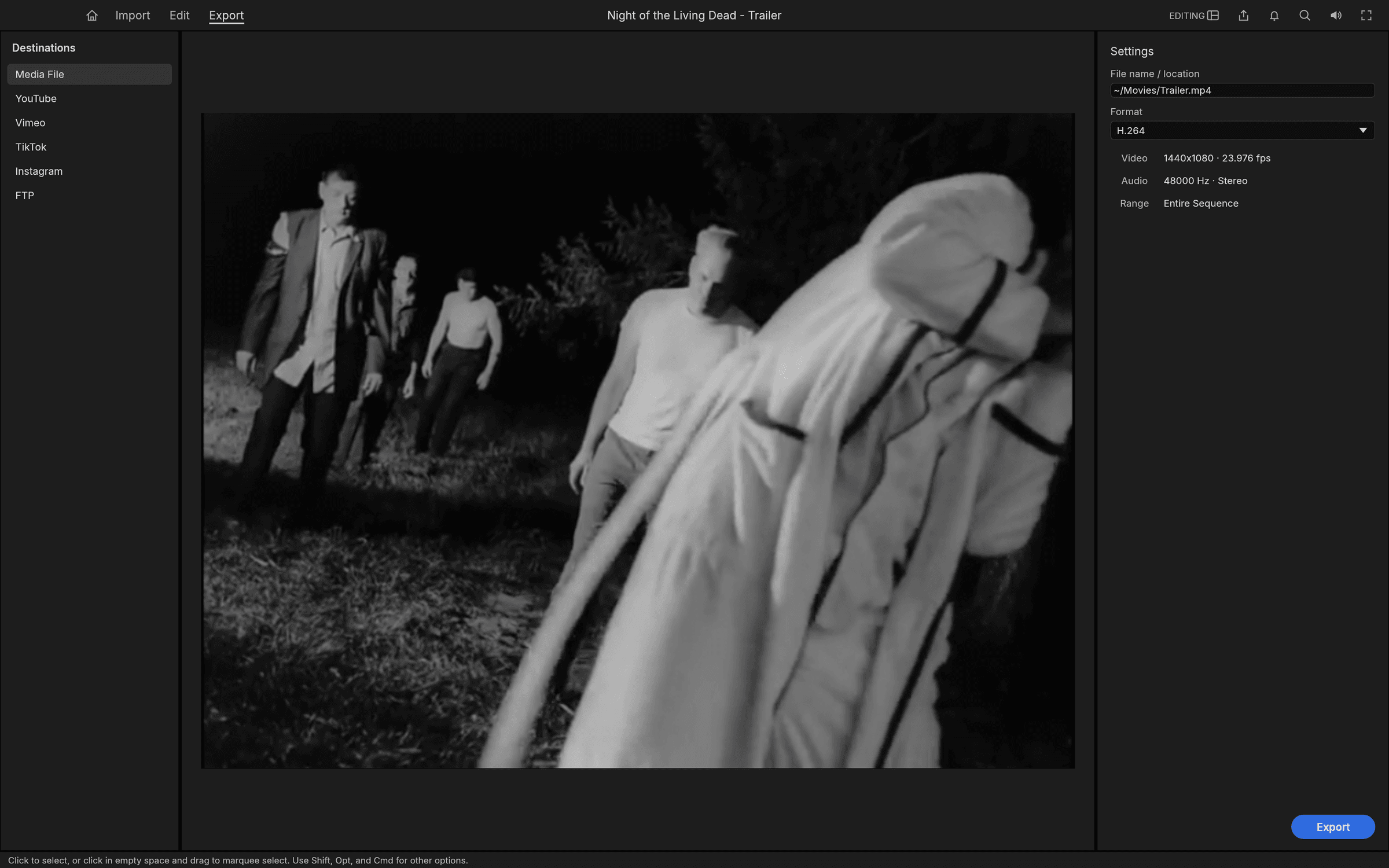
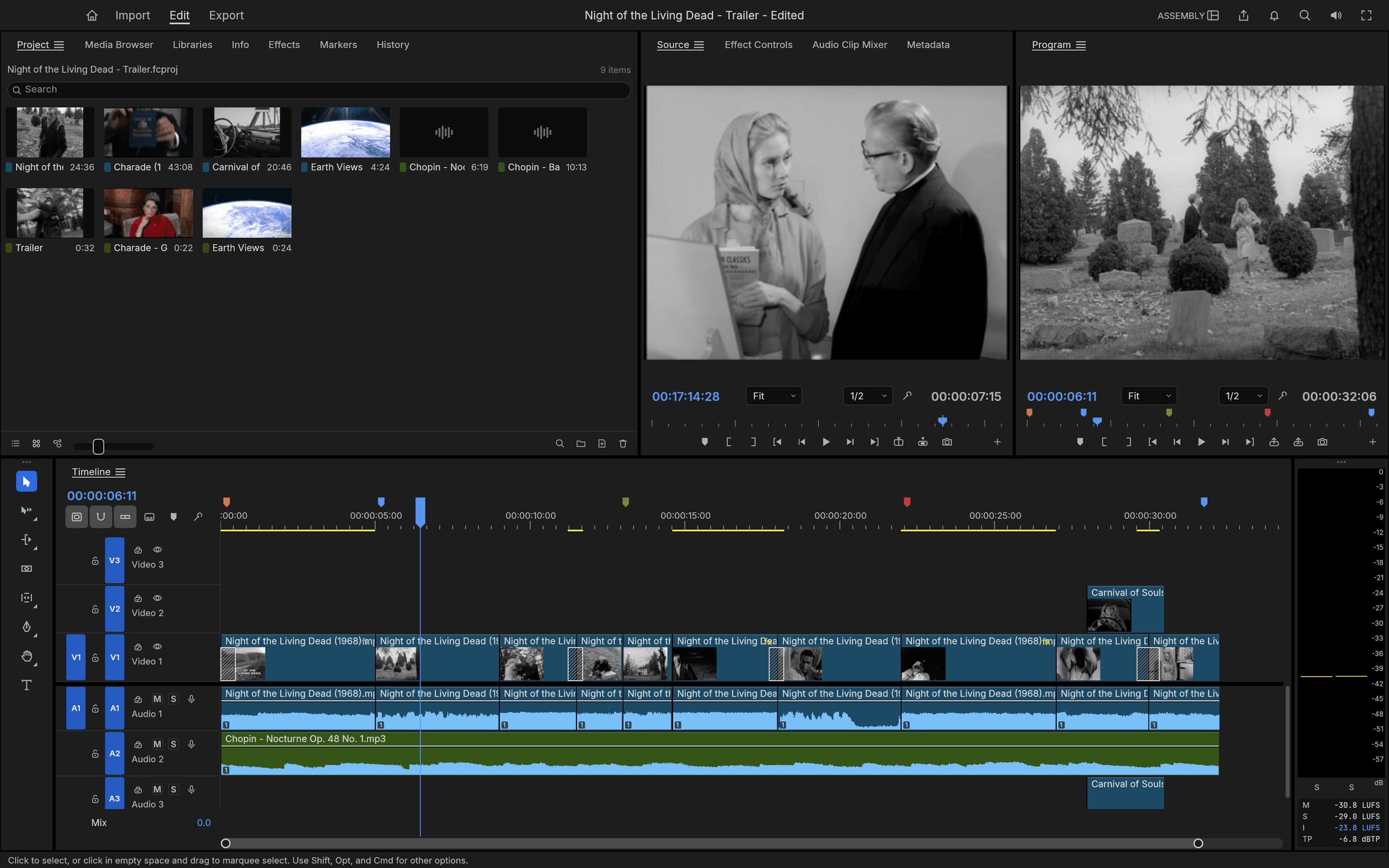
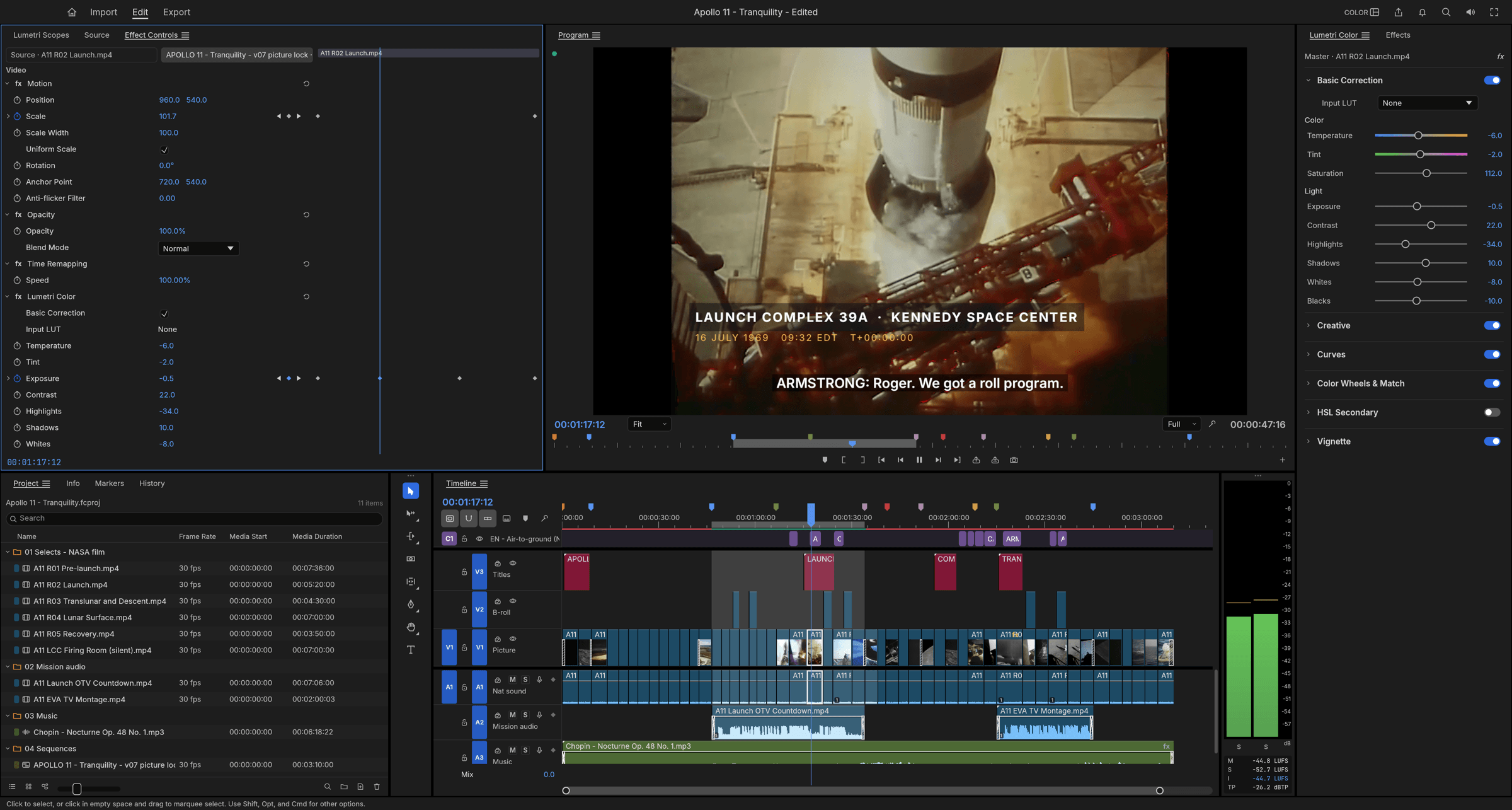
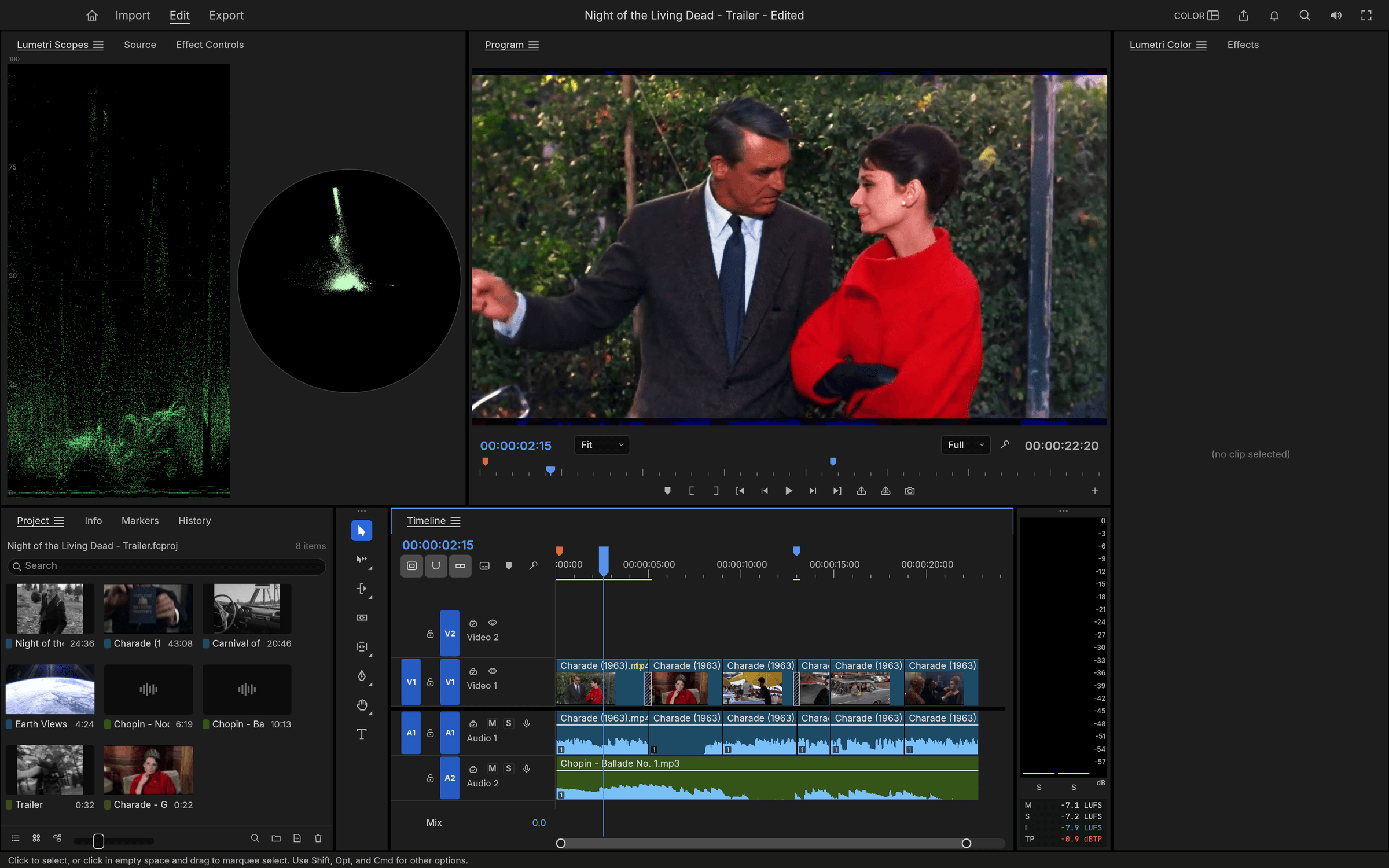
FilmCraft is a non-linear video editor for people who know Adobe Premiere Pro: it keeps the same panels, workspaces, tools and shortcuts so editing feels immediate, but rebuilds the engine from the bitstream up in pure Rust as a free, open-source project by the ArtCraft team.
It goes deep for a young app. The H.264, HEVC, ProRes and AAC codecs are written from the public specifications — no FFmpeg — with ProRes decode from 422 Proxy to 4444 XQ. Keyframes behave like Premiere's, with value and velocity graphs and draggable influence handles; the text engine handles OpenType shaping, bidirectional text and kerning; caption tracks support CEA-608, CEA-708 and Teletext with frame-exact SRT, WebVTT and SCC import/export and burn-in. A GPU compositor works in linear light and frame math runs on exact integer time, so edits never drift. Export covers media files plus YouTube, Vimeo, TikTok, Instagram and FTP destinations at H.264 and HEVC.
Interchange is treated seriously: OpenTimelineIO round-trips every FilmCraft detail, and AAF Edit Protocol import and export targets Avid Media Composer and Pro Tools workflows. FilmCraft runs natively on macOS, Windows and Linux and in the browser via WebAssembly, and it sits roughly 45% of the way to Premiere Pro parity today, with a public roadmap tracking every milestone. As with the rest of the ArtCraft suite, an MCP server, CLI and JSON control channel let AI agents drive every command.

Frequently Asked Questions
Which platforms does FilmCraft run on?
FilmCraft runs natively on macOS, Windows and Linux, with a browser build via WebAssembly from the shared Rust codebase. Build it with cargo run --release -p filmcraft or grab a desktop installer, with a CLI app and headless MCP server alongside.
Which video codecs and formats does FilmCraft support?
The codecs are written in Rust from the public specifications: H.264, HEVC, ProRes and AAC, with ProRes decode from 422 Proxy to 4444 XQ (export writes 422 HQ) and deliverable exports as H.264 MP4. It also imports stills in PNG, JPEG, GIF, WebP, TIFF and BMP, and exports PNG sequences and animated GIF.
Does FilmCraft support captions and subtitles?
Yes. Caption tracks exist in Subtitle, CEA-608, CEA-708 and Teletext formats. You can import and export SRT, WebVTT and SCC with frame-exact timing, edit captions in the Text panel and burn them into exports.
Can FilmCraft exchange projects with other editors?
OpenTimelineIO round-trips timelines with every FilmCraft detail preserved in metadata, and AAF (Edit Protocol) import and export targets Avid Media Composer and Pro Tools, including embedded or sidecar audio and clip effects. Bins, media and sequences from interchange files are merged into the project as one undoable step, with media relinked on disk.
OpenAltFinder Score
Project Details
Repository details
Updated 10/5/2026, 5:00:18 AM
View RepositoryCompare FilmCraft with
Similar open source alternatives

Shotcut
Cross-platform open-source video editor built on the MLT framework with a wide format support and no import required.
 Adobe Premiere Pro
OpenShot Video Editor
OpenShot is a free, open-source video editor for Linux, macOS, and Windows with unlimited tracks, keyframe animation, and 3D titles.
Adobe Premiere Pro
Drift
Free, open-source desktop video editor for Linux, Windows, and macOS built with Qt 6 and FFmpeg.
 CapCut
FableCut
FableCut is a zero-dependency, browser-based video editor designed for humans and AI agents. Drive edits via JSON timelines, the MCP protocol, or a clean REST API on any platform.
Adobe Premiere Pro
Kdenlive
Free and open source multi-track video editor built on MLT Framework and KDE technologies.
Adobe Premiere Pro
Olive
Free open-source non-linear video editor with hardware-accelerated compositing and cross-platform support.
Adobe Premiere Pro