PeerBrush
Open-source desktop image editor where you and MCP-connected AI agents edit the same layered PSD project side by side.
Open source alternative to:
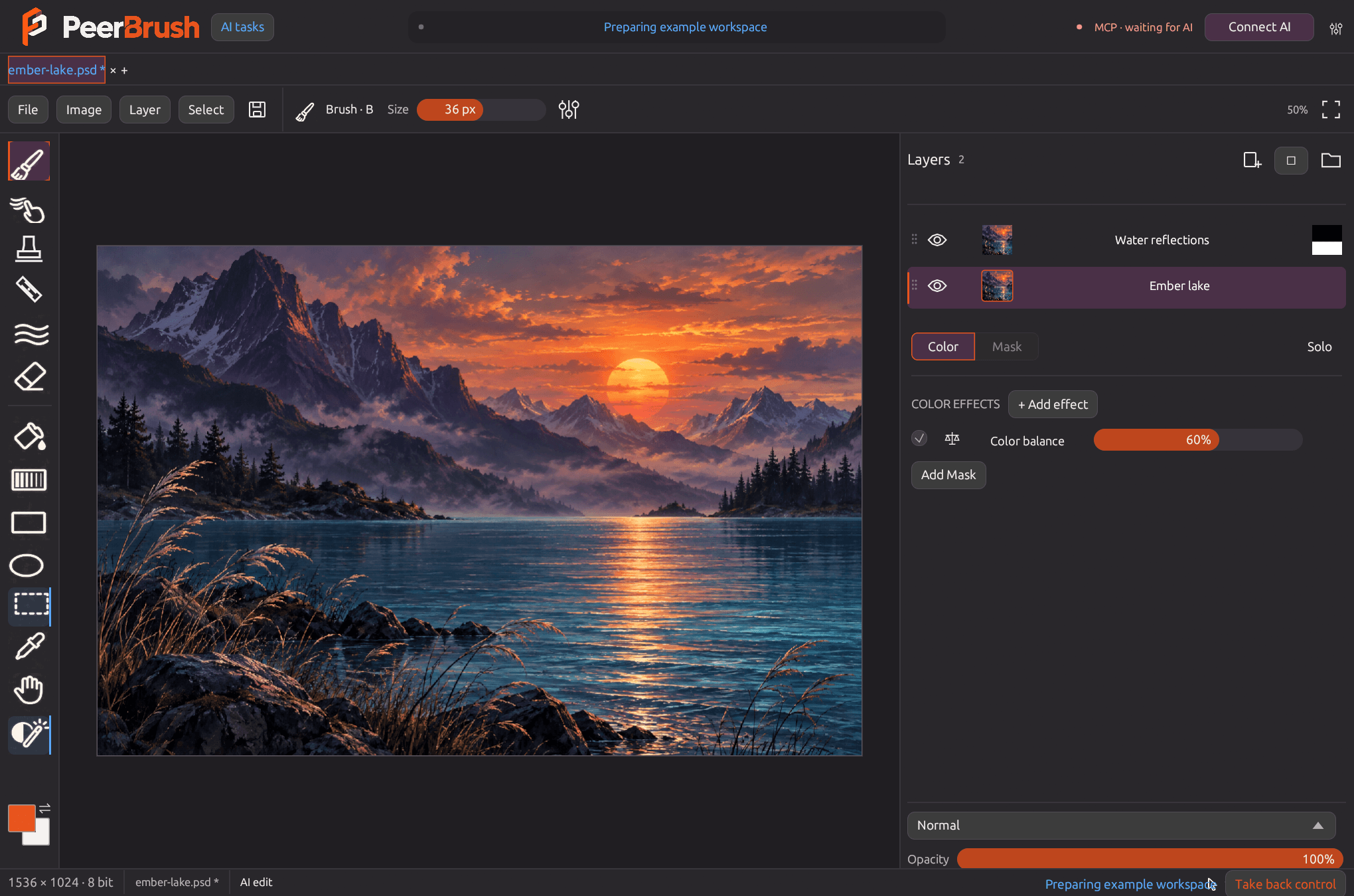
PeerBrush is a native desktop image editor built around a shared workspace: a human and one or more AI agents work on the same layered document instead of handing images back and forth through a prompt box. Connected agents see the live document state - layers, masks, selections, transforms, effects and history - through an MCP server, and they make ordinary, undoable edits using the same commands as the interface.
On the editing side it is a full raster workspace: layer and folder hierarchies, 21 procedural brush presets, editable color and mask effect stacks, whole-image filters, text and vector layers, editable liquify, PSD/PSB working files with 8-bit and 16-bit RGB precision, and PNG export. Multiple projects can stay open in tabs, and an agent's background edits target a specific project with revision checks, optional layer reservations and a shared undo history, so human and AI changes stay visible, editable and reversible.
PeerBrush does not bundle a model. Instead it registers itself with clients such as Codex, Claude Desktop, Cursor and Gemini CLI, leaving model choice outside the editor. It is an experimental GPL-3.0 prerelease for Windows, macOS and Linux, and supported Photoshop structures are preserved while unsupported PSD features open as a protected merged preview, so it is a working alternative rather than a complete drop-in replacement for Adobe Photoshop.
Categories:

Frequently Asked Questions
Which platforms does PeerBrush run on?
PeerBrush ships native builds for Windows x64, Linux x64 and Apple silicon Macs. Windows users can install the Microsoft Store version or use the portable package, while macOS and Linux users download the release archive. There is no web version, mobile app or browser extension.
How do I connect an AI agent to PeerBrush?
Open PeerBrush and click Connect AI. The app registers its own executable and workspace with any of Codex, Claude Desktop, Cursor or Gemini CLI that it detects, backs up their existing settings, and starts a local MCP server with the editor. Reload or restart the client afterwards and approve PeerBrush when prompted. Manual setup commands are documented for clients that need explicit registration.
Does PeerBrush include an image generation model?
No. PeerBrush provides the editing environment and the MCP tools, and leaves model choice to the agent you connect. Any compatible model or client can plug into the same workflow, and agents can place generated or edited images into exact regions as normal undoable layers.
What file formats can PeerBrush open and save?
Working documents are saved as PSD or PSB and exported as PNG at 8-bit or 16-bit depth. Imports include PNG, JPEG, TIFF, WebP, GIF, BMP, TGA, QOI, Netpbm, ICO and SVG/SVGZ, which can be dropped onto the canvas or brought in as layers. Editable PSD support covers 8-bit and 16-bit RGB layers, groups, masks and common blend modes; unsupported Photoshop structures open as a protected merged preview.
Can a human and an AI agent edit the same document at once?
Yes. Both sides act on the same document with shared undo and redo, participant checks, atomic edits and revision validation. Agents can optionally reserve a layer or region for a task, and every change remains visible, editable and reversible from the normal history. AI activity is marked in blue and human interaction in orange.
OpenAltFinder Score
Project Details
Repository details
Updated 11/7/2026, 4:00:52 AM
View RepositoryGet the latest open source alternatives delivered weekly.
Discover tools that give you freedom from proprietary software.
Compare PeerBrush with
Similar open source alternatives
Krita
Free, open source digital painting and illustration application that is a popular alternative to Photoshop and Procreate.
 Adobe Photoshop
miniPaint
Online image editor with layers, filters, and effects that runs entirely in the browser. An open source Photoshop alternative with no ads or account required.
Adobe Photoshop
Compositor
Compositor is a free, open-source Photoshop-style image editor built in Swift, native to macOS.
Adobe Photoshop
GIMP
GNU Image Manipulation Program — the venerable free, open source image editor and Adobe Photoshop alternative.
Adobe Photoshop
SnapOtter
Self-hosted image manipulation platform with 45+ tools, local AI, and pipelines. A privacy-first open source alternative to Canva, TinyPNG, and remove.bg.
 Canva
PhotoSuite
A free, open-source desktop image editor that replicates the Photoshop interface with 1:1 native PSD/PSB file compatibility.
Adobe Photoshop