vokoscreenNG
Qt-based Linux and Windows screencast creator with multi-source audio, webcam overlay, Wayland support and click effects.
Open source alternative to:
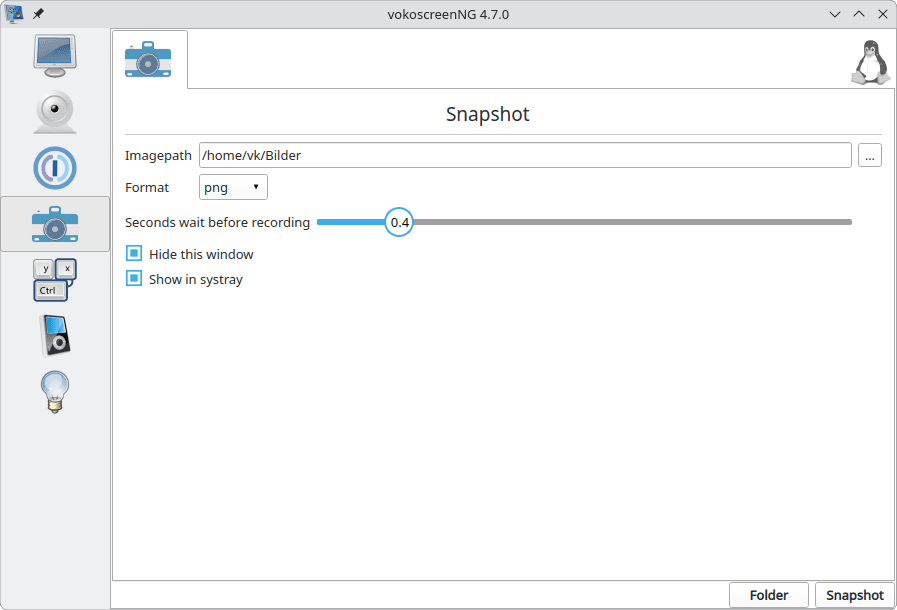
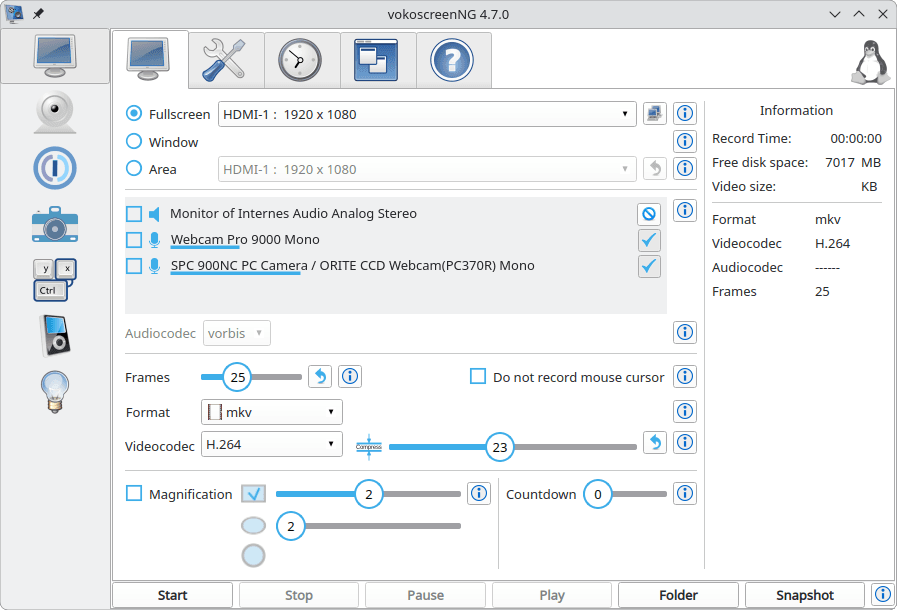
vokoscreenNG is an open source screencast creator for Linux and Windows built on Qt 6 and GStreamer. It records the entire screen, a chosen area or a single window — window capture is Linux-only — and can mix audio from several sources at once, so system sound and a microphone can land in the same file.
A built-in webcam overlay makes recordings more personal, and the presentation tools are what set it apart from a bare screen grabber: a magnifier, countdown and timer, Showclick to highlight mouse clicks, a halo effect and a system tray control. On Linux it works under both X11 and Wayland, the latter through PipeWire, gstreamer-plugin-pipewire and xdg-desktop-portal with a KDE, GNOME or GTK portal backend. Output formats come from GStreamer: MKV or MP4 containers with openh264/x264 video and Vorbis, Opus, FLAC or MP3 audio.
Distribution is handled by the distros themselves — Debian/Ubuntu (vokoscreen-ng), Fedora, openSUSE, Arch and NixOS — while Windows users download an installer from the project site; the author deliberately ships no universal installer because each platform packages software differently. The interface is translated on Transifex and only languages that reach 100% are bundled. The current release is 4.11.0, published in October 2026.
For anyone on Linux who needs a straightforward recorder, vokoscreenNG replaces Camtasia, which has no native Linux build at all, and it does so under GPL-2.0 with no account, watermark or recording time limit. It deliberately stops at capture — cutting, annotations and finished tutorials are left to a separate editor.
Categories:

Frequently Asked Questions
Which operating systems does vokoscreenNG support?
Linux and Windows. Window capture is a Linux-only option, and there is no macOS build. On Linux the current 4.x releases need Qt 6.9 or newer and GStreamer 1.22.8 or newer, plus PulseAudio for sound; the Windows build is compiled with Qt 6.10 and GStreamer 1.28.
Does vokoscreenNG work on Wayland?
Yes. Wayland recording goes through PipeWire, so you need pipewire and gstreamer-plugin-pipewire at version 1.0 or newer, xdg-desktop-portal 1.18.2 or newer, and a portal backend for your desktop such as KDE, GNOME or GTK. Screen capture on Wayland relies on the desktop portal's screen-share dialog rather than direct display access.
How do I install vokoscreenNG?
On Linux, use your distribution's package: vokoscreen-ng on Debian and Ubuntu, vokoscreenNG on Fedora and openSUSE, vokoscreen on Arch, or the nixpkgs package on NixOS. On Windows, download the installer from the project website. The project itself ships no cross-platform installer because packaging, desktop files and metadata are left to each distribution.
What formats and inputs can it record?
Video is written through GStreamer, typically into MKV or MP4 containers using openh264 or x264, with audio encoded as Vorbis, Opus, FLAC or MP3 depending on which GStreamer plugin sets are installed. Inputs can be the full screen, a region or a window, combined with a webcam feed and audio from more than one source at the same time.
Can I use vokoscreenNG in my own language?
Translations are managed on Transifex, and the project only bundles languages that are 100 percent translated. A new or completed translation is included in a following bugfix release, so an incomplete language will not appear in the interface yet.
OpenAltFinder Score
Project Details
Repository details
Updated 11/10/2026, 11:01:30 AM
View RepositoryRepository activity
Get the latest open source alternatives delivered weekly.
Discover tools that give you freedom from proprietary software.
Compare vokoscreenNG with
Similar open source alternatives

Shotcut
Cross-platform open-source video editor built on the MLT framework with a wide format support and no import required.
 Adobe Premiere Pro

Drift
Free, open-source desktop video editor for Linux, Windows, and macOS built with Qt 6 and FFmpeg.
 CapCut

OBS Studio
OBS Studio is free and open source software for live streaming and screen recording. Capture, mix, and broadcast video with pro-grade tools used by streamers and creators worldwide.
 Camtasia
Open Video Craft
Open-source, local-first screen recorder and timeline video editor for macOS and Windows with AI subtitle generation.
Adobe Premiere Pro
LosslessCut
Cross-platform FFmpeg GUI for lossless video and audio cutting, merging and remuxing — no re-encoding, no quality loss.
Adobe Premiere Pro
Captura
Captura is a Windows screen recorder that captures screen, audio, cursor, mouse clicks, and keystrokes. Lightweight, configurable, and perfect for tutorials, demos, and bug reports.
Camtasia