
FinTrack
Open source personal finance platform for tracking accounts, transactions, and monthly budgets, with CSV imports. Self-host via Docker or AWS.
Open source alternative to:



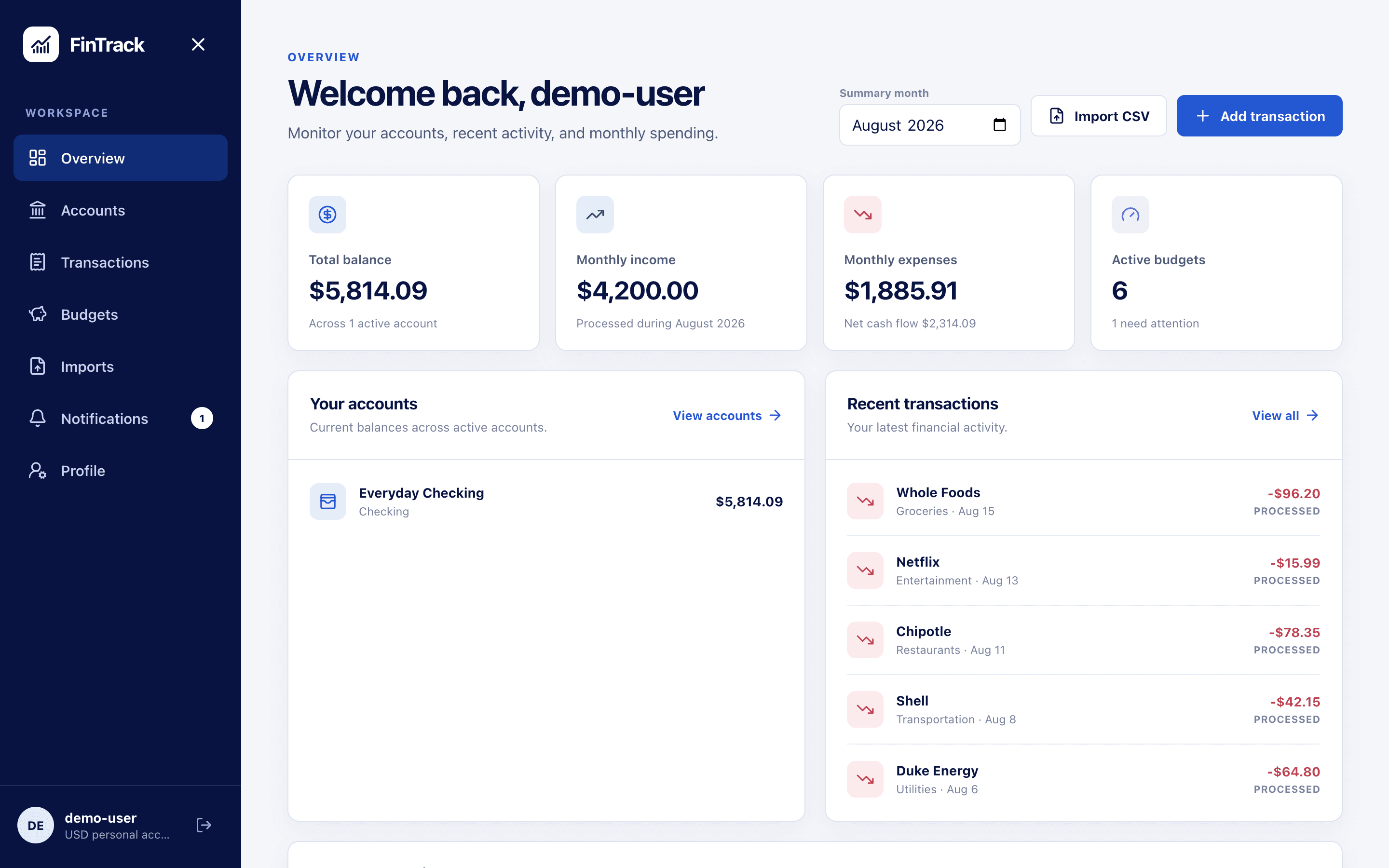
FinTrack is an open source, event-driven personal finance platform for tracking accounts, transactions, budgets, and spending. It is built with Java 21 and Spring Boot, split into an API service and a background worker that communicate through Amazon SQS, with PostgreSQL for data, Redis for rate limiting, and S3 for file storage.
Users create financial accounts with opening and current balances, record income and expense transactions, and let FinTrack categorize them automatically using configurable matching rules — with manual overrides when the rules get it wrong. Monthly budgets per category show on-track, warning, and over-budget states and generate persistent notifications, while summaries compare income against expenses and break spending down by category and account. CSV imports are handled as restartable batch jobs that skip invalid rows and produce a downloadable report of anything rejected.
FinTrack sits where Mint, YNAB, and Monarch Money sit: a personal hub for accounts, budgets, and spending insight. The difference is that there is no bank syncing and no subscription — you import transactions as CSV files, and either run the whole stack locally with Docker Compose and LocalStack or deploy the included Terraform-defined environment to your own AWS account. A React web client is included for day-to-day use.
Categories:
Build with:





Frequently Asked Questions
Can I import my existing transactions into FinTrack?
Yes. You upload CSV files through the API or web client, and FinTrack stores the source file in S3, processes it in restartable batch chunks, and skips rows that fail validation. Rejected rows are collected into a downloadable CSV report. There is no bank auto-sync — imports are manual.
How does FinTrack categorize transactions?
Transactions are enriched asynchronously and matched against configurable categorization rules. You can override the automatic category on any transaction. Imported CSV rows go through the same enrichment pipeline, so imported history is categorized too.
Does FinTrack support multiple currencies?
No. FinTrack keeps all monetary data in a single base currency that you select per user. It does not currently convert between currencies or support multi-currency accounts.
Does FinTrack have a mobile app?
No. FinTrack ships a responsive React web client that works in mobile browsers, but there are no native iOS or Android apps.
What do I need to self-host FinTrack?
For local development you need Docker Desktop, a LocalStack authentication token, and one docker compose command to start PostgreSQL, Redis, LocalStack, and both services. For production, the repository includes Terraform definitions for an AWS deployment using ECS Fargate, RDS PostgreSQL, ElastiCache Redis, SQS, and S3.
Looking for contributors
This project is actively seeking help, join the community!
OpenAltFinder Score
Project Details
Repository details
Updated 10/13/2026, 10:00:18 AM
View RepositoryRepository activity
Compare FinTrack with
Similar open source alternatives

Securo
Open-source self-hosted personal finance manager with bank sync, multi-currency budgets, investments, splits, and an optional self-hosted AI assistant.
 Mint
MintBudget Board
Self-hosted budgeting app for tracking accounts, spending, and financial goals, with bank syncing via SimpleFIN and ML-powered auto-categorization.
Mint
FlyBudget
A free, local-first budgeting app with zero-based planning, bank sync, and desktop and self-hosted apps.
 YNAB
YNAB
BudgetBee
BudgetBee is a Docker-based, self-hosted personal finance manager. Track expenses, budgets, accounts, savings goals, and net worth with full data ownership and zero subscriptions.
Mint
ezBookkeeping
Lightweight, self-hosted personal finance and bookkeeping app with a mobile-friendly UI — an open alternative to Mint and YNAB.
Mint
Actual Budget
Fast, privacy-focused local-first personal finance app using zero-sum budgeting, with optional self-hosted sync.
YNAB