
Securo
Open-source self-hosted personal finance manager with bank sync, multi-currency budgets, investments, splits, and an optional self-hosted AI assistant.
Open source alternative to:




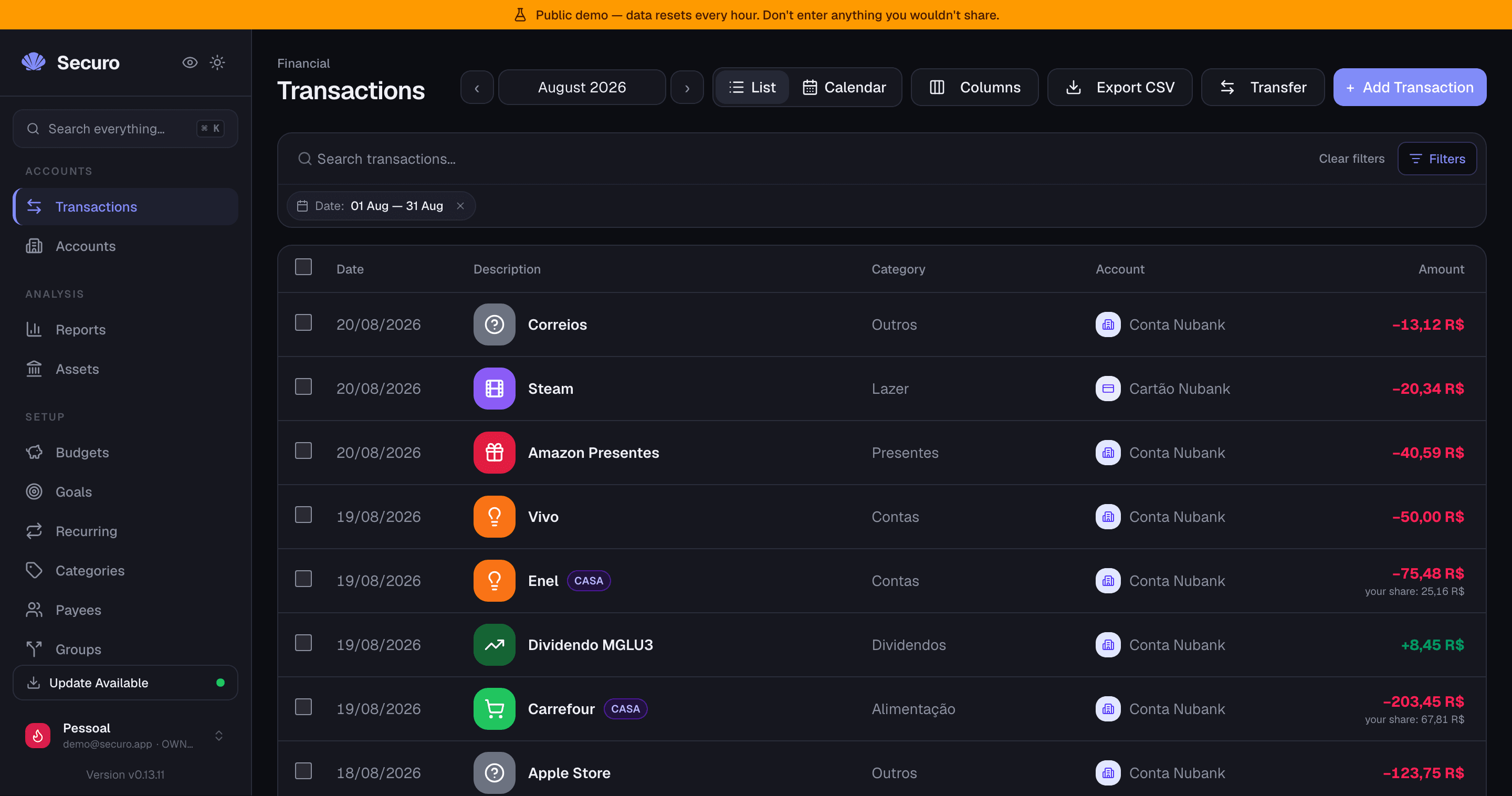
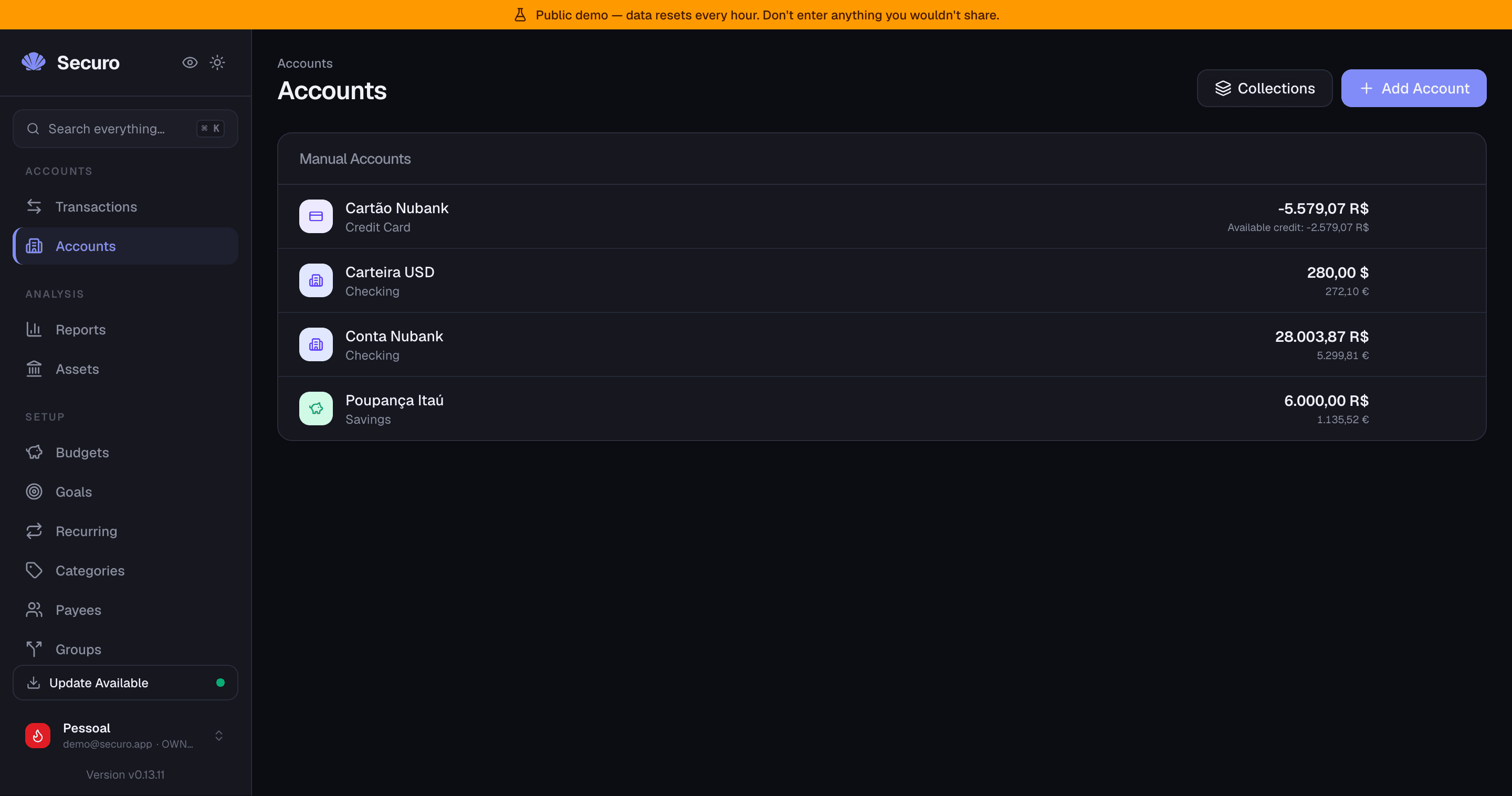
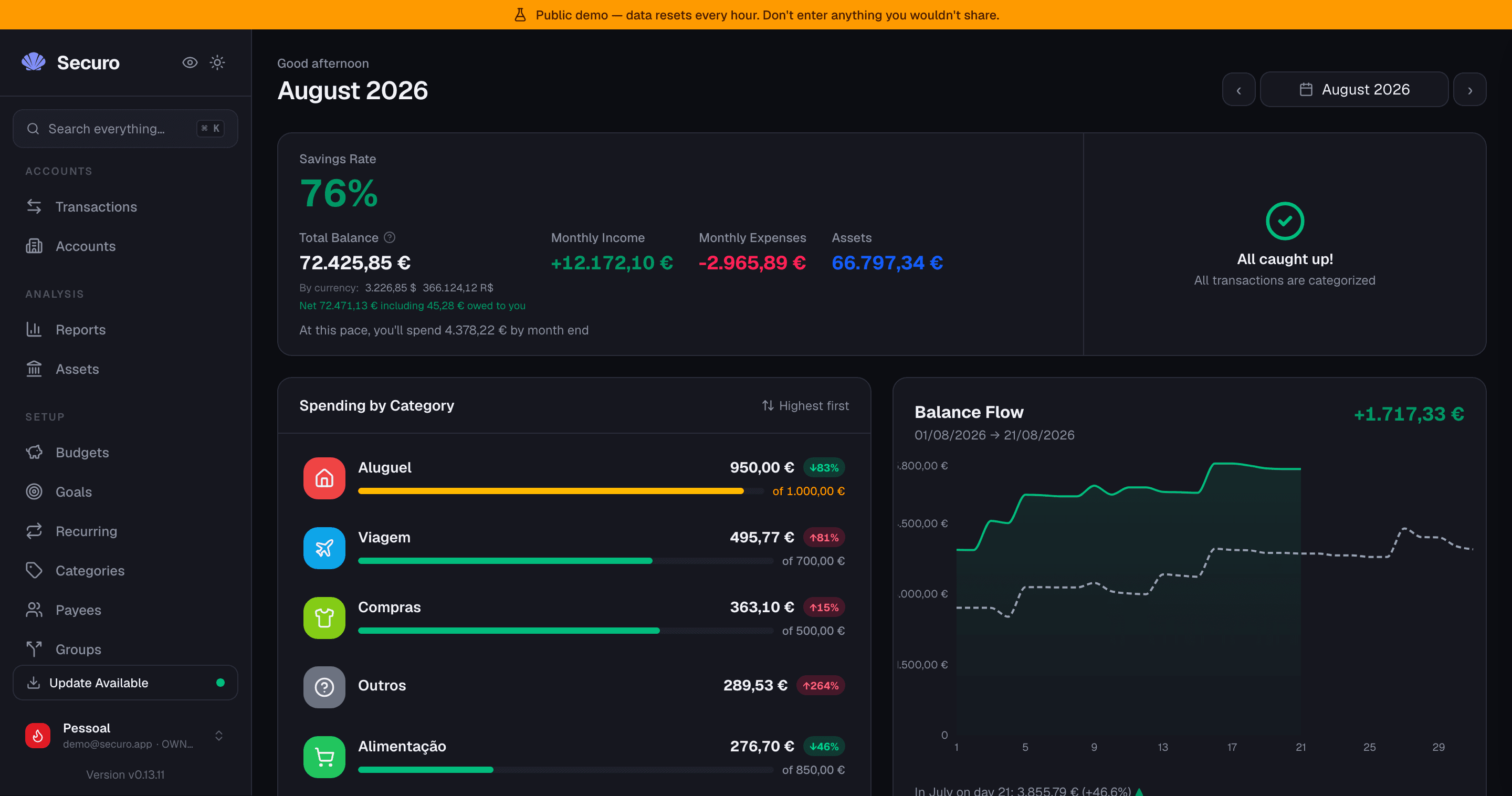
What is Securo
Securo is an open-source, self-hosted personal finance manager built around a simple promise: your financial data stays on your machine. It links bank, credit card, and investment accounts, tracks transactions, runs budgets and savings goals, and visualizes net worth over time — all backed by a PostgreSQL database on your own server rather than a third-party SaaS.
The project positions itself as a privacy-first successor to the kind of all-in-one finance dashboards that have moved to subscription pricing. The web frontend is React/TypeScript, the backend is FastAPI on PostgreSQL, and the whole stack ships as a Docker Compose project that you can run on a homelab box or a managed VPS.
Key features
- Bank sync through pluggable providers: Pluggy for Brazilian banks, Enable Banking for around 2,500 European PSD2 banks, and SimpleFIN for US and international banks.
- Multi-account management with running balances, transaction search, filters, and CSV export.
- File import for OFX, QIF, CAMT, and CSV, so you can bring in historical data from a previous tool.
- Auto-categorization rules engine, recurring transactions, monthly budgets, and savings goals with progress tracking.
- Investment tracking with manual valuations, growth rules, and a Net Worth report.
- Multi-currency with automatic FX conversion via Open Exchange Rates.
- Splits for shared expenses with households, partners, or roommates.
- Multi-user with an admin panel, registration controls, TOTP two-factor authentication, OIDC SSO (Authentik, Pocket ID, and any standard provider), and passkey login (Touch ID, Face ID, Windows Hello, security keys).
- Optional AI Agents: a self-hosted LLM chat with tool-use over your Securo data, MCP server integration, and a per-agent RAG knowledge base. Works with OpenAI, Anthropic, Ollama, and any OpenAI-compatible endpoint. Off by default and disabled when the extra container is not running.
- Reports: Net Worth over time, Income vs Expenses, and per-category sparklines.
How it compares to Mint, YNAB, Monarch, and Rocket Money
Mint was the category benchmark but was shut down in 2024. Most of its users moved to paid SaaS replacements: Monarch Money, Rocket Money (formerly Truebill), Empower (rebranded from Personal Capital), or to envelope-based tools like YNAB. All of them are subscription services that hold your bank credentials and transaction history on their infrastructure.
Securo covers the same feature surface — account aggregation, budgets, goals, net worth, shared expenses — but runs entirely on your own server. Bank credentials are stored in your .env and never leave your machine; transactions live in a local PostgreSQL. The tradeoff is that you operate the stack yourself: Docker, a reverse proxy, and HTTPS for passkeys. You also get features the paid services don't, like self-hosted AI agents over your own data and full data export to CSV at any time.
Self-hosting
The fastest path is the official installer:
curl -fsSL https://usesecuro.com/install.sh | bash
On Windows, or if you prefer manual control, clone the repo, copy .env.example to .env, and run docker compose up --build. A community Helm chart is published for Kubernetes. The frontend runs on port 3000 by default; the API and workers sit behind it. A live demo is available at demo.usesecuro.com.
Categories:








Frequently Asked Questions
Which banks does Securo support?
Securo does not connect to banks directly. Bank sync is handled by three pluggable providers: Pluggy for Brazilian banks, Enable Banking for around 2,500 European PSD2 banks, and SimpleFIN for US and international banks. You add credentials for the providers you want to .env and Securo auto-registers them on restart. Adding a new provider means implementing the provider interface, and the README notes the project is extensible.
Can I import existing transactions into Securo?
Yes. Securo imports OFX, QIF, CAMT, and CSV files, so you can bring in historical data exported from Mint, YNAB, a bank statement, or another personal finance tool. CSV is also available as an export format for any data you generate inside Securo.
What authentication options does Securo support?
Securo ships with email and password plus TOTP-based two-factor authentication and brute-force protection on login. It also supports passkeys via WebAuthn (Touch ID, Face ID, Windows Hello, security keys) and OIDC single sign-on for providers such as Authentik and Pocket ID. OIDC can auto-provision new users and synchronize provider roles into Securo permissions.
Does Securo support multi-user or shared accounts?
Yes. Securo has a multi-user model with an admin panel, controls to enable or disable public registration, and a Splits feature for dividing transactions with households, partners, or roommates. OIDC providers can also map external roles to Securo's per-workspace owner, editor, and viewer roles.
What is the AI Agents feature and is it required?
AI Agents is an optional add-on that adds a self-hosted chat assistant over your Securo data. It supports OpenAI, Anthropic, Ollama, and any OpenAI-compatible endpoint, and uses a built-in MCP server for tool-use and a per-agent RAG knowledge base. It is off by default, ships as a separate Docker Compose profile, and adds no cost when disabled. Without the MCP server running, the chat still works but cannot read your data.
OpenAltFinder Score
Project Details
Repository details
Updated 10/5/2026, 2:00:15 PM
View RepositoryRepository activity
Compare Securo with
Similar open source alternatives
Budget Board
Self-hosted budgeting app for tracking accounts, spending, and financial goals, with bank syncing via SimpleFIN and ML-powered auto-categorization.
 Mint
Mint
Wealthfolio
A beautiful, private, local-first personal finance tracker for investments, net worth, spending, and simulations.
 Empower
BudgetBee
BudgetBee is a Docker-based, self-hosted personal finance manager. Track expenses, budgets, accounts, savings goals, and net worth with full data ownership and zero subscriptions.
Mint
Renewlet
Self-hosted subscription tracker with timezone-aware reminders, budgets, spending insights, and ten notification channels.
 Rocket Money
Wallos
Open-source, self-hosted subscription tracker for visualizing recurring expenses, managing budgets, and saving money.
Rocket Money
Ghostfolio
Open-source wealth management software to track stocks, ETFs, cryptocurrencies, and your overall net worth.
Empower